Groups & Programs
Groups (sometimes called Programs) let you bundle patient care units together under a shared label — for example an ICU Care Team rolling up several step-down units, or a Surgical Program covering every OR and recovery room. Groups appear as filter options on the dashboard and on most reports, so you can track compliance for a program of care rather than a single unit.
Groups also drive the auditor-side experience: an auditor's group membership controls which units appear in their picker and which audit sessions they can see, so each user is presented only the units they are responsible for.
Request for Information Compare EditionsKey Benefits
- Roll up units into programs of care
- Group-level dashboards and reports
- Per-group color and short code
- A unit can belong to multiple groups
- Active / inactive without deleting
- Quick-create or full editor
- Filter the audit-session list by group
- Bulk export to HTML, CSV, or Excel
Group List
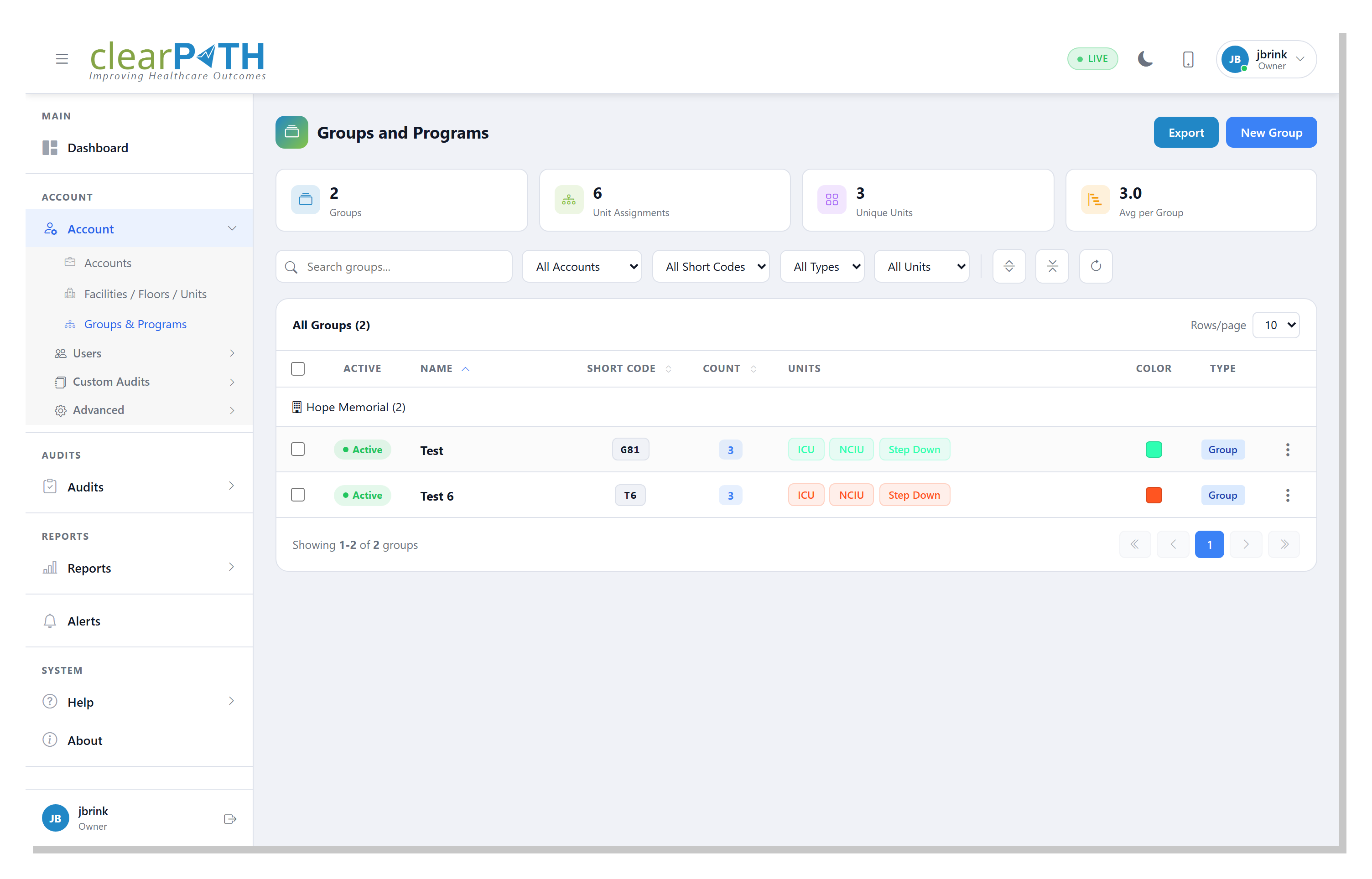
The Group List is the central workspace for every group on the account. Stat chips across the top show total groups, unit assignments, unique units, and the average size of a group. Search, filter, and bulk operations let you manage hundreds of groups without slowing down.
- Stat chips: Groups, Unit Assignments, Unique Units, Avg per Group
- Search by group name
- Filter by account, short code, type, or unit
- Expand-all / collapse-all for the Units column
- Color swatch and short code at a glance
- Bulk select and delete
- Export the filtered list
General Tab
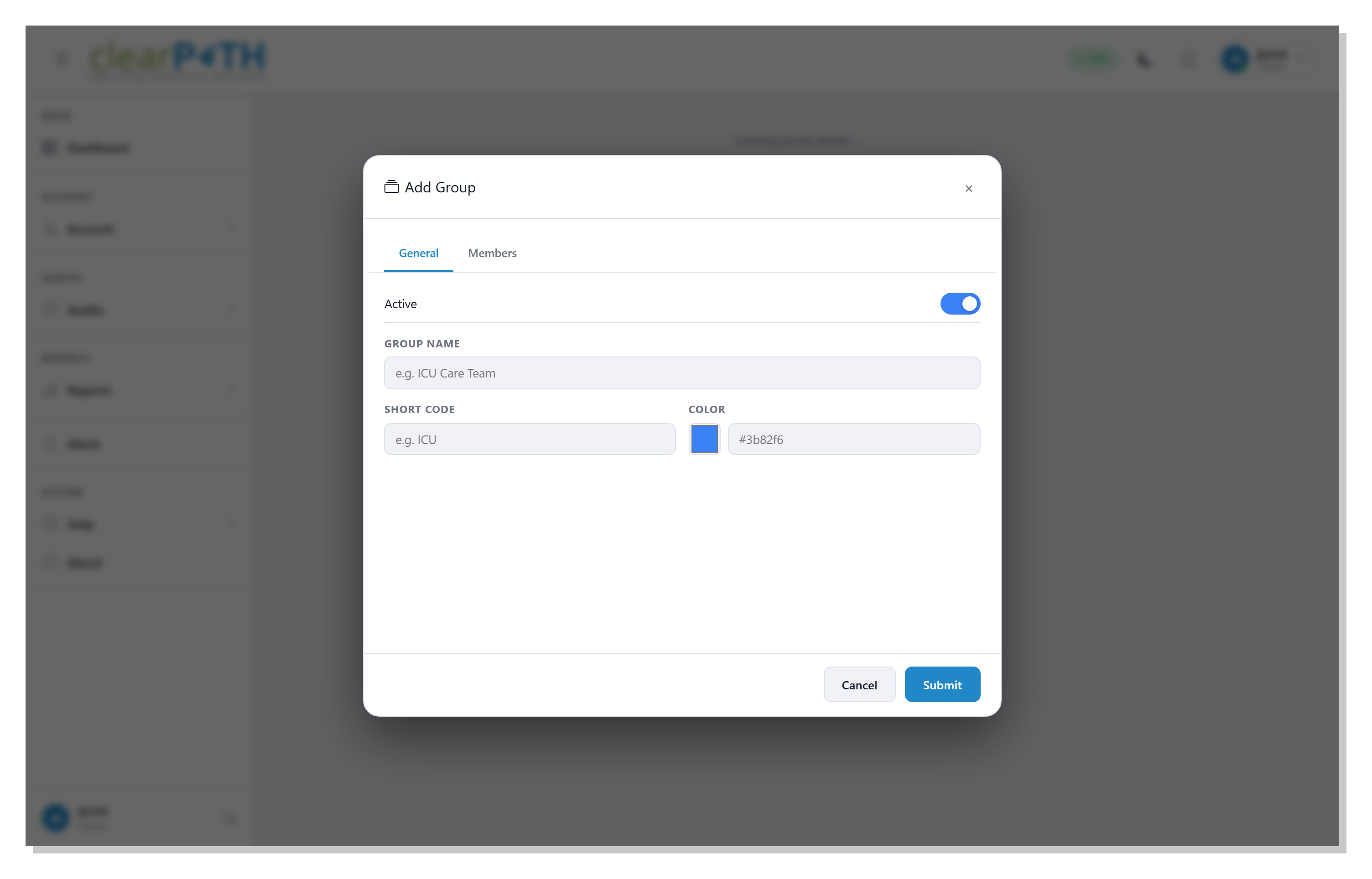
The General tab is where the group's identity lives. The active toggle takes a group out of dashboards, reports, and filter pickers without deleting it — so you can park a seasonal program between waves without losing its history.
- Active toggle
- Group Name
- Short Code (up to 12 characters)
- Color swatch or hex value
- Description
- Type classification
Members Tab
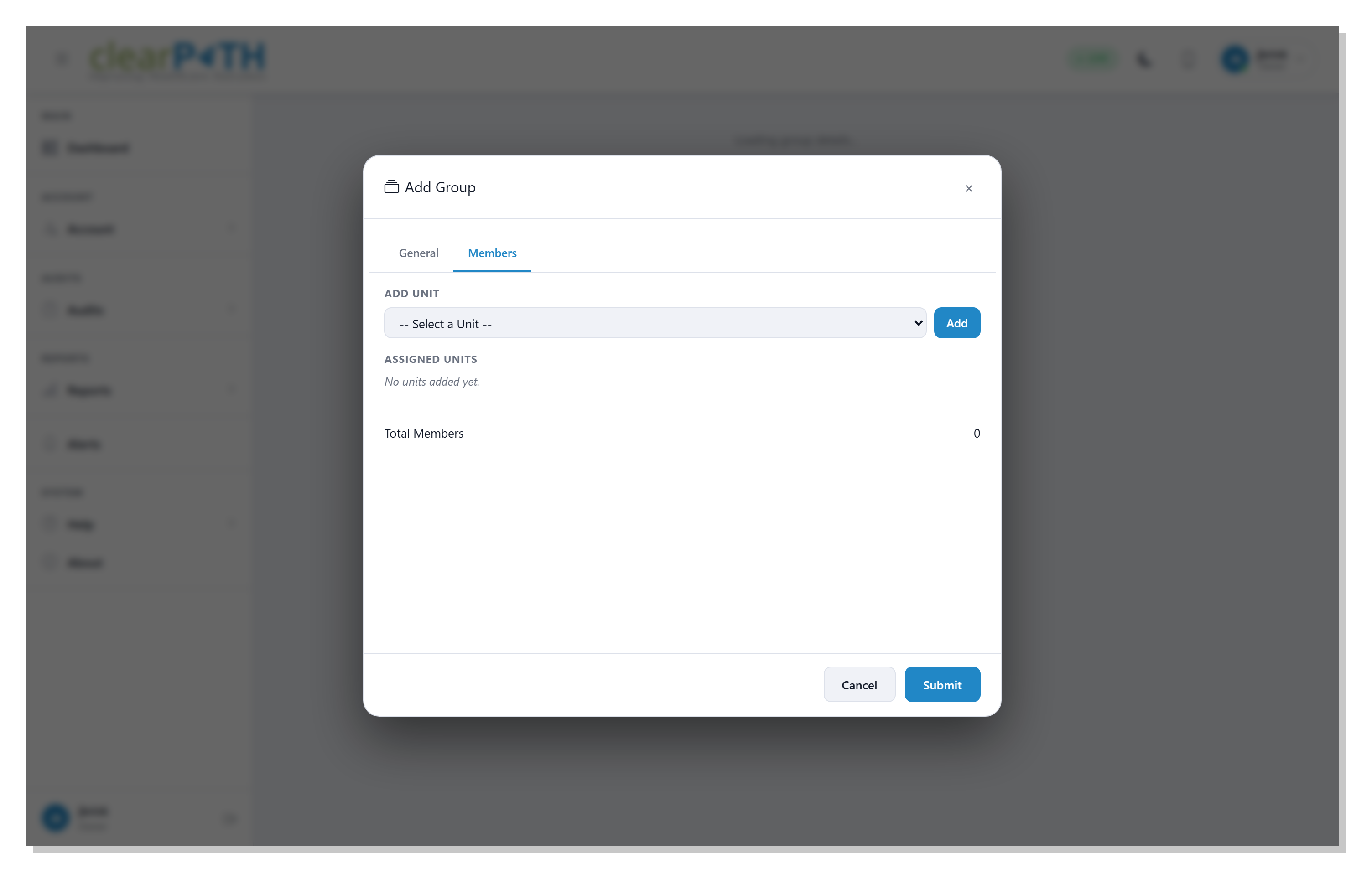
The Members tab is where you assign units to the group. Drag, type, or pick units from the list — a unit can belong to several groups at once, so a single OR can roll up to both the Surgical Program and a hospital-wide Hand Hygiene Initiative.
- Type a unit name and press Enter to add it
- Click a unit chip to remove it
- A unit can belong to multiple groups
- Member changes flow to dashboards and reports immediately
- Active groups only contribute to compliance rollups
Roll up Compliance the Way Your Teams Actually Work.
Auditor Groups are included on Enterprise and Ultimate editions. Build the rollups that match your org chart — and let dashboards and reports follow your structure.
Request for Information Compare Editions