Custom Audits
clearPath Custom Audits let your team run surveys and checklists that go beyond standard hand hygiene observations — infection prevention, PPE compliance, environmental services, medication safety, patient experience, and anything else you need to measure. Build the form once, then reuse questions and response sets across every audit your organization runs.
Results flow into the same dashboards and reports as the rest of clearPath, so a custom audit is a first-class citizen the moment it is published. Available on Enterprise and Ultimate editions across Windows, macOS, iPad, iPhone, Android, and any modern web browser.
Request for Information Compare EditionsKey Benefits
- Build audits without code
- Reusable question pool
- Reusable response pool
- Weighted scoring and pass thresholds
- Categories and groups for filtering
- Per-audit user and role permissions
- One-time and tokenized survey links
- Real-time results in dashboards
- Available on every supported platform
- Responsive design — audit from any browser
Define Audits
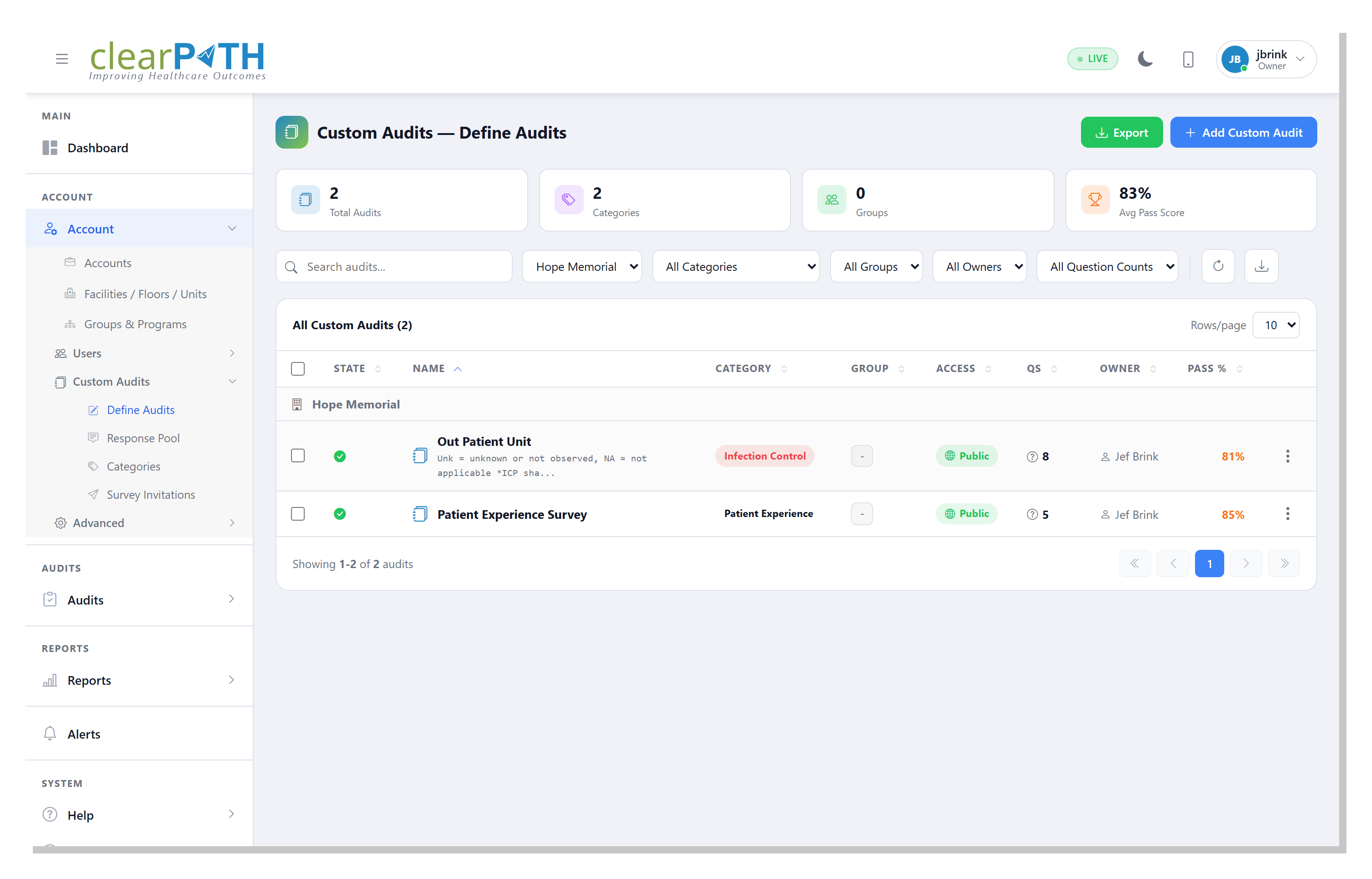
The Define Audits screen is the central workspace for every custom audit. Summary cards across the top show total audits, active groups, owners, and overall question count. Search and filter by name, category, group, or owner to find a specific audit quickly.
- Create from scratch, import, or copy an existing audit
- See status, pages, questions, and pass percentage at a glance
- Filter by category, group, owner, or question count
- Export audit definitions for backup or sharing
Audit Editor & Settings
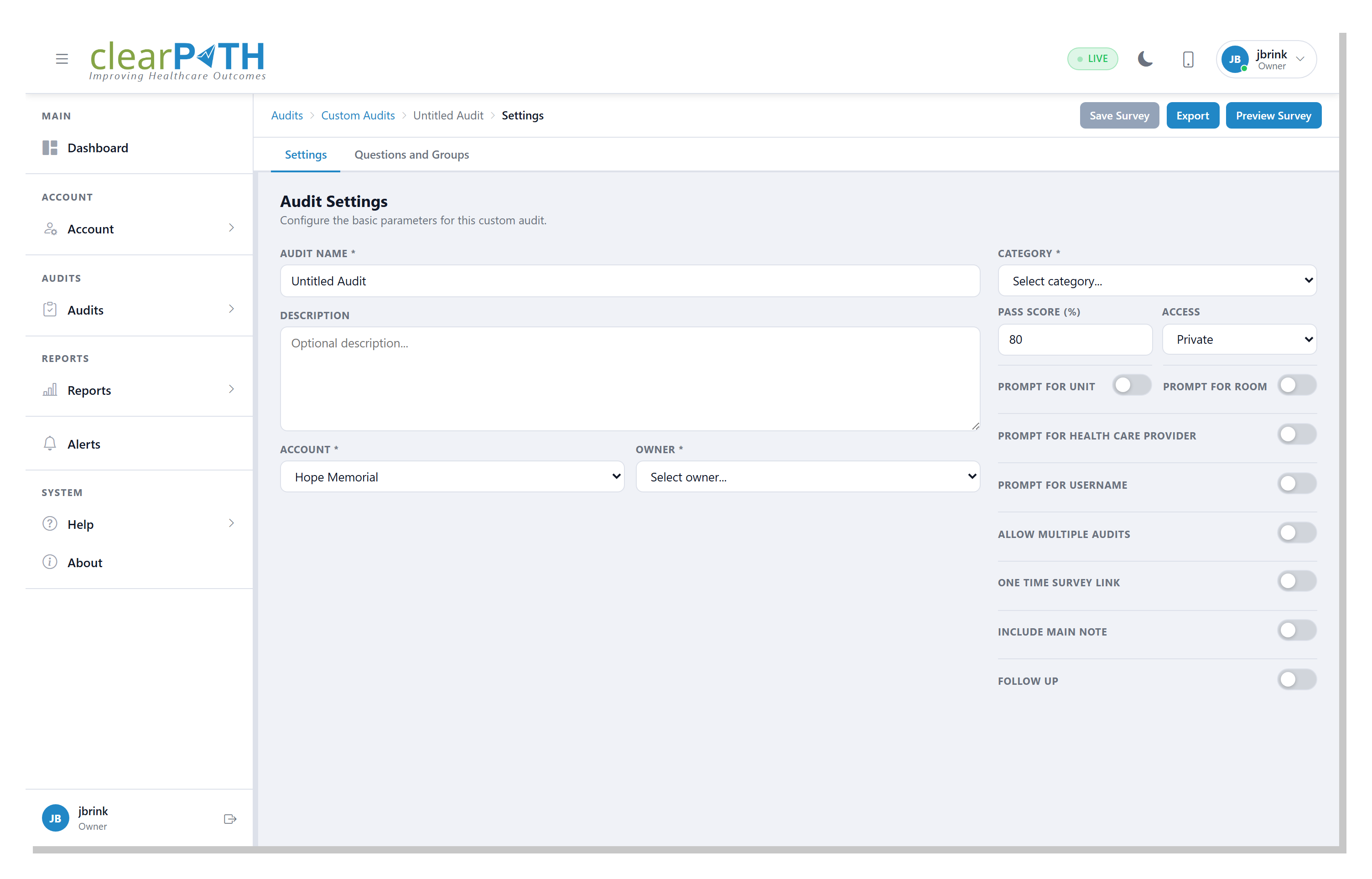
Each audit has a Structure tab for laying out questions and groups, and a Settings tab for the per-audit configuration that drives the survey experience. Toggle prompts on or off, set a pass score, choose access level, and preview the survey at any time.
- Add questions and question groups
- Reorder by drag and drop
- Pass score percentage
- Public or private access
- Prompt for unit, room, healthcare provider, or username
- Allow multiple audits per session
- One-time survey link toggle
- Include a main note
- Follow-up flag per audit
- Preview, export, and save in place
Question Pool
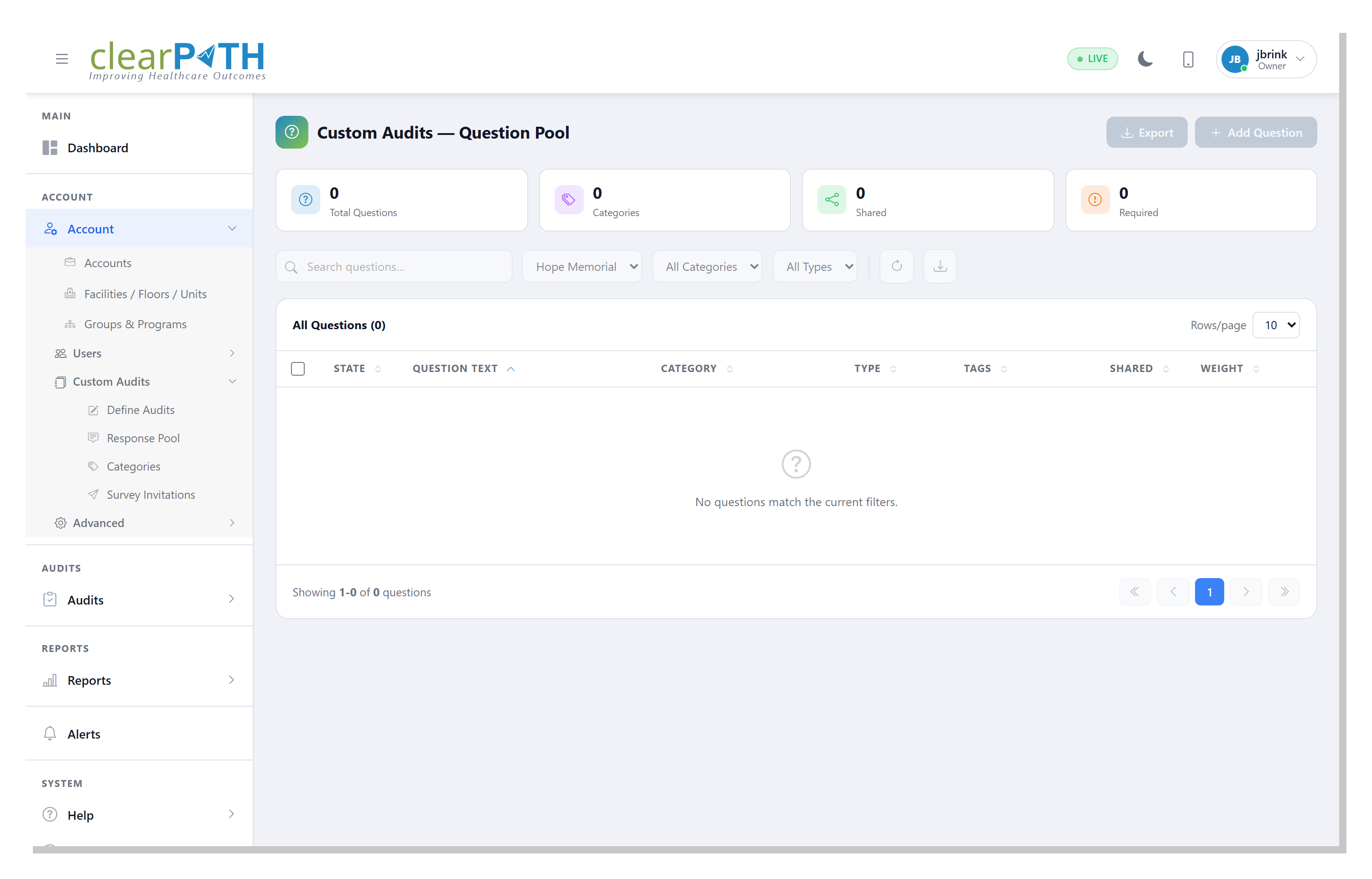
The Question Pool is a shared library of reusable questions that can be dropped into any custom audit. Build the question once, tag it, set its weight, and use it everywhere.
- Reuse questions across multiple audits
- Categorize questions (Hand Hygiene, PPE, Environmental, etc.)
- Yes/No, Multiple Choice, Scale, or Text response types
- Tag for fast search and filtering
- Mark as shared or required
- Per-question scoring weight
- Export the pool for backup or sharing
Response Pool
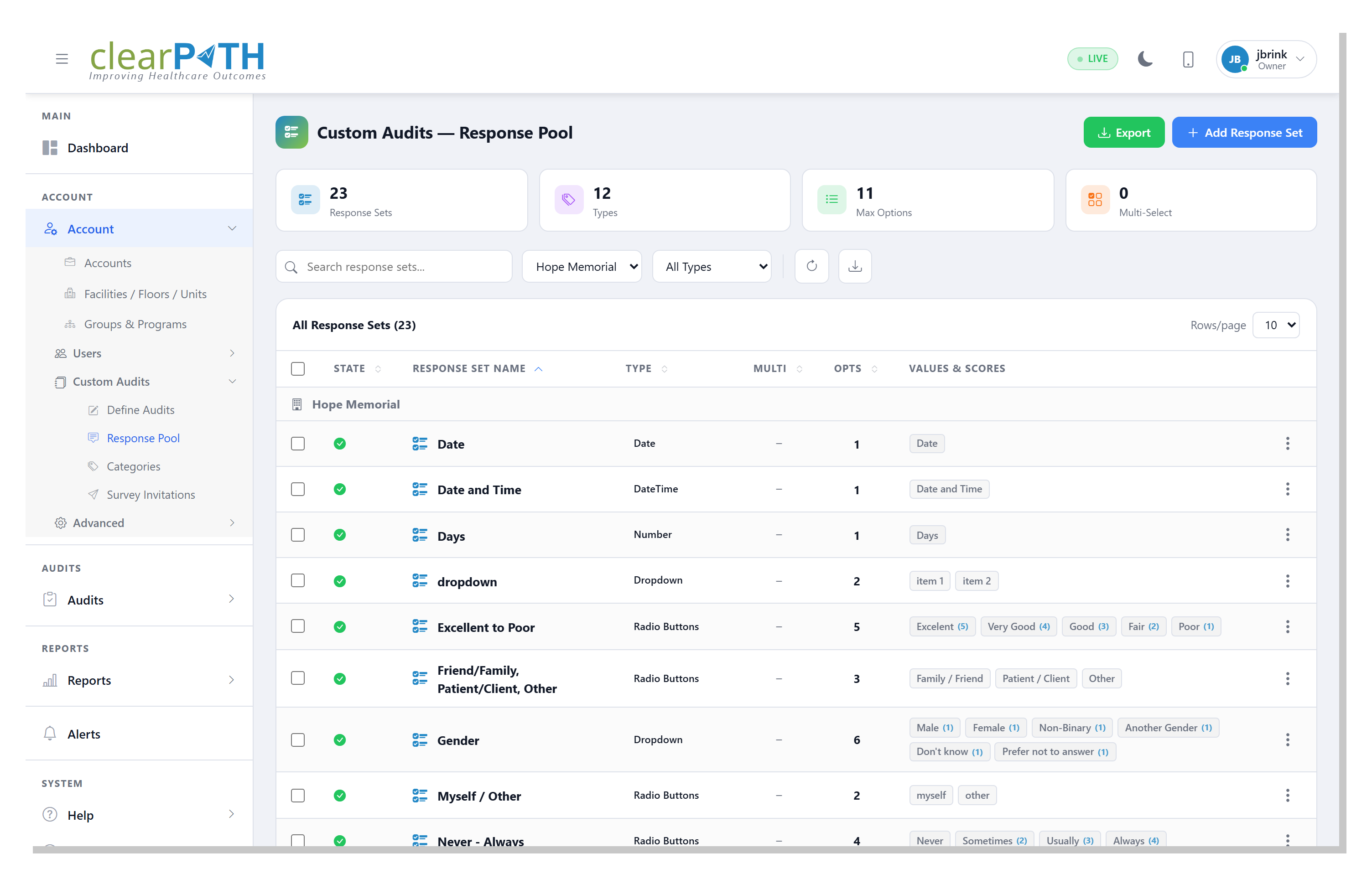
The Response Pool holds the predefined answer sets you attach to questions — Yes/No, Pass/Fail, Likert and numeric scales, multiple choice lists, and N/A Compliant variants. Each value can carry its own score, so weighting is consistent everywhere the set is used.
- Yes / No
- Pass / Fail
- Numeric Scale (1–5, 1–10)
- Multiple Choice
- N/A Compliant
- Single or multi-select
- Per-value scoring
- Date, Date/Time, Number, Dropdown
- Reuse across every audit
- Export for backup or sharing
Categories
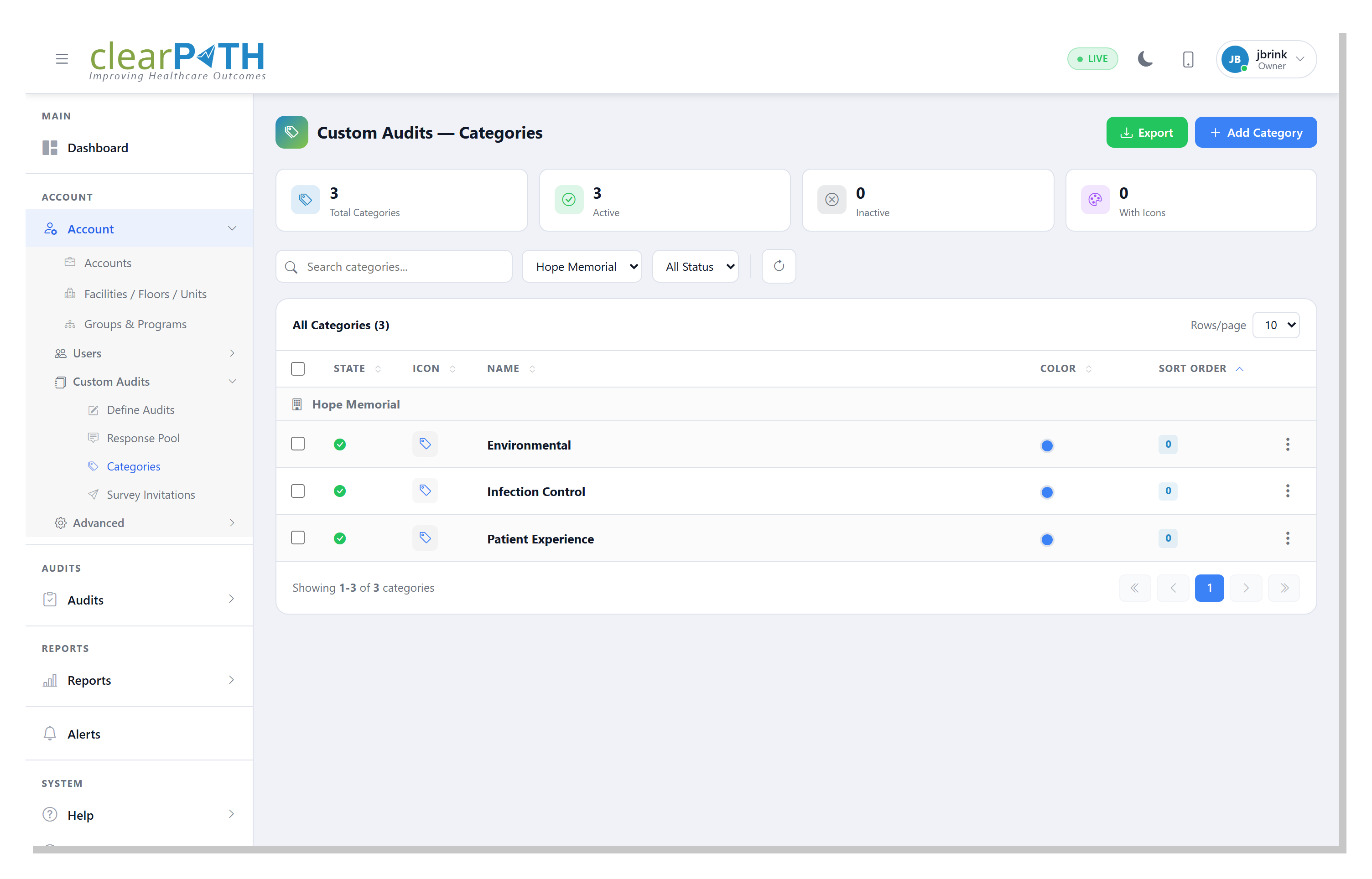
Categories classify your audits by subject area so they can be filtered and reported on together. clearPath ships with a starter set covering Hand Hygiene, PPE Compliance, Infection Prevention & Control, Medication Safety, Patient Safety, Environmental Services, Emergency Preparedness, and Documentation & Records — and you can add your own.
- Name, description, icon, and color per category
- Active or inactive states
- Sort order to control list display
- Filter audits and reports by category
Audit Groups
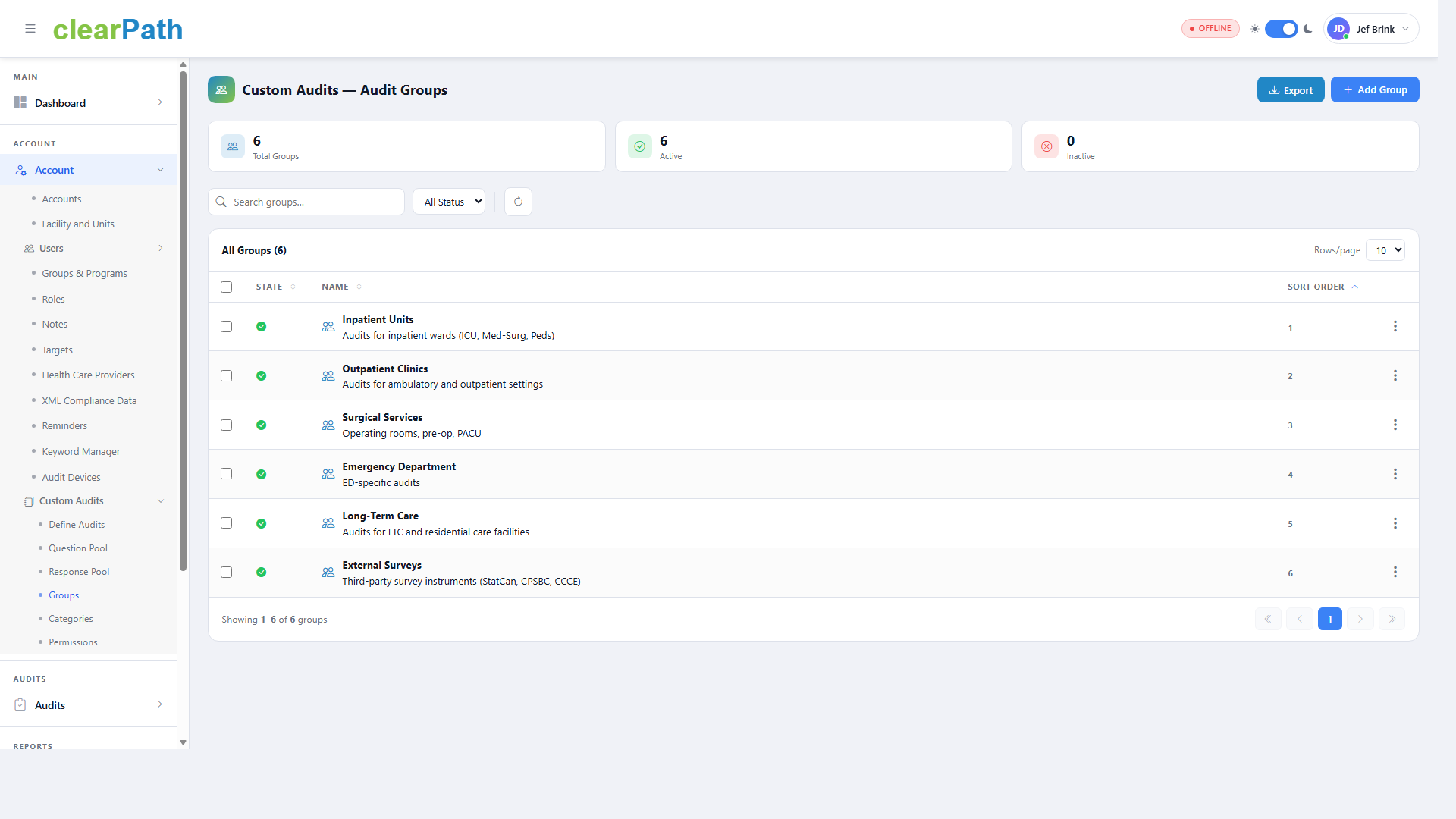
Audit Groups organize related audits into logical buckets — Inpatient Units, Outpatient Clinics, Surgical Services, Emergency Department, Long-Term Care, External Surveys, or whatever fits your organization. Groups make it easy to roll up results across families of audits.
- Name, description, and sort order
- Active or inactive states
- Filter audits and reports by group
- Export the group list
Permissions
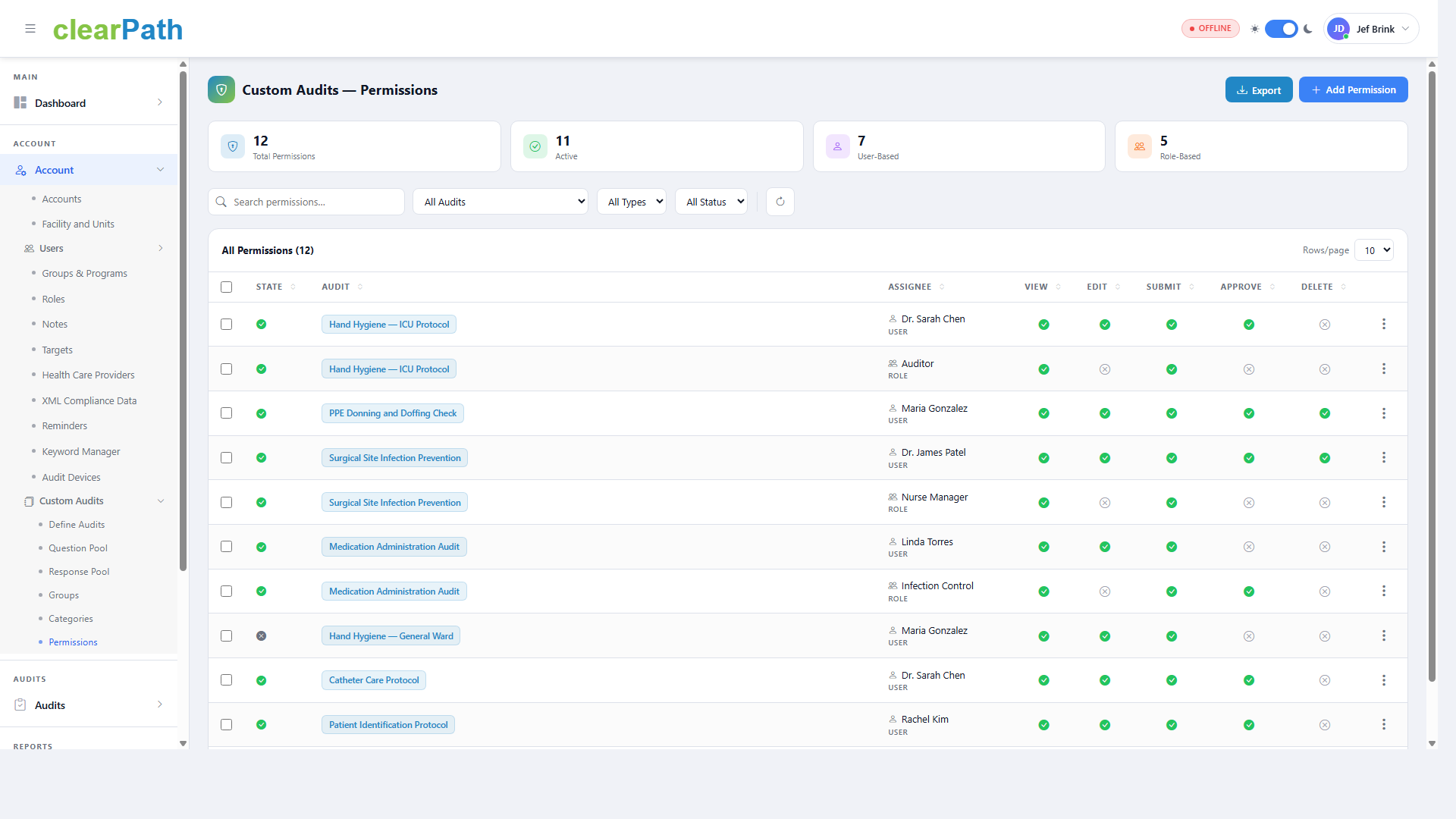
Control access to each audit at the user or role level. Permissions are granted per action — view, edit, submit, approve, delete — so the same audit can be open to a wide audience for completion while editing stays locked down to a small group of owners.
- User-based or role-based
- View
- Edit
- Submit
- Approve
- Delete
- Filter by audit, type, or status
- Export the permission list
Completing a Survey
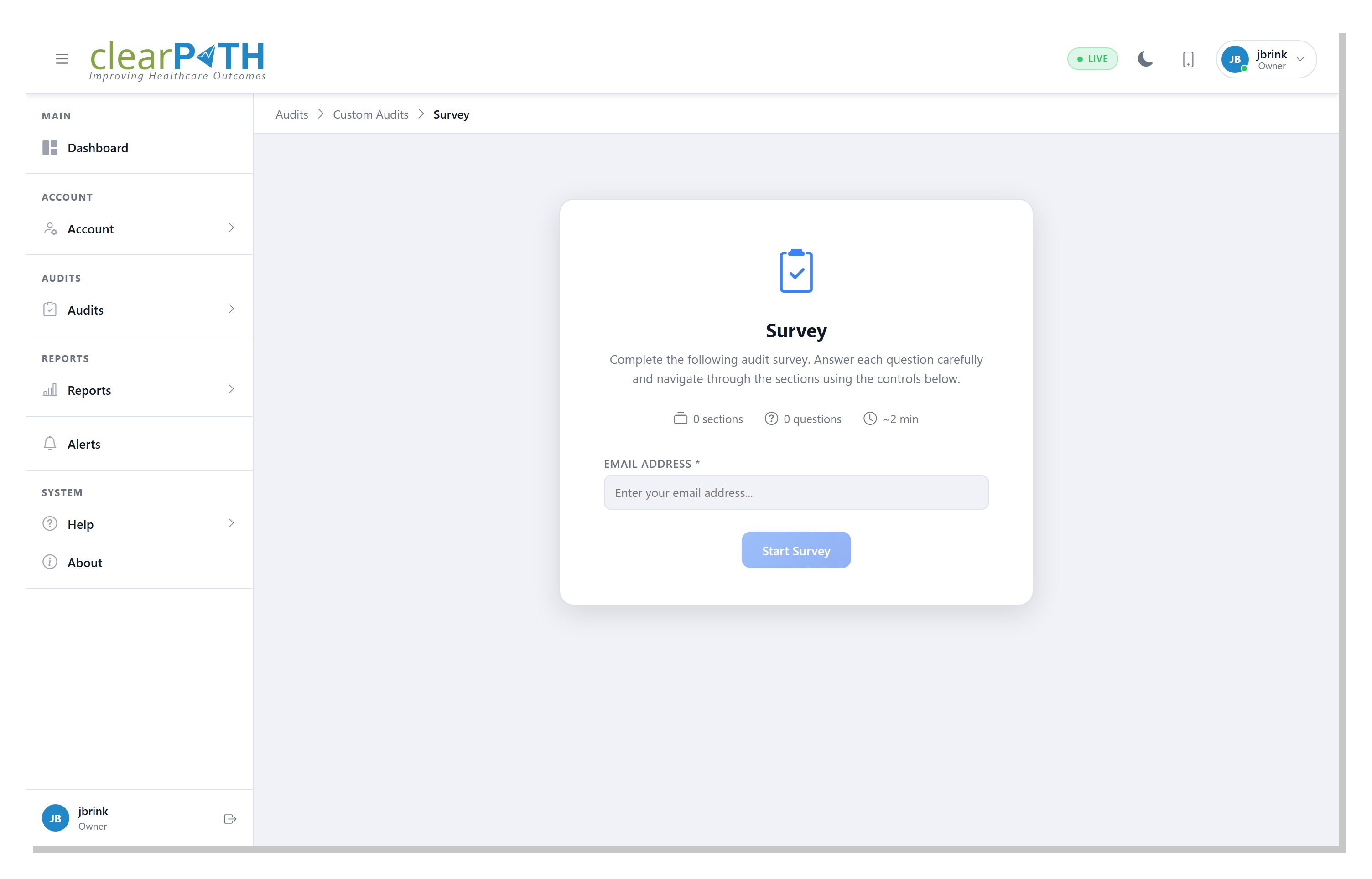
When an auditor launches a custom audit they see a clean start screen with the audit title, description, and summary of sections, questions, and estimated completion time. Required prompts — facility, unit, room, observer — appear before the first question.
- Section, question, and estimated time at a glance
- Prompts for facility, unit, room, and observer
- Capture photos from phone or tablet
- Per-question notes and follow-up flags
- Run audits back to back without leaving the screen
- Standalone mode for one-time and invitation links
Replace Your Clipboard. Keep Your Standard.
Bring your existing audit forms — infection control, medication safety, environmental rounds — and we'll build them into clearPath in one session. Reusable question and response pools, weighted scoring, configurable pass/fail, and per-audit permissions out of the box.
Book a Build Session Compare Editions