Digital Signage
clearPath Digital Signage broadcasts live compliance information, campaign messages, and custom content to displays around your facility — lobby screens, staff-room monitors, and unit huddle boards. The signage system is built around lineups (ordered sets of slides) that are pushed to paired devices.
The signage engine supports HTML5 content and SMIL 3.0, and devices are authenticated with per-device tokens that can be revoked at any time — so a screen that walks away does not become a data leak.
Request for Information Compare EditionsKey Benefits
- Live dashboard widgets
- Campaign messages and images
- HTML5 and SMIL 3.0 content
- Per-device tokens, revocable
- Multi-slide rotation per display
- Configurable transitions and durations
- Per-screen scope and period
- No sign-in required at the display
Lineups
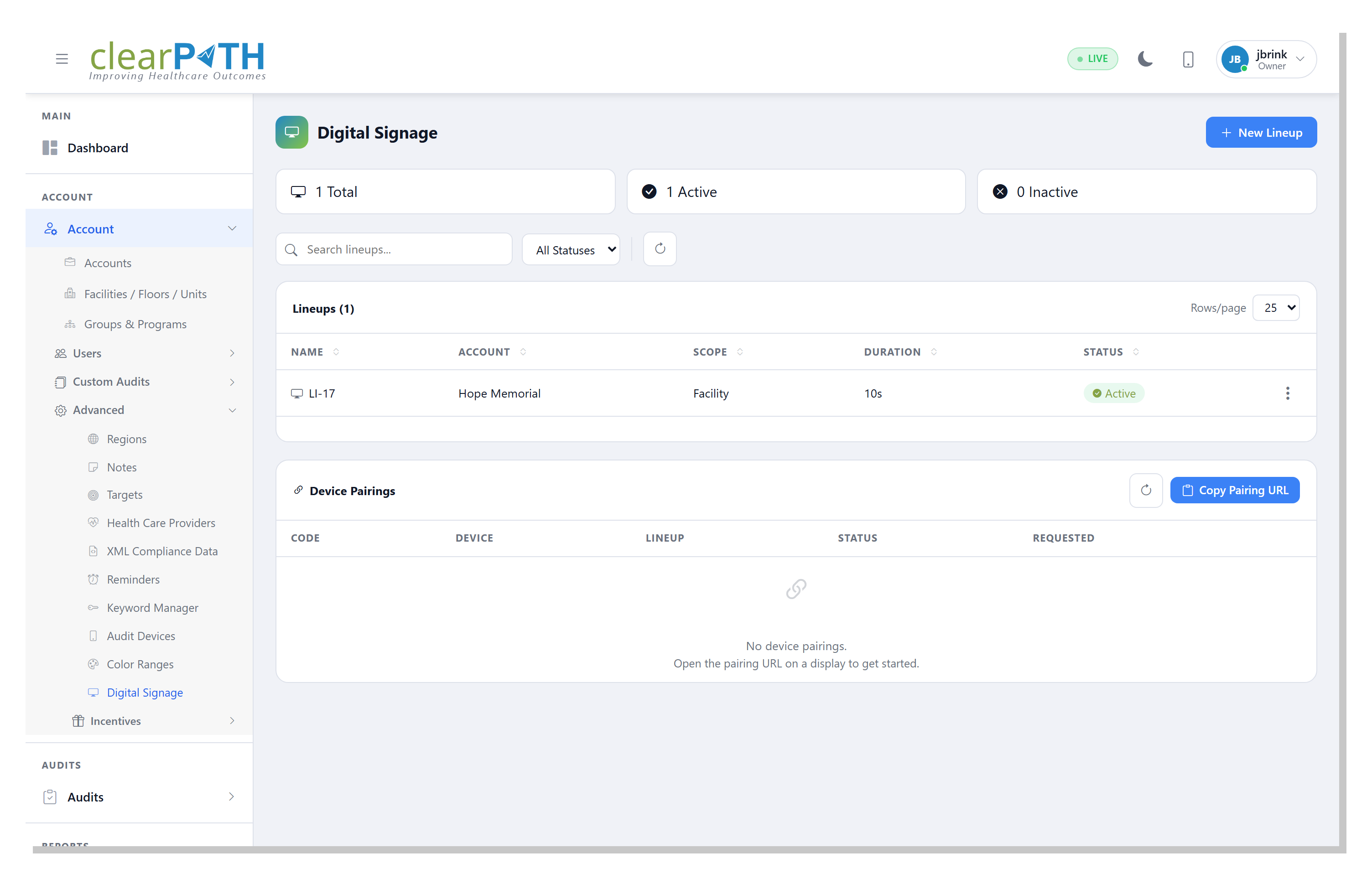
A lineup is an ordered collection of slides that plays on a paired display. Each lineup controls its own scope, time period, slide duration, refresh interval, and transition style. Build one for the lobby, another for the ICU huddle board, another for the cafeteria — each tuned to its audience.
- Lineup name, description, and screen ID
- Corporate scope or per-facility scope
- Period: Today, Last 30 Days, Fiscal Year, YTD, and more
- Slide duration and automatic refresh interval
- Transitions: Fade, Slide, or None
- Active / Inactive status — disable a lineup without deleting it
Lineup Editor
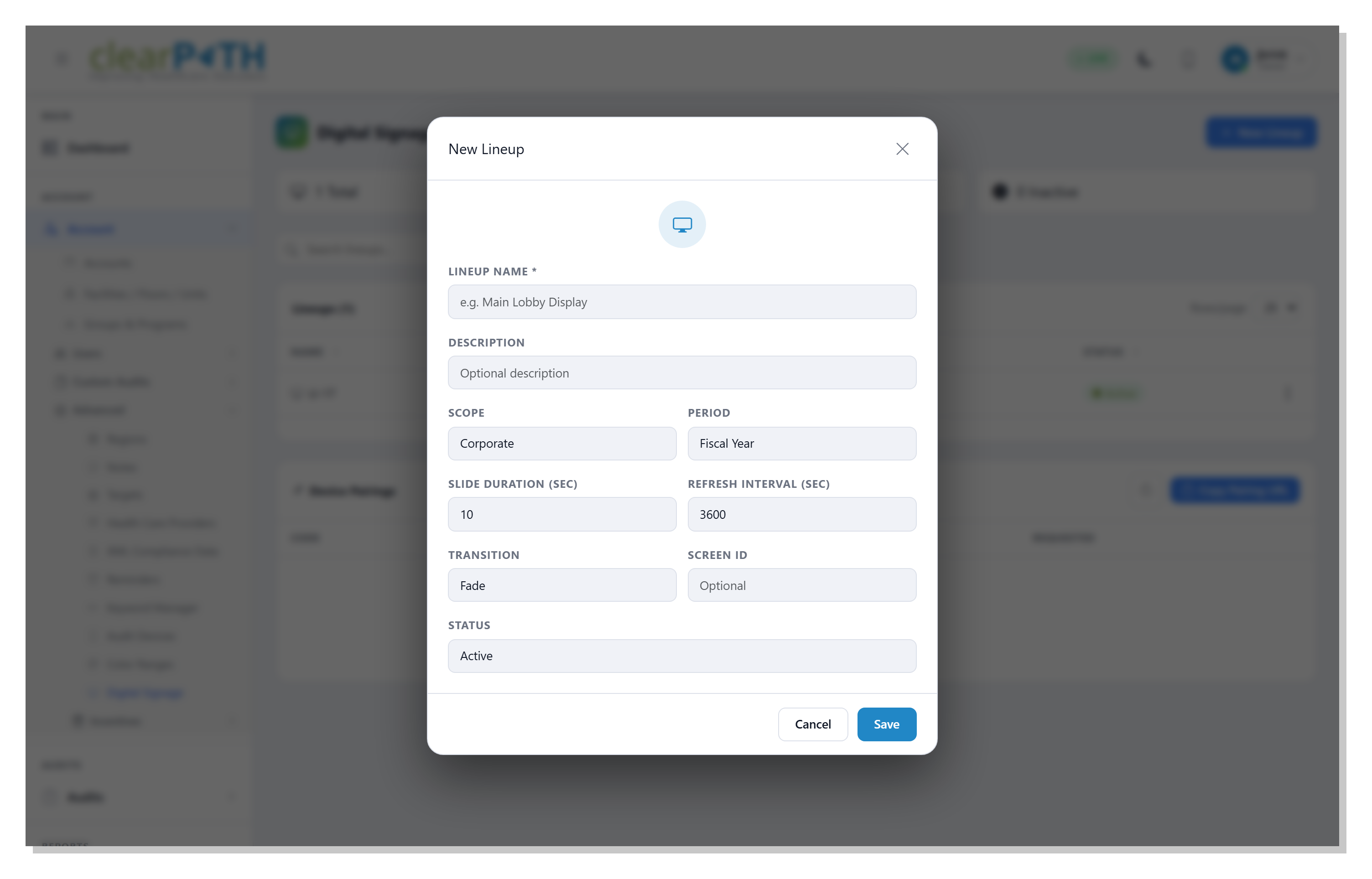
The lineup editor is a single-page form for everything that drives a display. Pick the scope and period that match the audience, set how long each slide stays on screen, and pick a transition that suits the venue.
- Lineup Name
- Description
- Scope
- Period
- Slide Duration
- Refresh Interval
- Transition
- Screen ID
- Status
- Save in place
Managing Slides
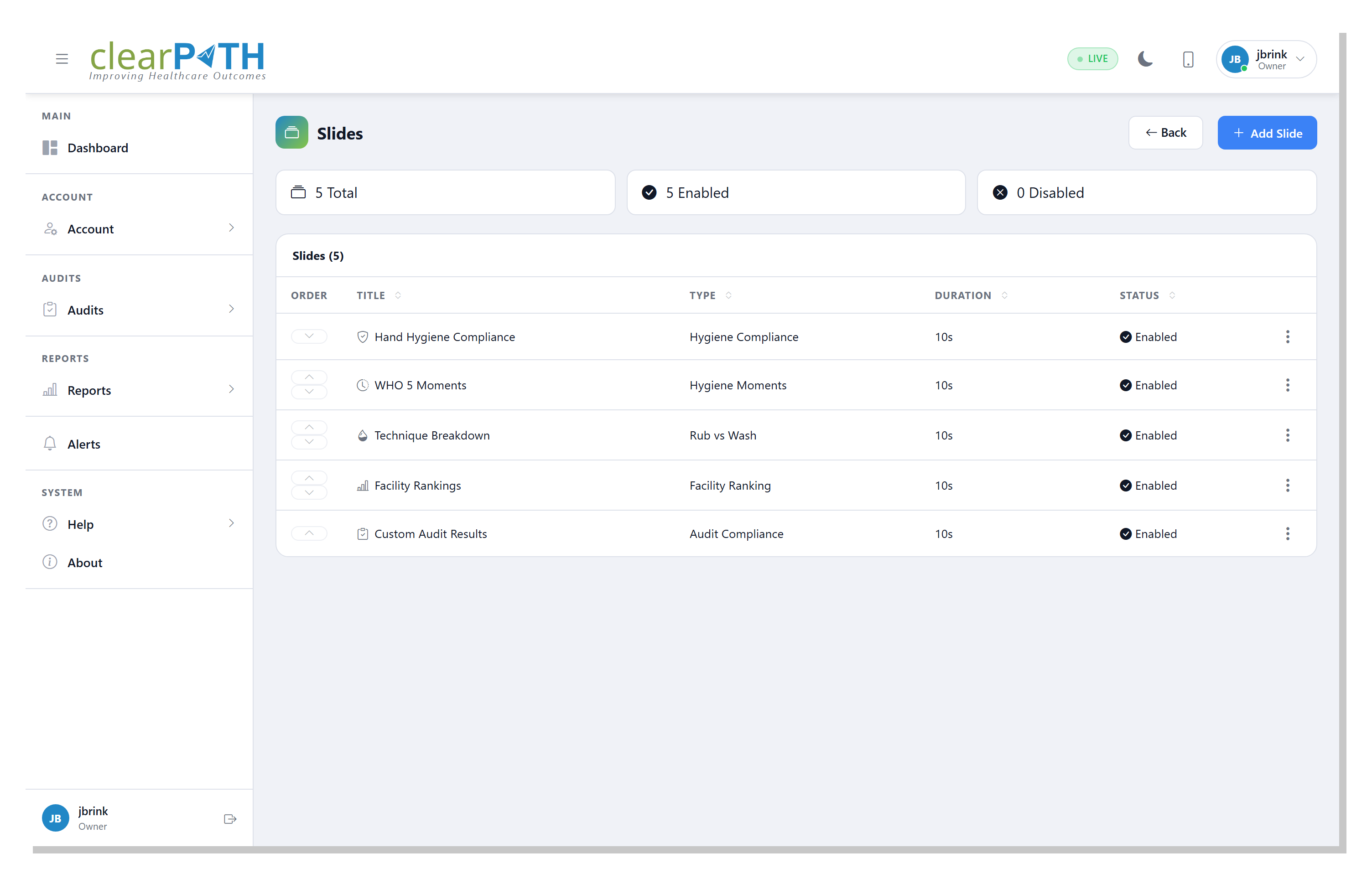
Each slide in a lineup has an order, title, type, duration, and status. Add a dashboard widget, an image, a campaign message, or any HTML5 content — and reorder, enable, or disable individual slides without rebuilding the lineup.
- Order — playback position in the lineup
- Title — label for the slide
- Type — dashboard widget, image, message, or HTML5
- Duration — overrides the lineup default
- Status — enable or disable individual slides
- Drag-and-drop reordering
Pairing a Display
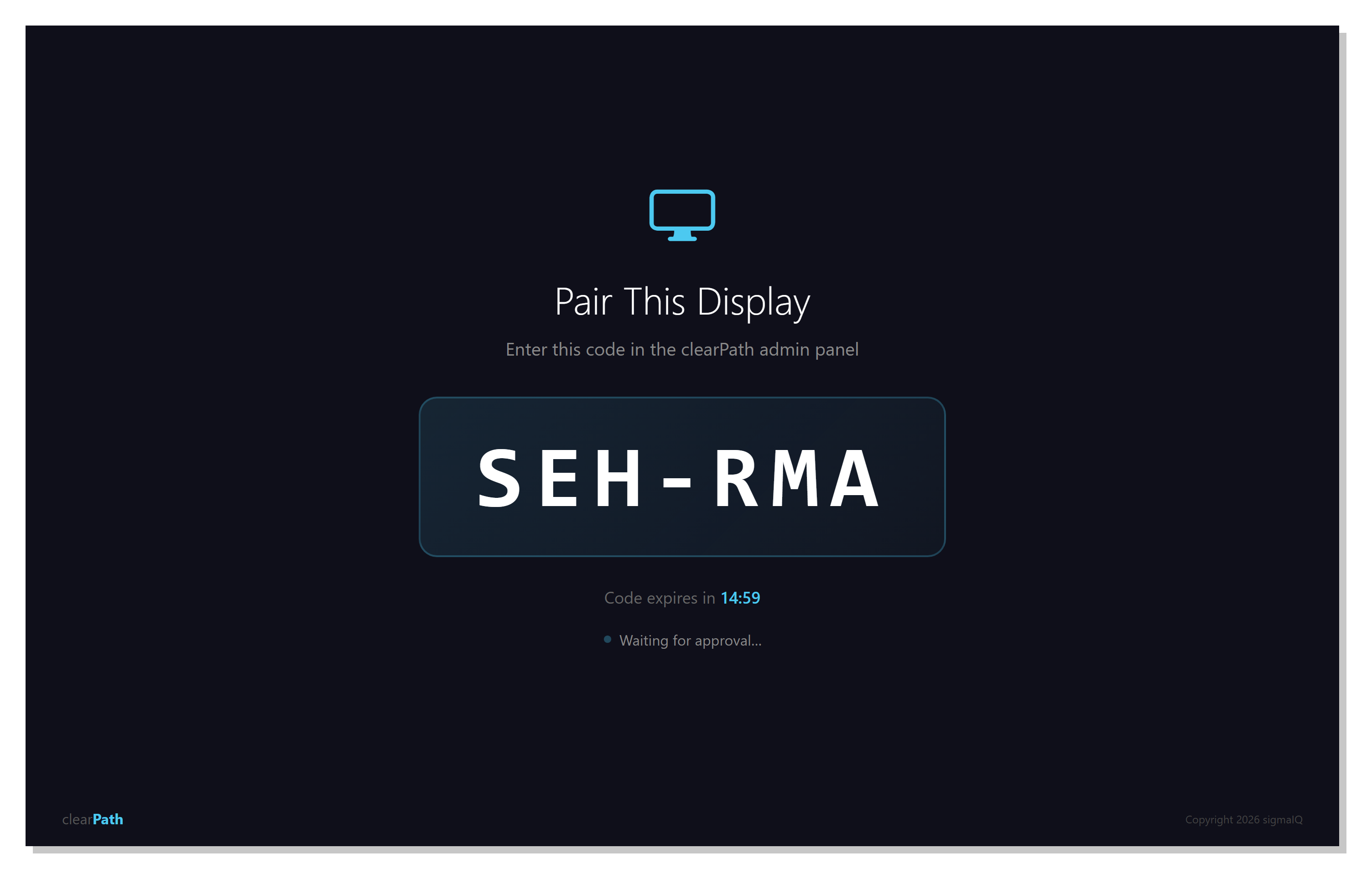
Pairing is a two-step handshake. The display requests a short pairing code and waits for an administrator to approve it. The administrator confirms the code in the admin panel, picks the lineup to assign, and clicks Approve. The display transitions to the approved state and starts playing the assigned lineup automatically.
- Short pairing code shown on the display
- Code valid for 15 minutes; auto-renews if it expires
- Administrator confirms and assigns a lineup
- Per-device token authenticates each pairing
- Revoke at any time — paired device immediately stops receiving content
- Re-pairing requires a fresh code; old tokens cannot be reused
Put Compliance on the Wall.
Digital Signage is included with the Ultimate edition. Pair the lobby, the ICU huddle board, and the staff room — each with the lineup that matches its audience.
Request for Information Compare Editions