Floors & Floor Plans
Floors represent the physical levels of a facility. Each floor can carry an uploaded floor-plan image, a set of drawn area polygons (wards, wings, corridors, patient rooms), and a collection of units assigned to it. Once configured, the dashboard overlays compliance results directly onto the actual building layout — leadership sees not just what the compliance number is, but where it lives in the hospital.
The floor-plan view turns an abstract percentage into something a charge nurse can act on. A red ward in the south wing of the third floor is a clearer call to action than the same number averaged across a 200-bed corporate roll-up.
Request for Information Compare EditionsKey Benefits
- Upload your own floor-plan images
- Draw wards and wings as polygons
- Color-coded compliance overlay
- Assign units to floor-plan areas
- Real-world scale and measure tool
- Per-floor sort order for navigation
- Time-period filtered overlay
- Stock or custom layout per floor
The Floor List
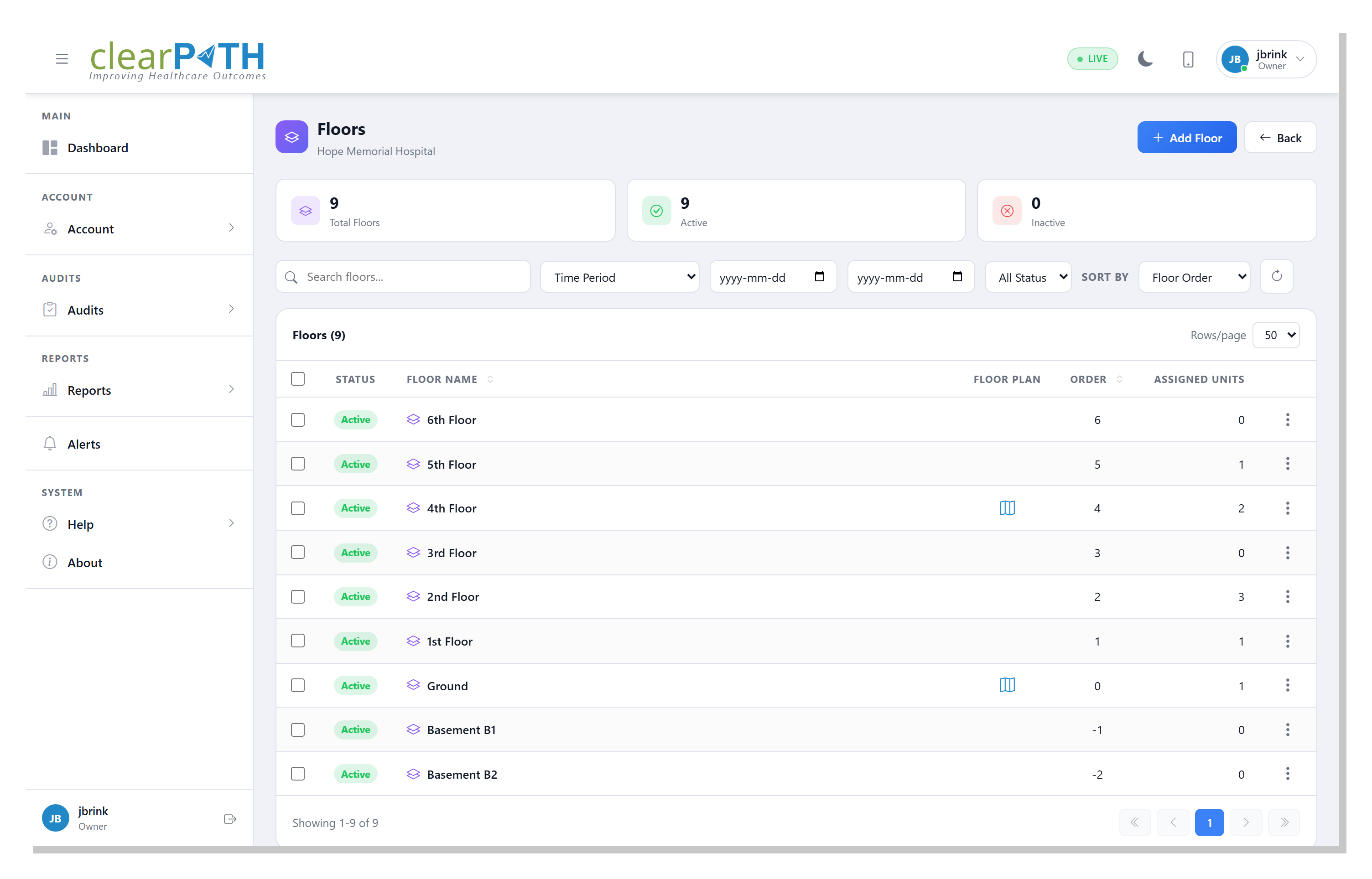
The floor list is the per-facility roster of every level you've configured. Each row shows the floor name, whether a floor-plan image has been uploaded, the sort order, and the number of units assigned. Search by name, scope to a time period for floor-level statistics, filter by active or inactive, and reorder floors by floor-order or alphabetically.
- One row per floor with at-a-glance state
- Time-period scope for floor-level compliance stats
- Search and active / inactive filtering
- Sort by floor order or alphabetically
Floor Detail
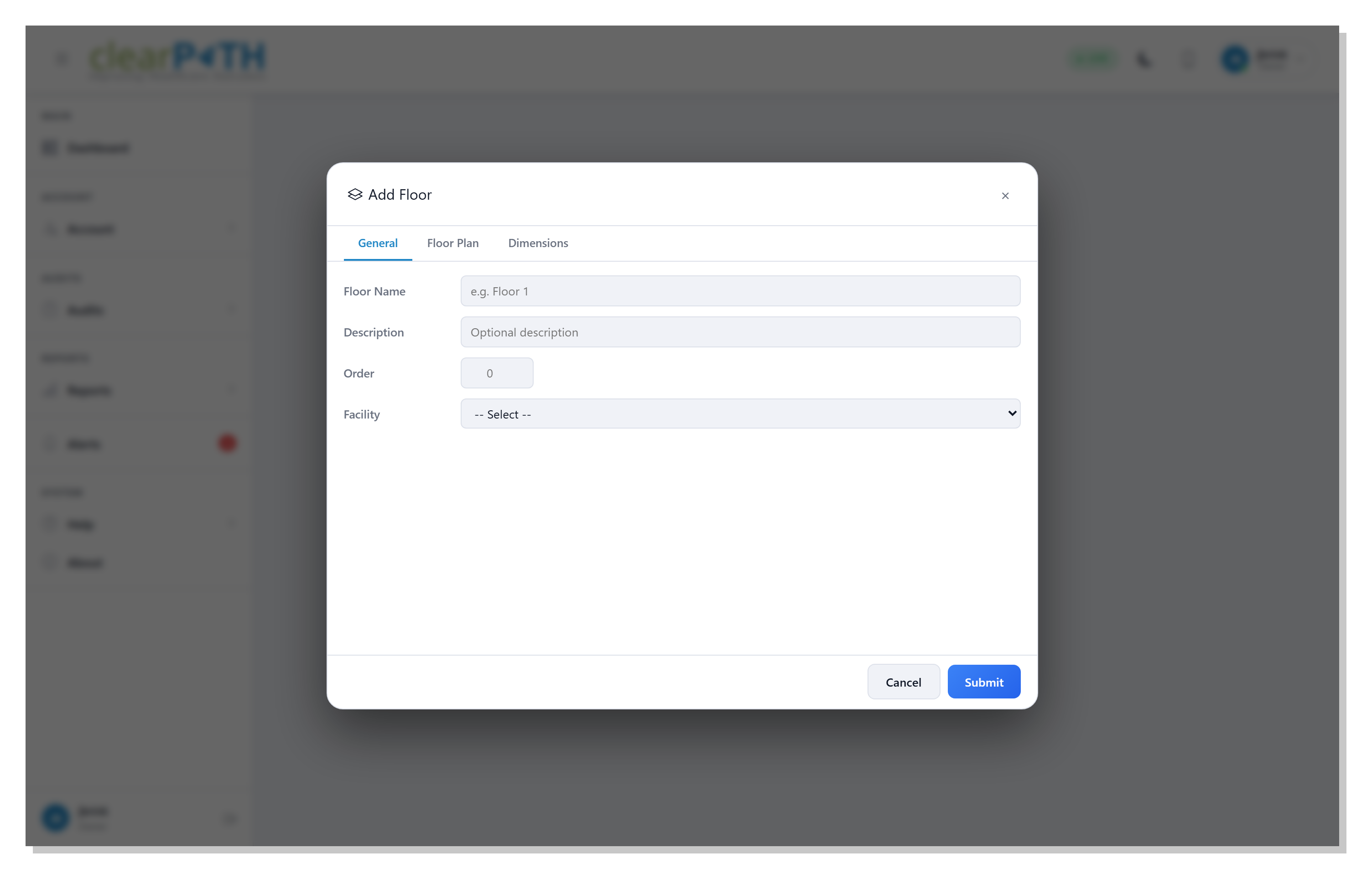
Each floor carries a tabbed editor: General for the floor name, description, sort order, and parent facility; Floor Plan for the layout image and its dimensions; and Dimensions for the real-world scale, DPI, and the binning granularity used when observations are aggregated onto the plan.
- General — name, description, order, parent facility
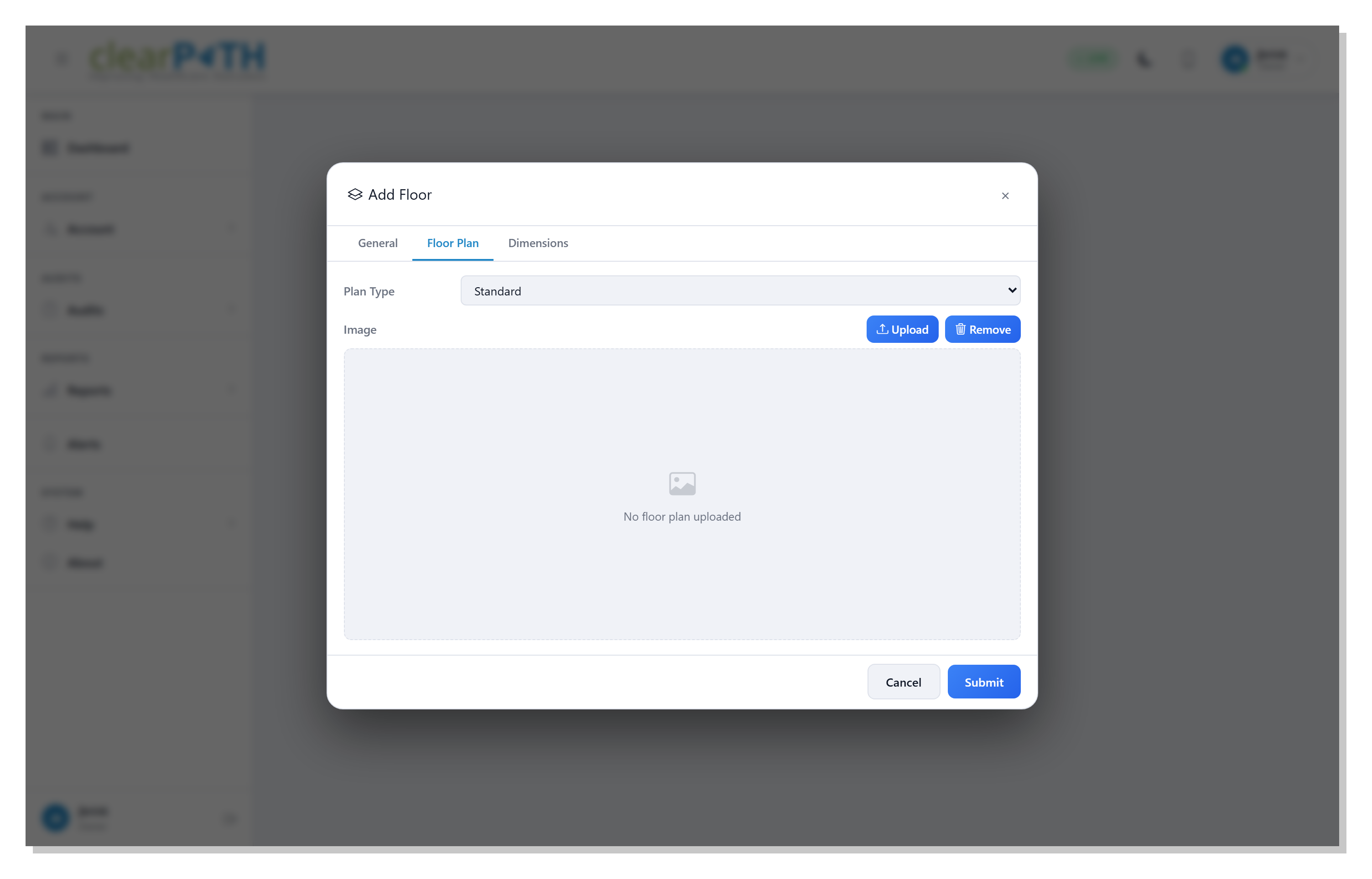
- Floor Plan — stock or custom image, upload / remove
- Dimensions — pixel size, real-world scale, DPI, bin size
Upload & Configure the Plan
Upload a PNG or JPEG of the floor plan and clearPath captures the image's pixel dimensions automatically. The real-world scale is set interactively on the floor-plan viewer with the Set Scale tool — click two points whose real distance you know, type the distance, and every measurement after that maps back to feet or meters. The bin size controls how fine-grained the compliance overlay becomes when many observations are aggregated together.
- PNG / JPEG upload
- Auto-captured pixel dimensions
- Two-point real-world scale calibration
- Configurable aggregation bin size
- Stock layout fallback when no image is uploaded
The Floor Plan Viewer
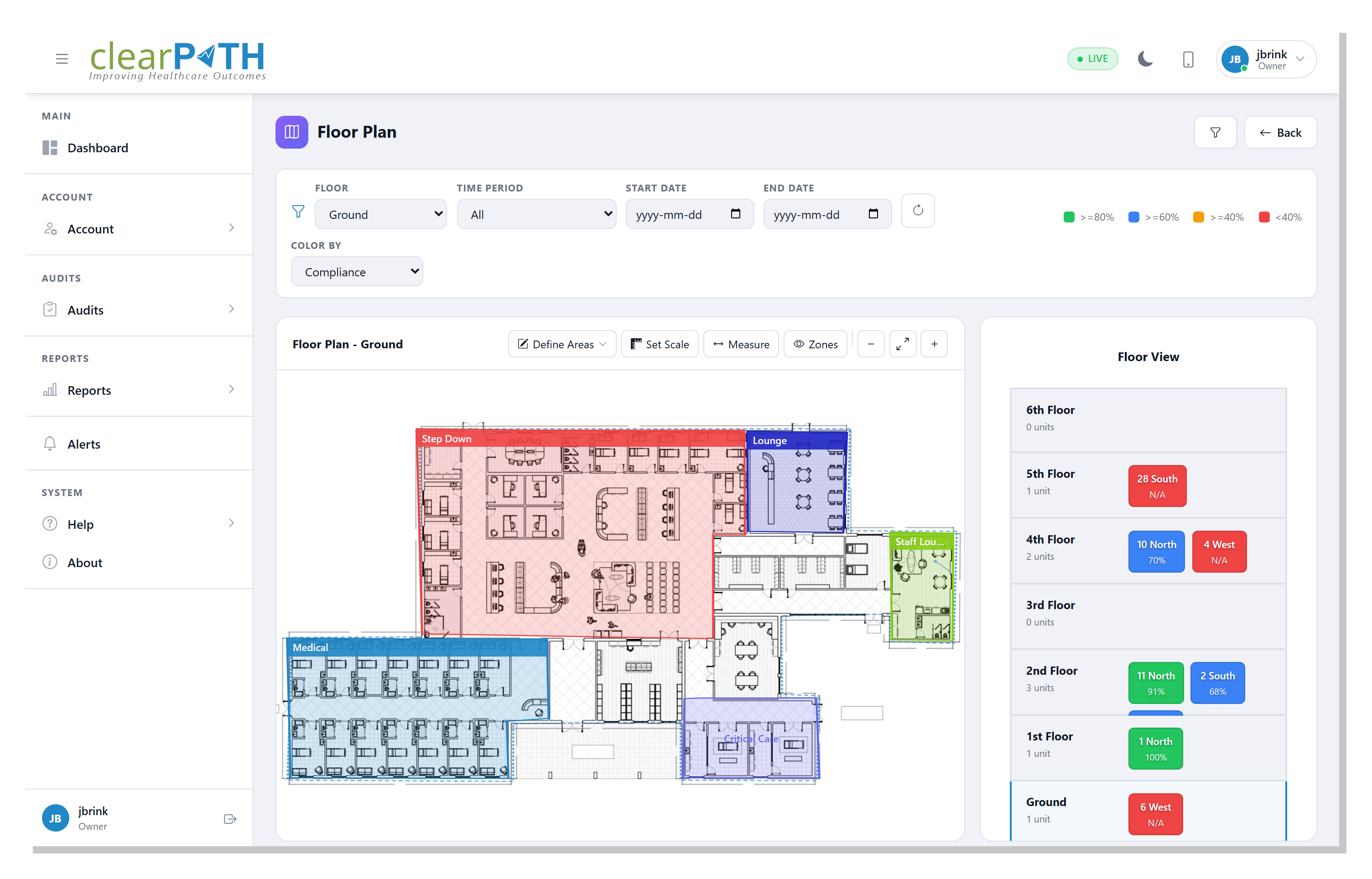
The Floor Plan viewer opens from the floor's action menu. It shows the uploaded plan with compliance data overlaid area-by-area: each polygon you've drawn carries the color of the compliance result for the selected time period, and the right-hand panel lists the units assigned to each area. Switching floors, time periods, or facilities all happens from the filter bar at the top.
- Drawn polygons for wards, wings, and rooms
- Color-coded compliance overlay per area
- Time-period and date-range filters
- Per-area unit assignments in the right panel
- Measure tool once scale is calibrated
Compliance, Where It Actually Lives.
Available on every clearPath edition. Floors and floor plans are included at no additional cost.
Request for Information Compare Editions