Observation Notes
Observation Notes are the short comments an auditor attaches to a hand hygiene observation — or to a whole session — for example “dispenser empty on entry” or “patient in isolation, gloves already on”. They are the fastest way to surface the stories behind the numbers, and they show up in reports, on the session detail page, and on dashboards that track comment frequency.
Rather than leaving every auditor to phrase the same situation a different way, clearPath lets you manage a pool of predefined notes that auditors pick from a dropdown while auditing. Teams record consistent wording for the situations they see most often, so “empty dispenser” reads the same on every session and rolls up cleanly in reporting.
Request for Information Compare EditionsKey Benefits
- Predefined note dropdown for auditors
- Consistent wording across teams
- Free-form text still allowed
- Shows in reports and session summary
- Notes Frequency dashboard widget
- Feeds the Word Cloud report
- Disable without losing history
- Export to HTML, CSV, or Excel
The Notes List
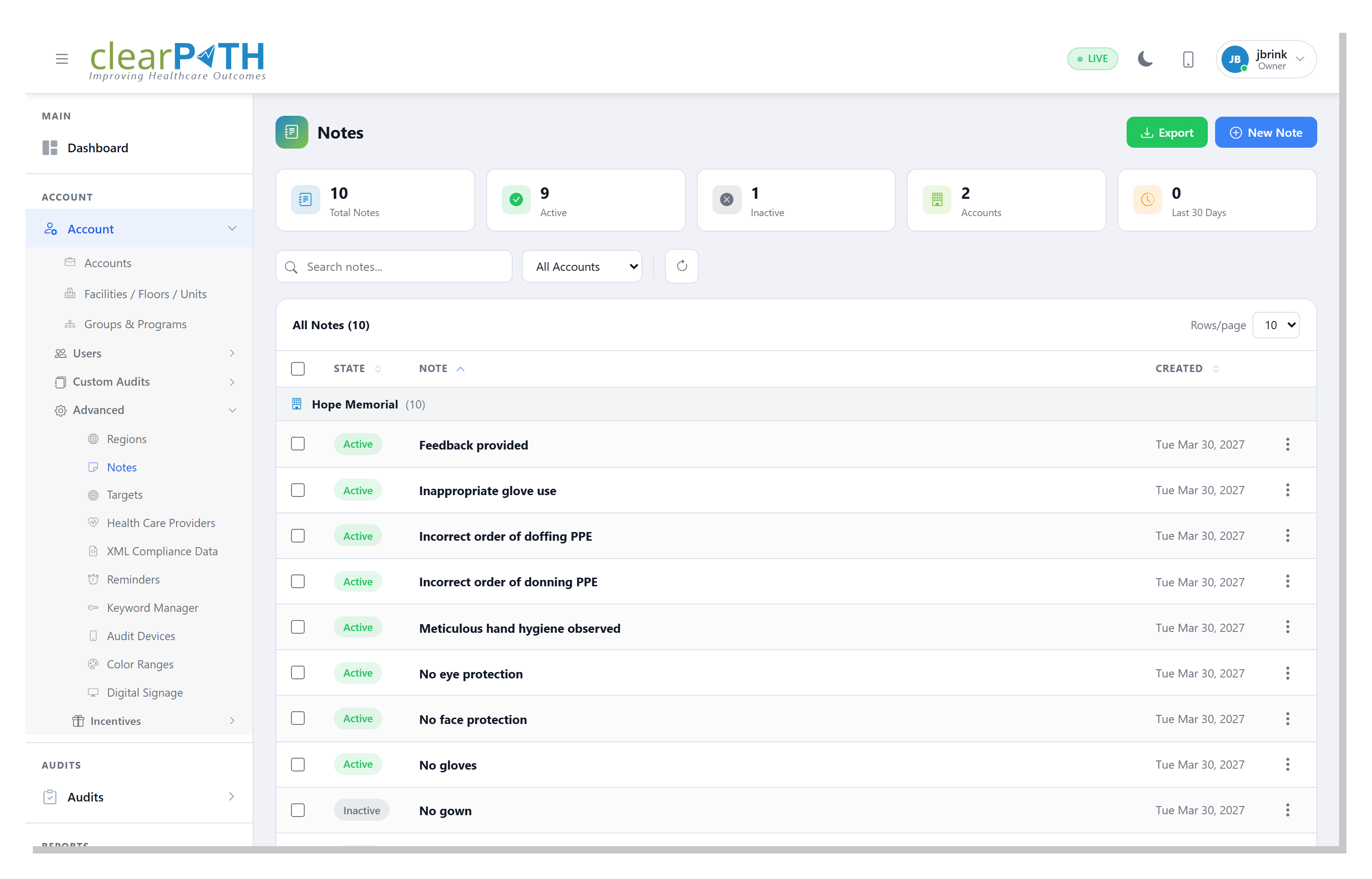
The Notes page is the per-account roster of every predefined note your auditors can choose. Each row shows the note text, whether it is Active (offered in the audit dropdown) or Disabled (kept for history but hidden from new audits), and when it was created. Stat chips above the toolbar count active, disabled, and total notes at a glance.
- Search note text and scope by account
- Active / disabled state on every row
- Bulk-select and delete several at once
- Export the filtered list to HTML, CSV, or Excel
Adding & Managing a Note
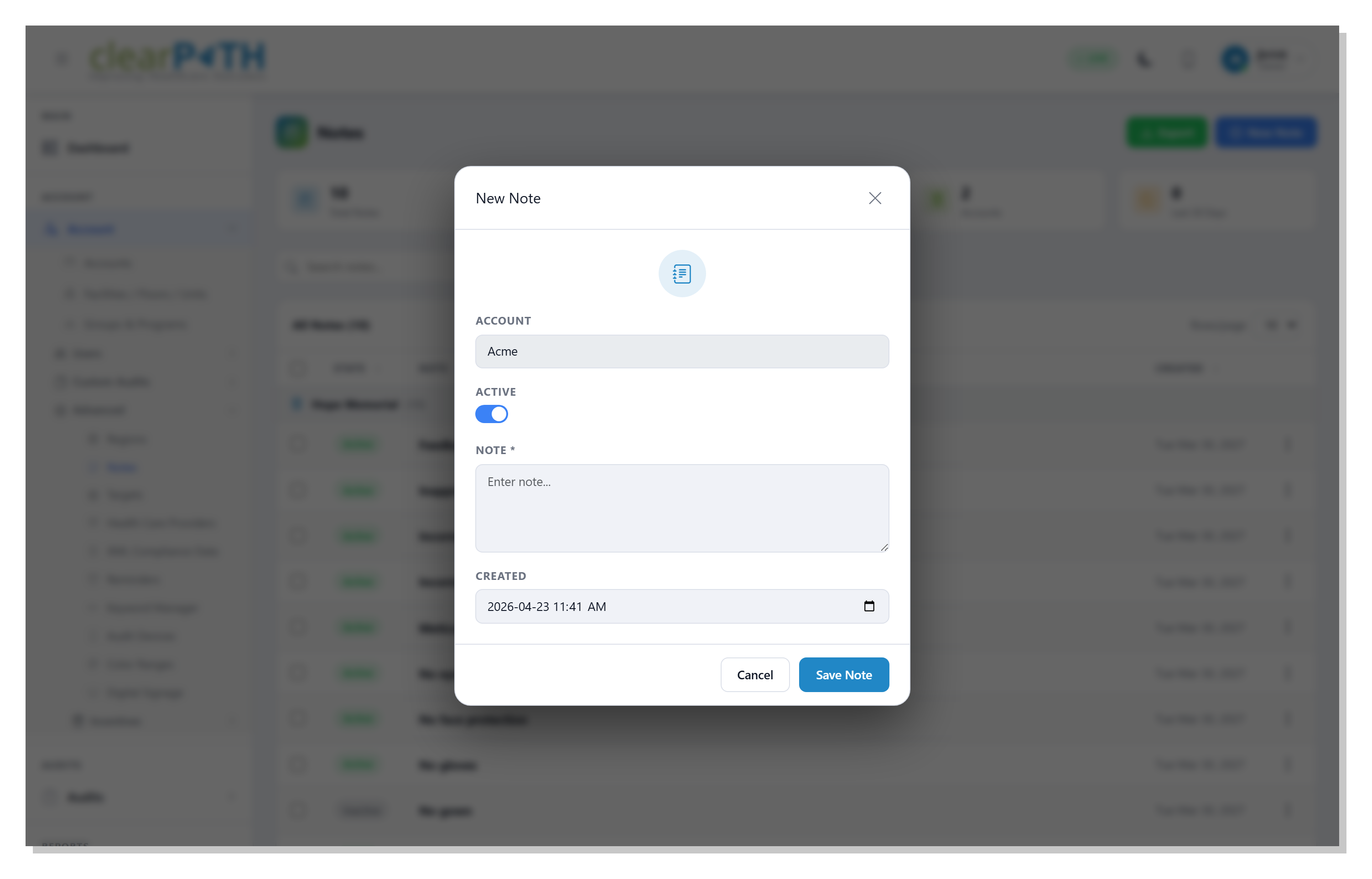
The note editor keeps things deliberately simple: the account the note belongs to, the wording auditors will see, an Active toggle, and a created date. Notes are organization-wide — adding one on an account makes it available to every auditor on that account, so pick wording your team agrees on. Disable a note instead of deleting it and the original text stays attached to every past observation that used it; it simply stops appearing for new audits.
- Short, specific wording auditors select in one tap
- Active toggle to retire a note without deleting it
- History preserved on past observations
- Organization-wide per account
Where Notes Show Up
A note is only useful if it travels with the data. In clearPath it does — from the moment an auditor records it right through to the board pack.
- During an audit — the comment overlay in cp2go and the web observer offers the predefined dropdown, plus free-form text
- On a session — session comments appear on the Audit Summary under Comments and Observation Notes
- On the dashboard — the Notes Frequency widget ranks the most-recorded notes, so empty dispensers and PPE stockouts surface fast
- In reports — included in the observation-notes report and feeding the Word Cloud report
The Story Behind the Numbers.
Available on every clearPath edition. Observation Notes are included at no additional cost.
Request for Information Compare Editions