Regions & Geographic Grouping
Regions let you group corporations and facilities geographically so they can be filtered, colored, and reported on as a single unit. Typical uses are grouping facilities by continent, by Local Health Integration Network (LHIN), or by any custom region you define — whatever boundary your organization already thinks in.
Once a region is defined, it becomes a first-class lens across clearPath: dashboards and reports can roll results up region-by-region, charts can color results by region, and an optional GeoJSON boundary paints the region as a shaded area on the dashboard map instead of a single point on a pin.
Request for Information Compare EditionsKey Benefits
- Group facilities geographically
- Continent, LHIN, or custom types
- Filter and report as one unit
- Per-region display color
- Optional GeoJSON boundaries
- Shaded regions on the dashboard map
- Short Region ID codes for reports
- Enable or disable without deleting
The Region List
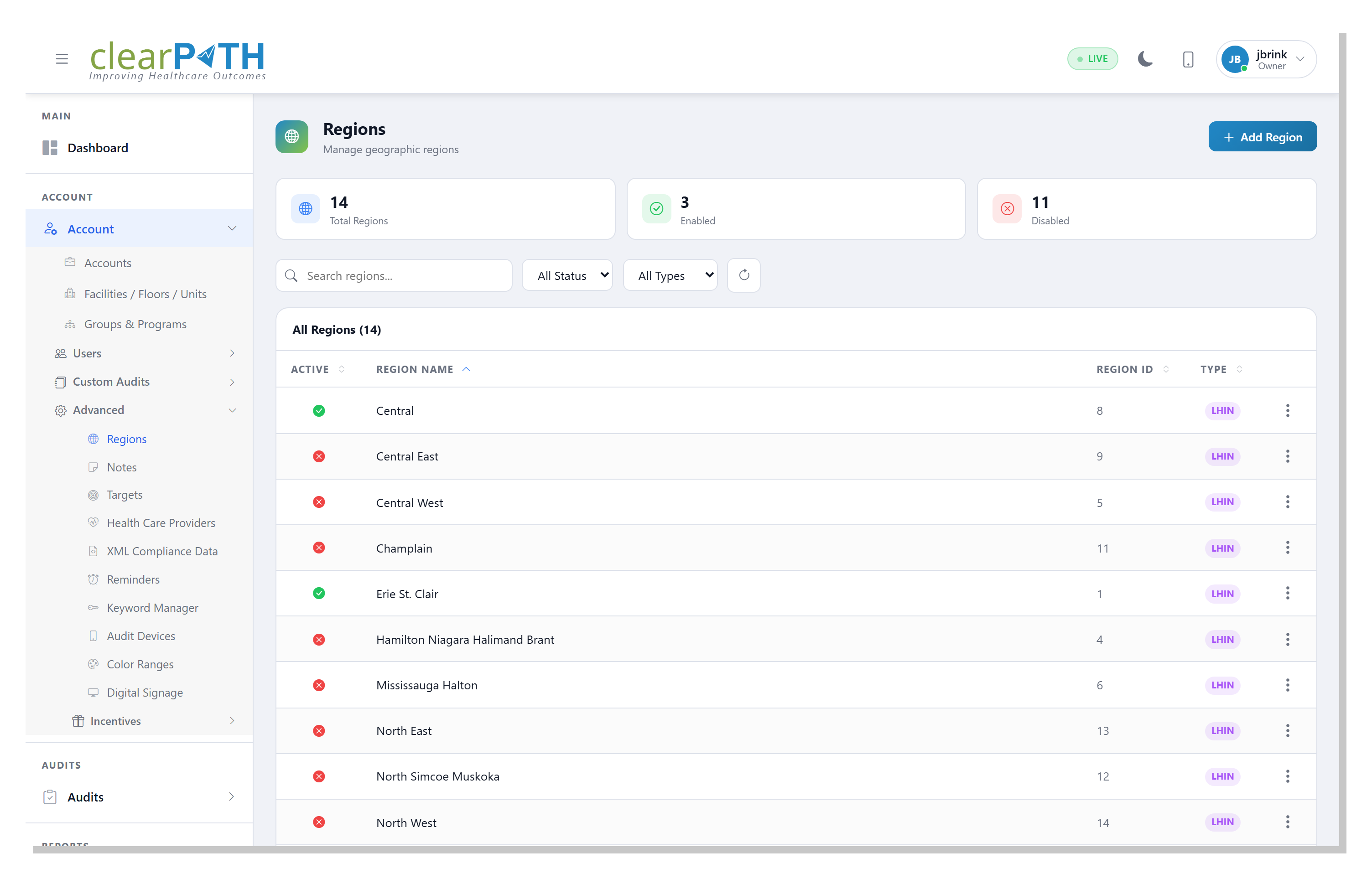
The region list is the roster of every geographic grouping you have defined. Search by name, filter by status, or narrow to a single region type — Generic, Continent, or LHIN. Disabled regions are hidden from filters and reporting but are never deleted, so a grouping you retire this quarter is one toggle away from coming back.
- Search regions by name
- Filter by active / inactive status
- Filter by Generic, Continent, or LHIN type
- Add a new region in one click
Region Detail
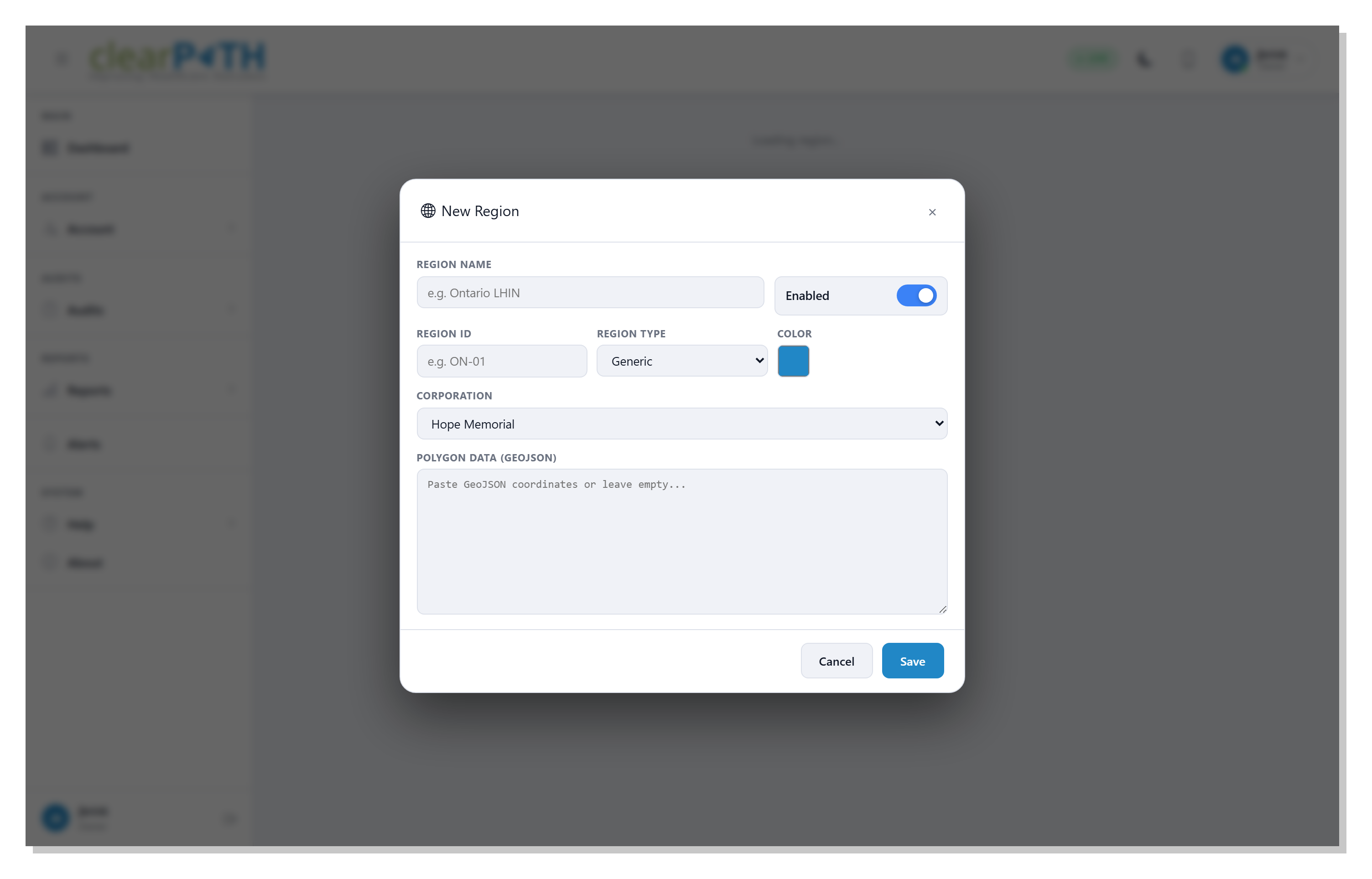
Each region carries a human-readable name (the label that appears in reports and on dashboards), an optional short Region ID code to match an identifier you already use, a type, a display color, and the corporation it belongs to — only facilities under that corporation can be added. For regions that should appear as a real shape on the map, paste GeoJSON polygon coordinates and clearPath draws the boundary as a shaded area.
- Name and optional short Region ID code
- Generic / Continent / LHIN type
- Display color for map and charts
- GeoJSON polygon boundary on the dashboard map
Report the Way Your Geography Is Organized.
Included with the Enterprise and Ultimate editions, where multi-site rollups make geography matter.
Request for Information Compare Editions