Automated Reminders
Reminders let clearPath send scheduled email notifications that keep your hand hygiene and audit programs on track. When a unit falls behind its observation schedule, clearPath emails the people responsible so the shortfall is caught early — instead of being discovered at the end of the period when there is no time left to recover.
Every reminder setting for an account lives on a single screen, grouped into three categories: Hand Hygiene, Audit Scheduling, and Custom Audits. clearPath compares each Patient Care Area's schedule plan against the observations actually recorded, decides which units are behind, and dispatches a single weekly email to the person who can do something about it.
Request for Information Compare EditionsKey Benefits
- Catch shortfalls early, not at period end
- Weekly cadence on the day you choose
- One combined email per coordinator
- Escalation to secondary contacts
- Missed-audit notifications
- Observer weekly digests
- Coordinator weekly summaries
- Blind-copy list for quality leads
Hand Hygiene Reminders
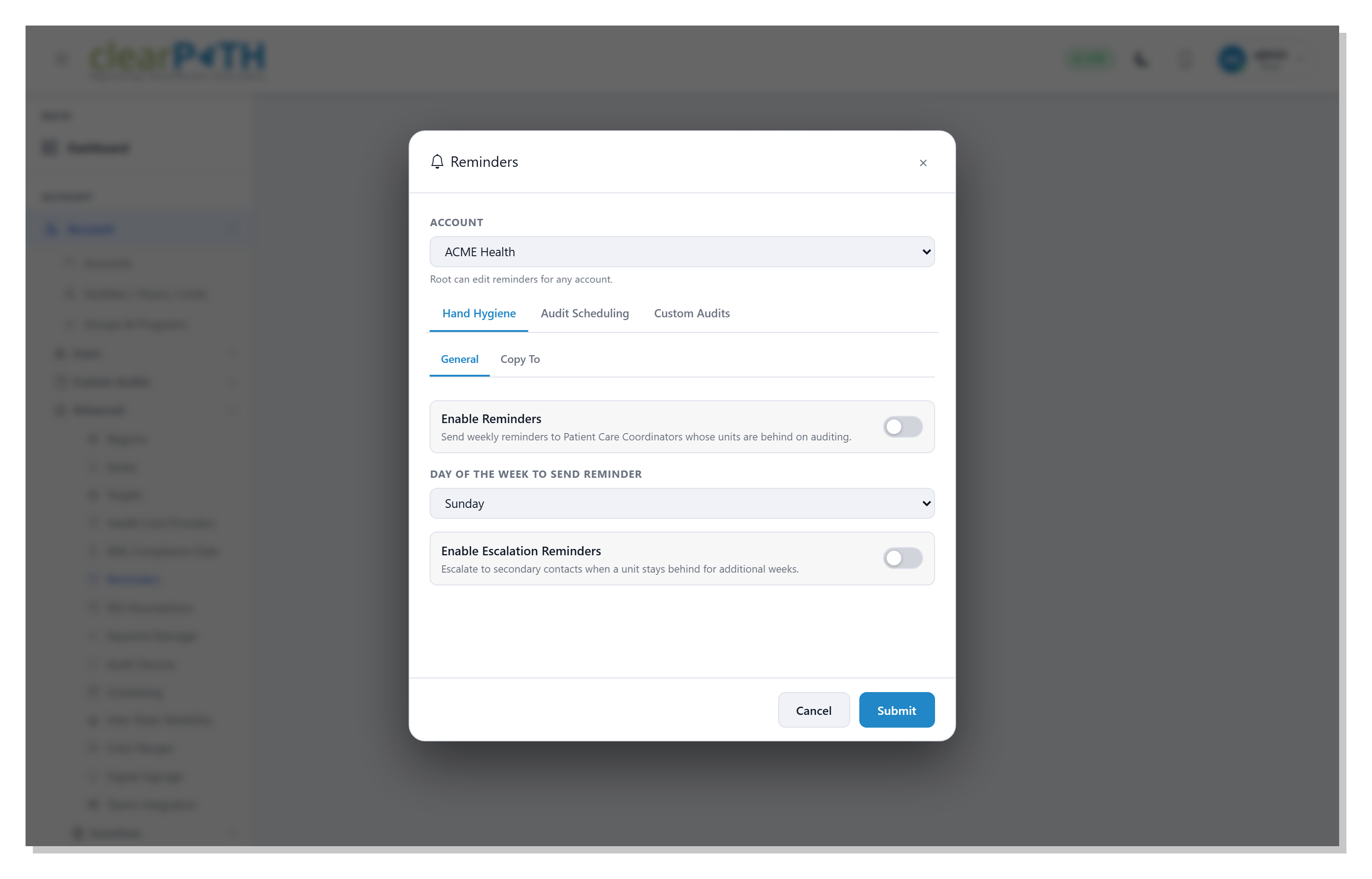
The Hand Hygiene category drives the weekly reminders that go out when a unit is behind on its observations. clearPath uses each Patient Care Area's schedule plan together with the count recorded so far to decide who is behind, and keeps reminding until the unit catches up. When a Patient Care Coordinator is responsible for more than one unit, every unit that is behind is combined into a single email — not a flood of separate messages.
- Master on/off switch per account
- Pick the day of the week to send
- One email per coordinator, all behind units combined
- Reminders continue until the unit catches up
Escalation & Copy-To
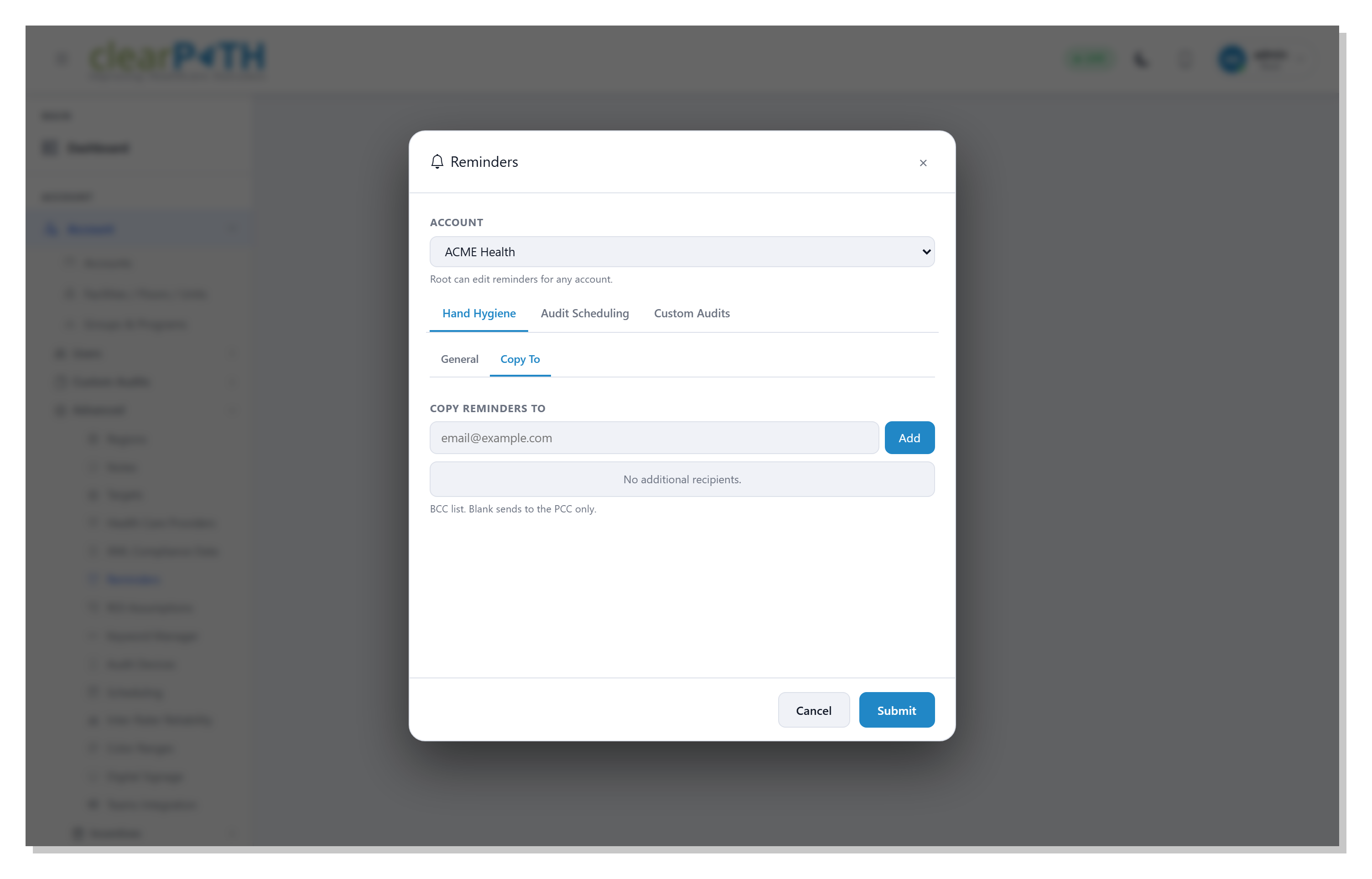
A reminder that is ignored should not stay quiet. With Escalation Reminders enabled, a unit that stays behind for additional weeks escalates to the secondary contacts defined for its facility, so a persistent shortfall never slips through. The Copy To list adds any number of addresses that receive a blind copy of every reminder — ideal for a manager or quality lead who wants visibility without being the primary recipient.
- Escalate to facility secondary contacts
- BCC list for managers and quality leads
- Add or remove recipients in one click
- Keeps persistent shortfalls visible
Audit Scheduling Reminders
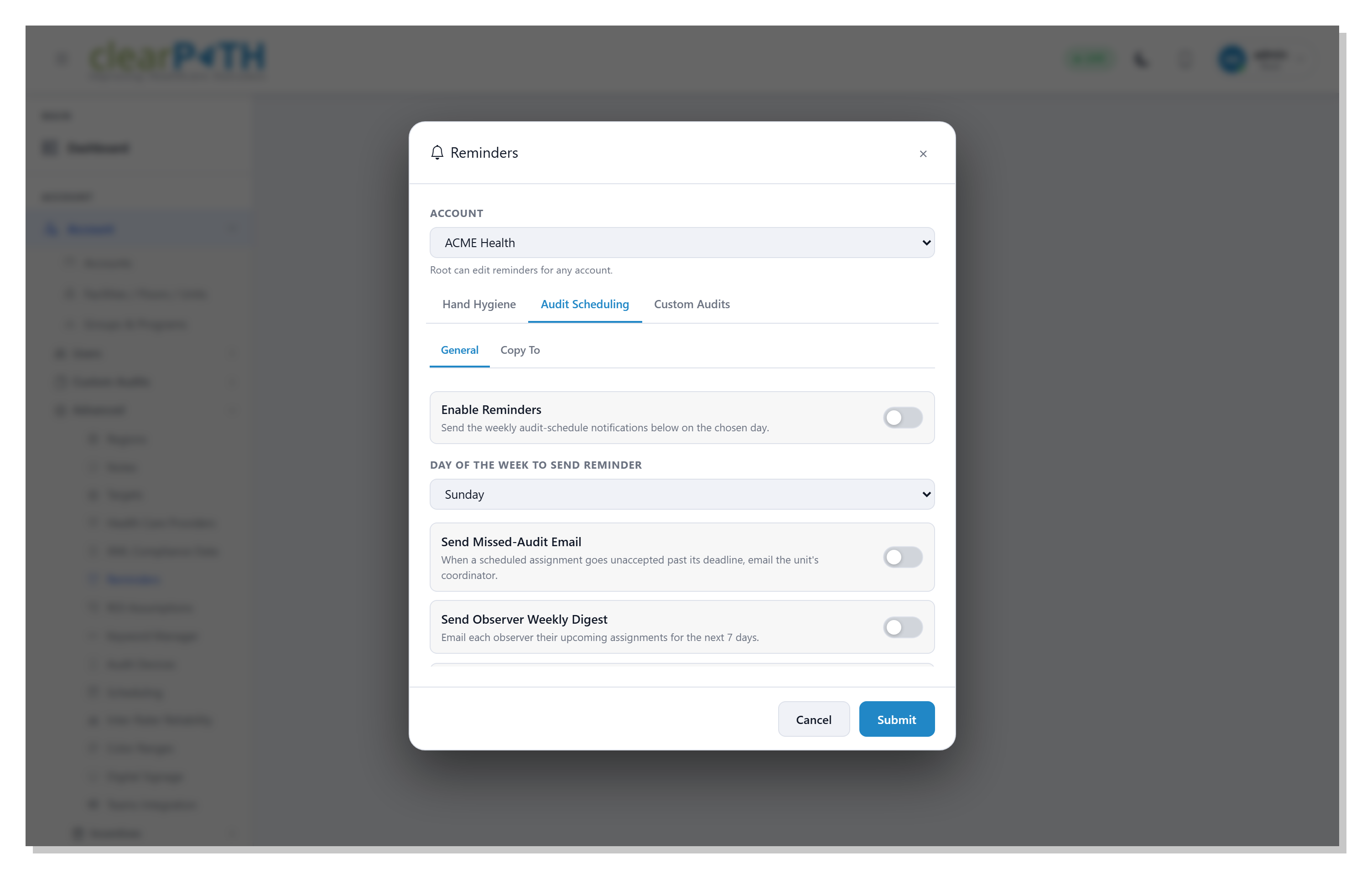
The Audit Scheduling category supports your assignment schedule — letting observers and coordinators know what is coming up, what was missed, and how the week went. Turn on a missed-audit email when a scheduled assignment is not accepted before its deadline, send each observer a weekly digest of their upcoming assignments, and give each coordinator a weekly summary of the pending, missed, and completed work on their unit.
- Missed-audit email to the unit coordinator
- Observer weekly digest of upcoming assignments
- Coordinator weekly summary of unit activity
- Its own Copy-To blind-copy list
Catch the Shortfall While You Can Still Fix It.
Included with the Enterprise and Ultimate editions. Reminders are delivered by email, so an email server must be configured for the account.
Request for Information Compare Editions