Role-Based Permissions
clearPath controls what a user can do through Roles. Every user is assigned exactly one role; the role's permissions and unit assignments decide the pages, actions, and units the user can reach. Permissions are additive — if the matrix does not grant access, the role cannot reach that feature.
clearPath ships with sensible defaults — HH Administrator with full access to configuration, reporting, and auditing, and HH Observer who can record audits but cannot change configuration — and you can define as many additional roles as your organization needs.
Request for Information Compare EditionsKey Benefits
- Per-feature permission matrix
- Per-unit access control
- Additive — least privilege by default
- Standard or Administrator role types
- Auto-expire for contractor accounts
- Audit backdating gated by role
- Per-role display, notification, and workflow
- Disable a role to lock out everyone in it at once
Roles List
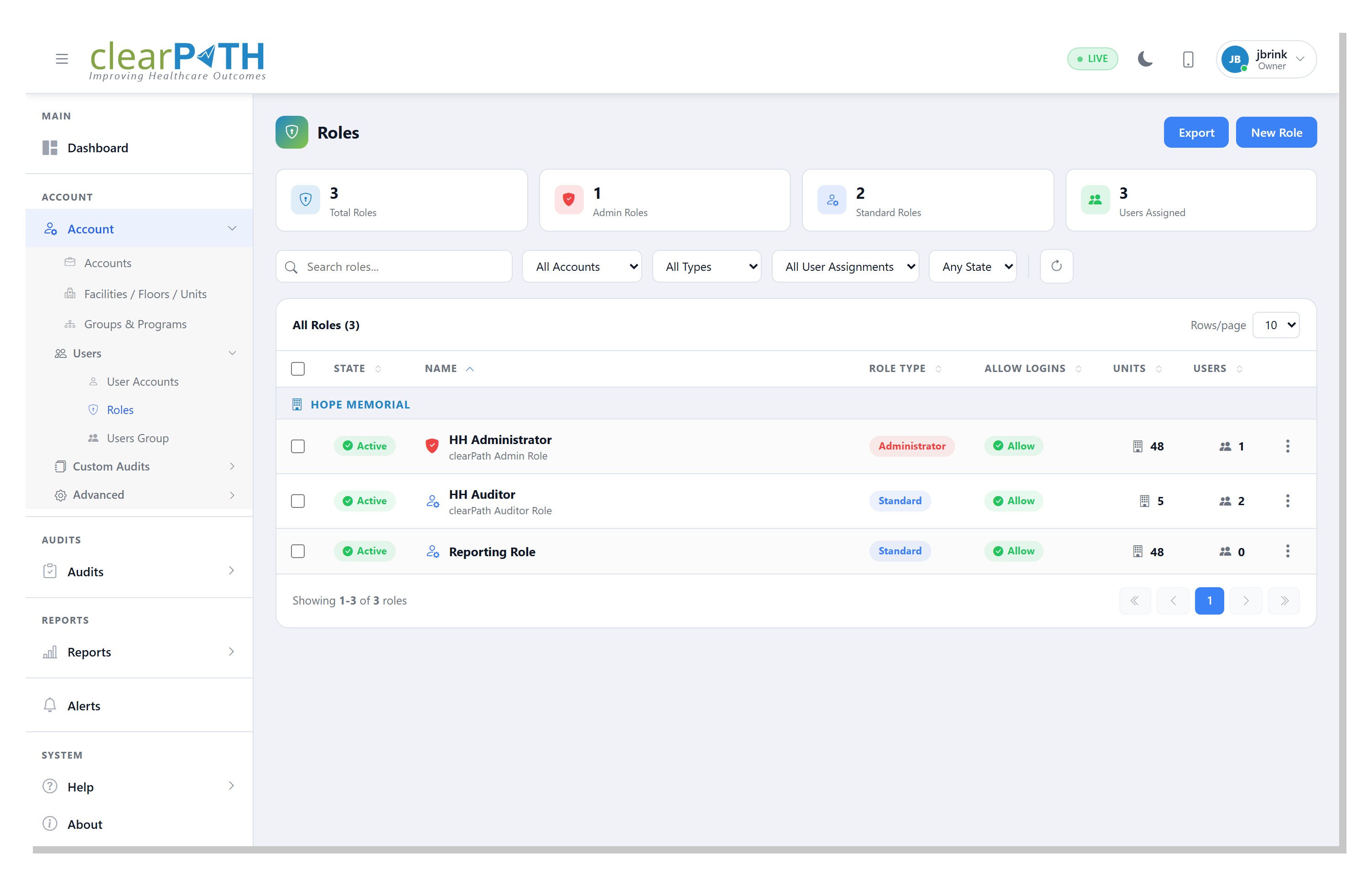
The Roles list is where you see every role on the account at a glance — its name, type, status, and the number of users assigned to it. From here you can edit, delete, or create a new role. A role with users still assigned to it cannot be deleted until those users are reassigned, so you cannot accidentally orphan an account.
- Out-of-the-box HH Administrator and HH Observer roles
- Add as many custom roles as you need
- Three-dot row menu for Edit and Delete
- Cannot delete a role with users still assigned
General Tab
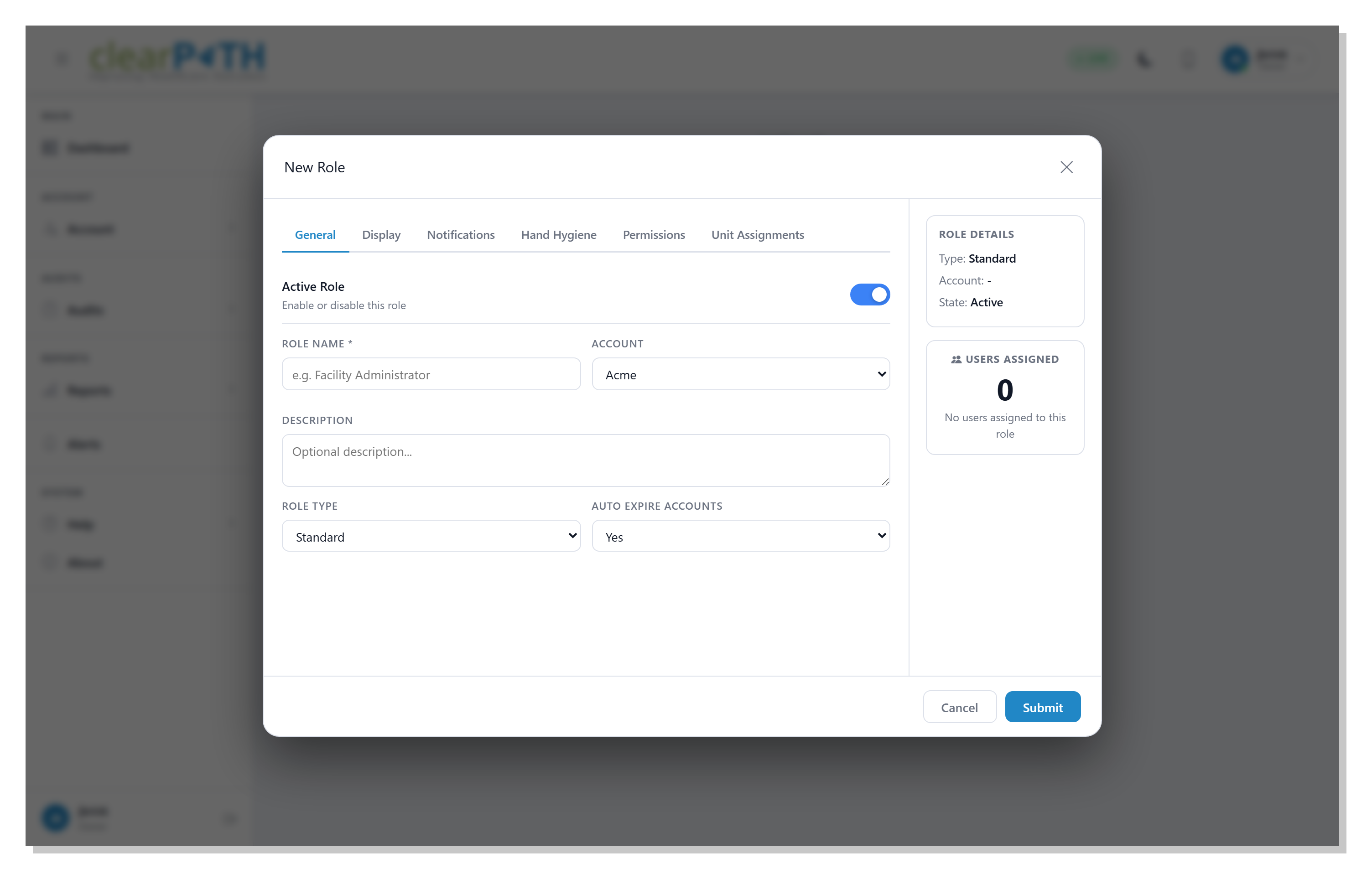
The General tab carries the role's identity and the master switches that gate every user inside it. Disabling the role at the top is the fastest way to lock out a population at once — useful when a contract ends or when a department needs an emergency stop.
- Active Role toggle
- Role Type — Standard or Administrator
- Auto Expire Accounts
- Allow Logins
- Allow Audit Backdating
- Per-role display preferences
- Per-role notification preferences
- Per-role hand-hygiene workflow options
Permissions Matrix — Per-Action Granularity
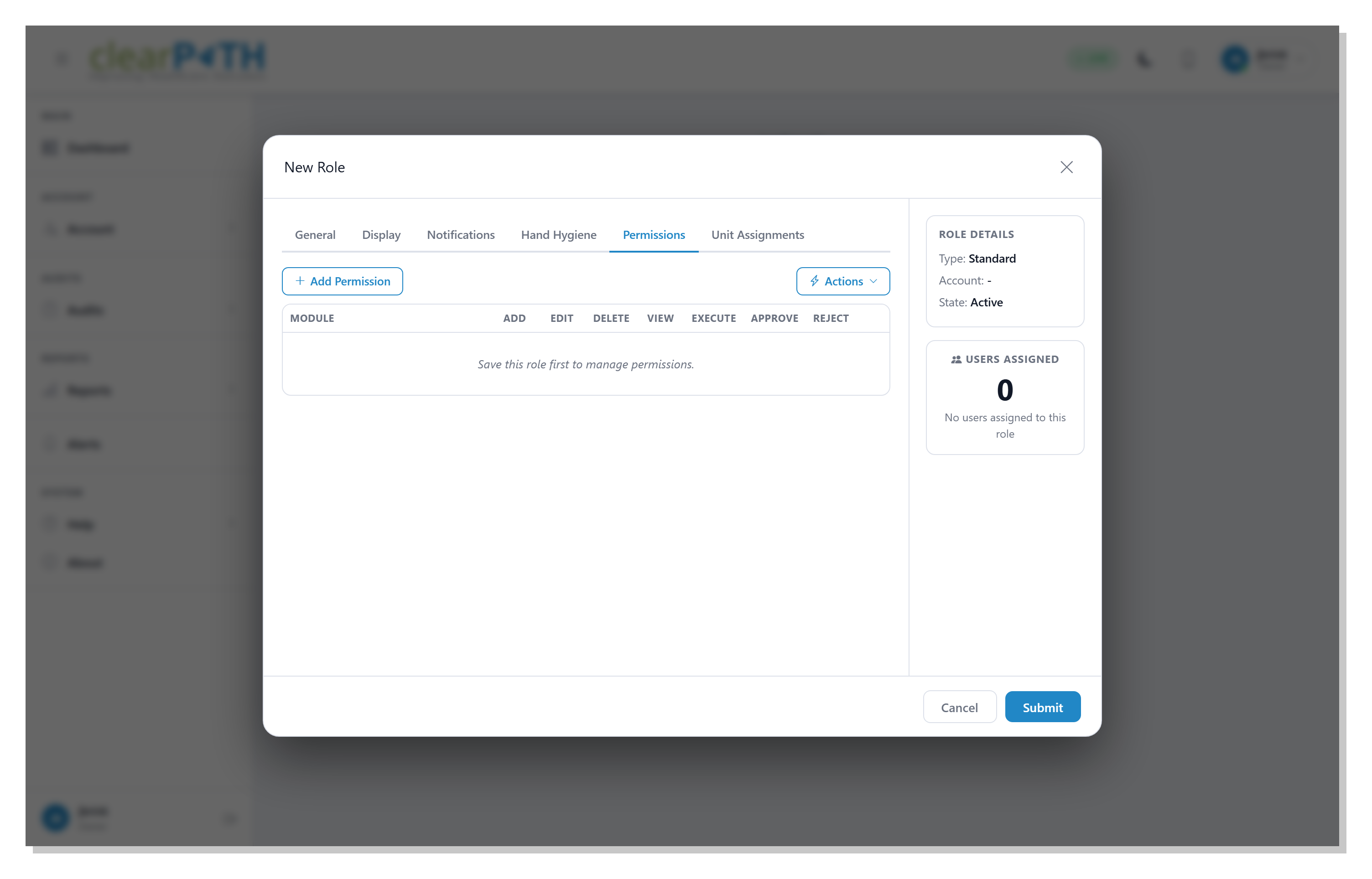
Five high-traffic feature areas — Reports, Report Distribution, Custom Audits, Hand Hygiene Sessions, and Auditing Devices — each carry seven independent toggles: View, Add, Edit, Delete, Execute, Approve, Reject. Grant a role view-only access to Reports without giving them Add or Execute. Let one role create and edit Custom Audits while another role does nothing but Approve or Reject them. Toggles that don’t apply to a feature (Execute on Custom Audits, Approve on Reports) are visually disabled so the matrix only ever shows the levers that matter.
The default policy is deny. If a role has no row for a feature, users in that role cannot use it at all — forcing explicit grants and preventing accidental over-exposure when new features arrive.
- Seven toggles per feature: View / Add / Edit / Delete / Execute / Approve / Reject
- Default deny — no implicit access
- Buttons and menu items hide for users who cannot act
- Server-side enforced — direct API calls return 403
- Administrators and root account automatically bypass
- Quick-apply Standard / Admin / Reporting permission sets
- Permission grid cached at sign-in — no per-page round-trip
- Custom Audits per-record “permitted users” retired in favour of roles
Unit Assignments
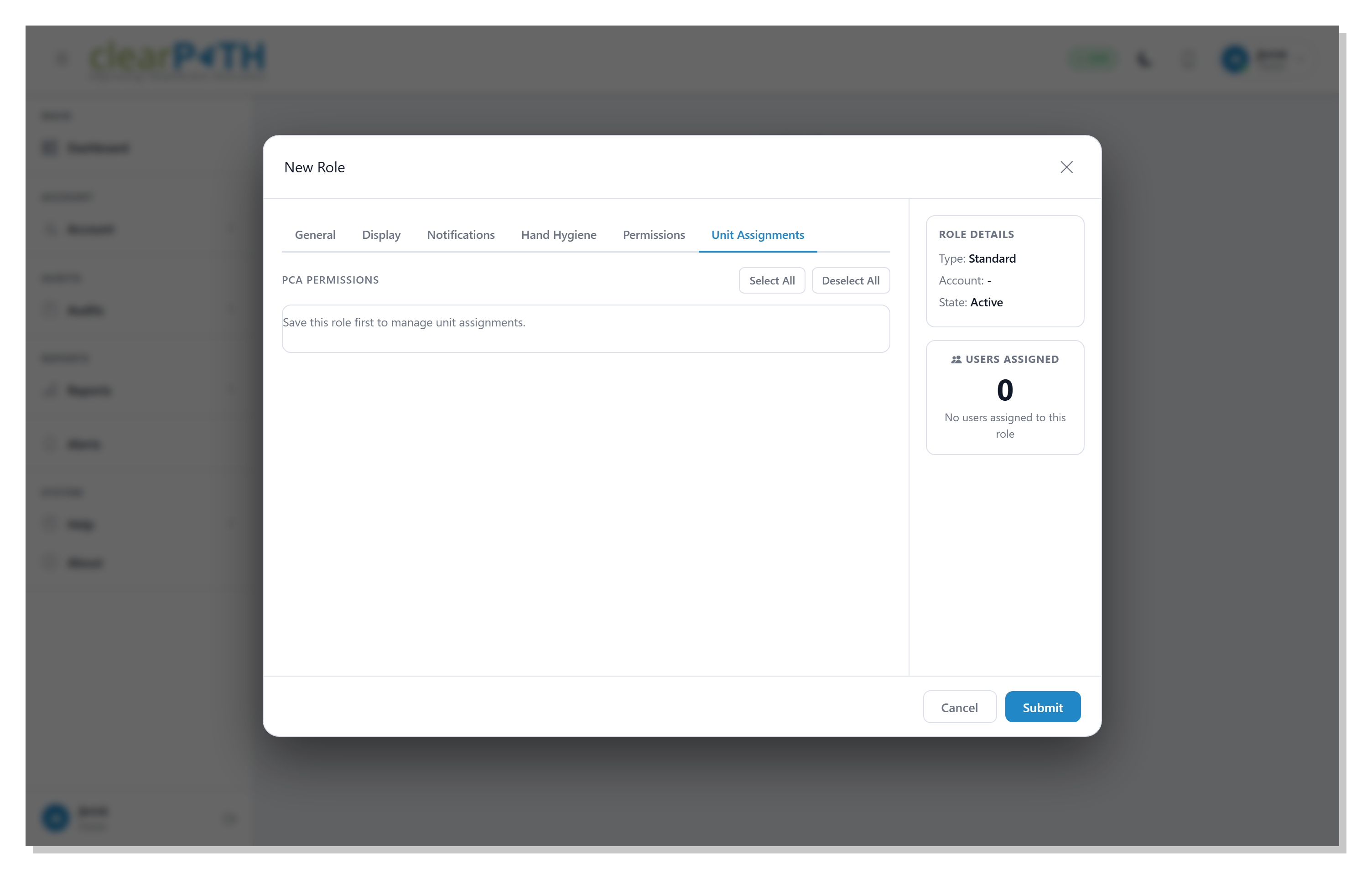
Unit Assignments limit a role to specific units. Tick each unit the role is allowed to audit; leave the rest unchecked. A role with no units ticked can audit in every unit (the default); a role with at least one unit ticked is restricted to that list. This is how you build site-specific or unit-specific roles without writing custom logic.
- Tick units to grant access; leave unticked to deny
- Empty list = every unit (default)
- One ticked unit = restricted to that list
- Combine with the permission matrix for fine-grained scope
- Unit-restricted roles still see organization-wide rollups for the units they own
Grant What's Needed. Lock Down the Rest.
Role-based permissions are included on Enterprise and Ultimate editions. Build roles that match your org chart, your IT review, and your compliance program — without custom development.
Request for Information Compare Editions