Scheduled Report Distribution
The reports that drive infection-prevention programs aren't pulled in a moment of crisis — they're sent on a calendar. Daily huddle sheets for the floor. Weekly compliance summaries for unit managers. Monthly board packs for leadership. Quarterly survey-readiness packets. clearPath generates every one of them on a schedule and delivers them to the right destination — no human in the loop.
A distribution links a report definition, a schedule, and a destination. Pick where each list ships its bundle — an email inbox, an FTPS or SFTP file server, a Microsoft SharePoint document library, any WebDAV-compatible store, or an AS2 (HIPAA EDI) trading partner. Set it up once and clearPath takes it from there: builds the PDF (or CSV, or Excel), runs it against the time period you specified, and delivers it. If a delivery fails, the system flags it and retries automatically.
Request for Information Compare EditionsKey Benefits
- Daily, weekly, monthly, quarterly schedules
- Email, FTPS, SFTP, SharePoint, WebDAV, or AS2 delivery
- PDF, CSV, and Excel outputs
- XML compliance feeds for BI and scorecard tools
- Recipient lists with role-based scoping
- Test Connection on every transport
- Automatic retry on delivery failure
- Failure alerts to administrators
- Audit trail of every send
Distribution Schedule
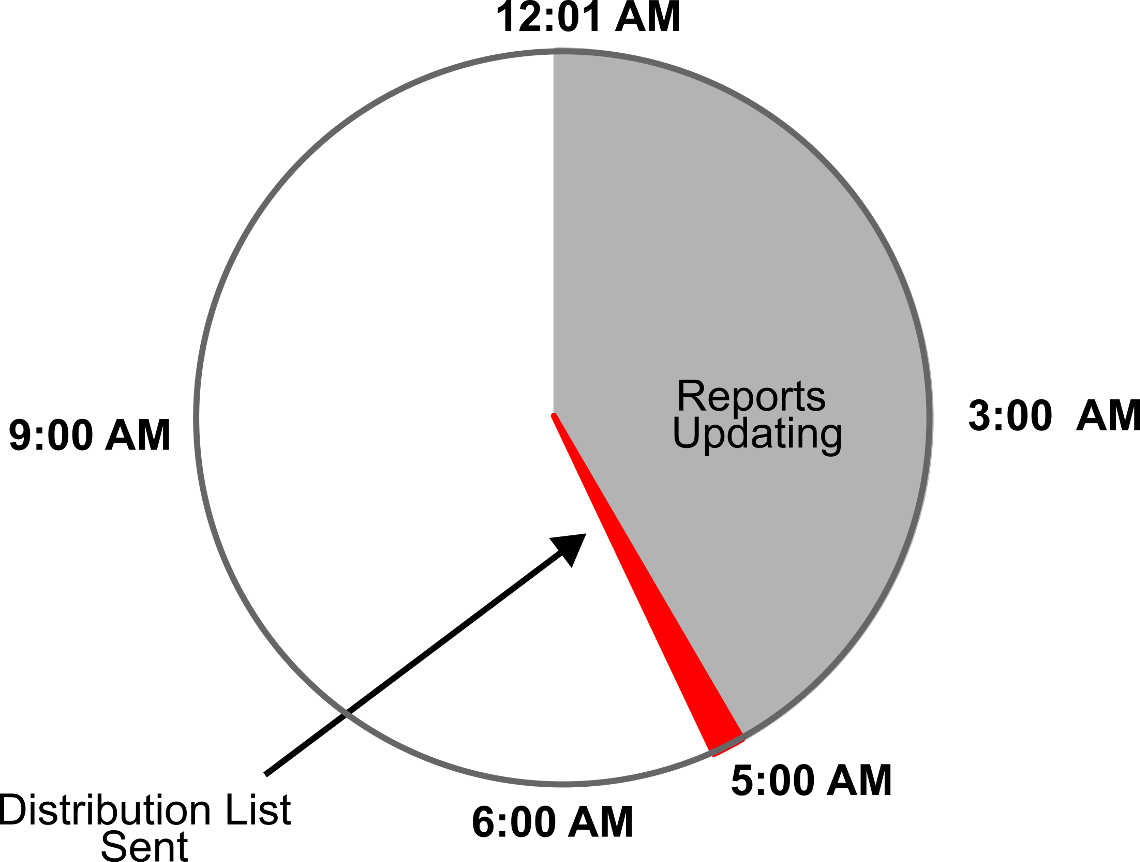
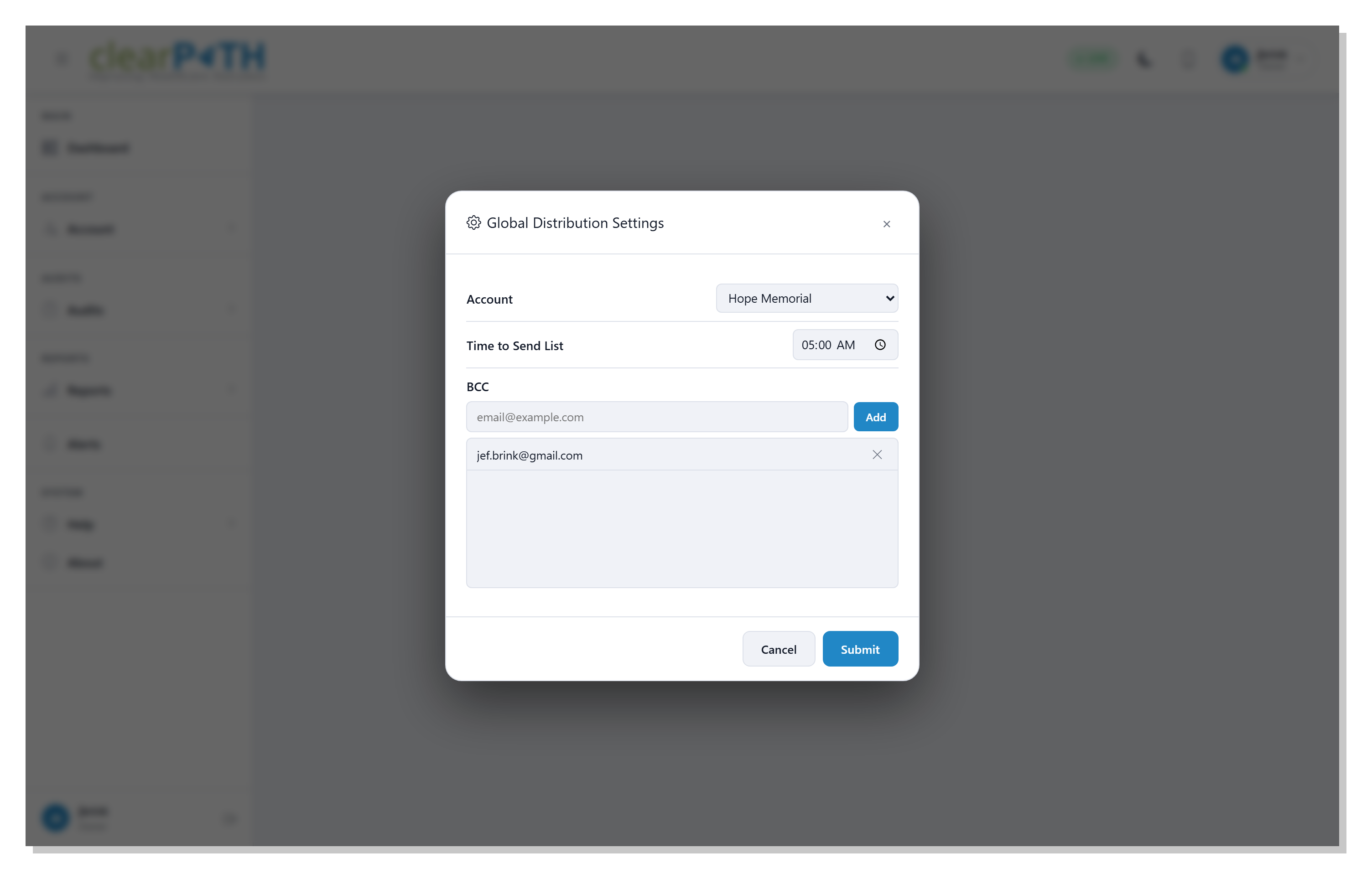
Every distribution has its own calendar. Pick the cadence (daily, weekly, monthly, or a custom day-of-month rule), set the time of day, and clearPath does the rest. Time zones are honored per-distribution so a report scheduled for 7 AM in Toronto doesn't arrive at 4 AM in Vancouver.
- Daily / weekly / monthly / custom cadences
- Per-distribution time zone
- Skip-on-holiday rules
- Pause and resume without losing the schedule
Distribution Options
Each distribution carries the full report context with it: which report style, which time period (rolling or fixed), which scope (corporation / facility / unit), and which output format. Change the options once and every future delivery picks up the new settings.
- Choose any of the report styles available on your edition
- Rolling time periods (last 30 days, last fiscal quarter, etc.)
- Multiple recipient lists per distribution
- Optional CSV export alongside the PDF
Ship XML Compliance Files on the Same Schedule
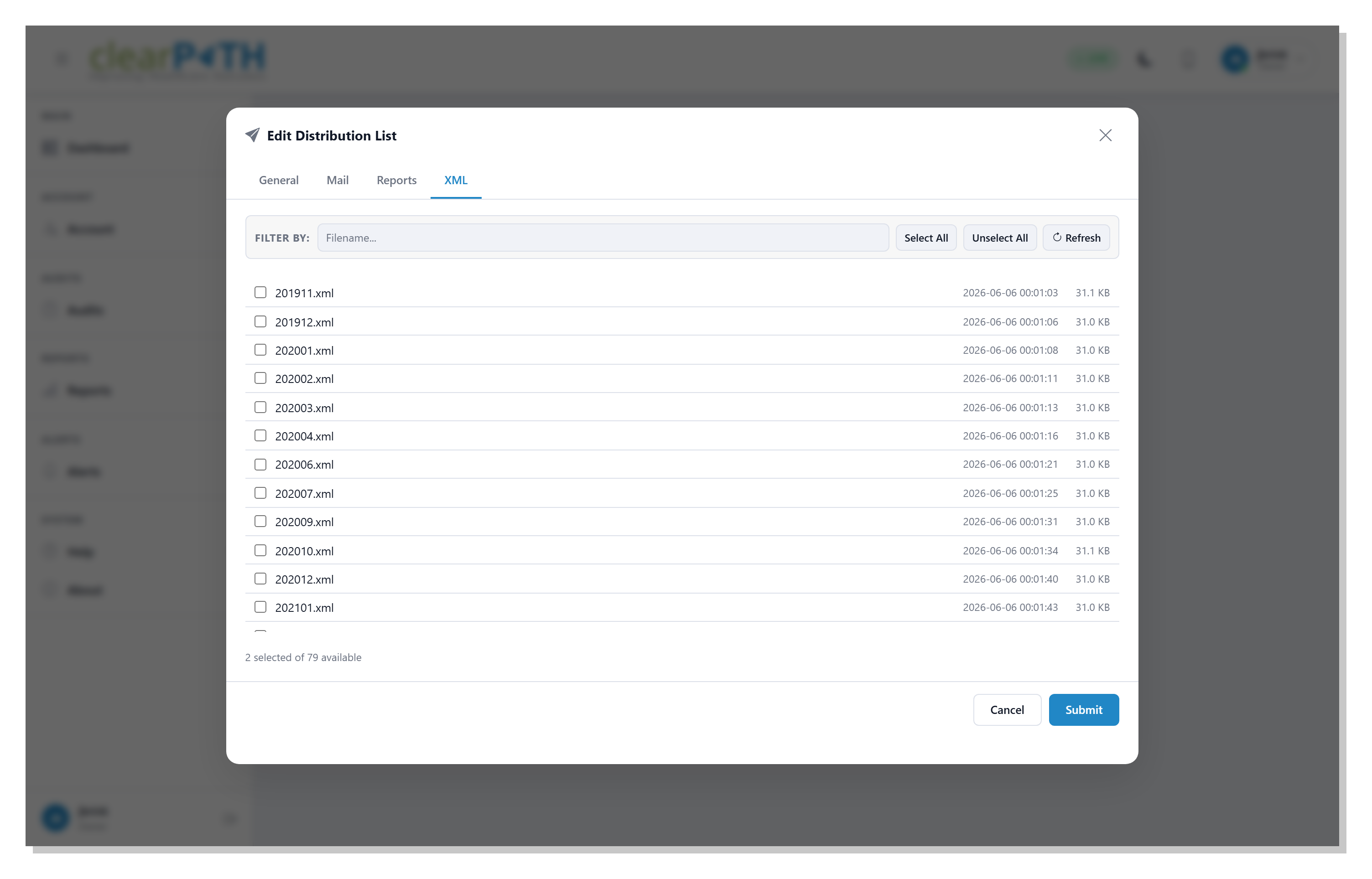
Distribution lists aren't just for PDFs. Flip on Include XML Compliance Files and the same scheduled run can deliver the machine-readable XML feed your BI team or corporate scorecard ingests — on its own, or bundled together with the report PDFs already on the list. Pick exactly which XML files to send from a live picker that reads the account's XML compliance folder, and let clearPath route everything through the transport you've already configured.
- Reports, XML files, or both on the same list — one schedule, one delivery
- Live picker shows every XML file in the account's compliance folder
- Files ride the same Email, FTPS, SFTP, SharePoint, WebDAV, or AS2 pipe
- Honours the Compress Reports (ZIP) option — XML and PDF in one drop
- Same Go/No-Go readiness checks — the list will not fire if anything's missing
Six Delivery Methods
A Delivery Method picker on every distribution list lets you choose where its report bundle lands. The schedule, the bundling options, and the readiness checks are the same across all six — only the destination differs.
Attaches the bundle to a templated email and sends it to a recipient list. Optional ZIP compression, single-merged-PDF mode, and an unsubscribe link are all built in. Recipients can also receive a secure share-link instead of attachments.
🖧 FTPS (FTP over TLS)
Uploads the bundle to a customer-owned file server over an encrypted FTP-over-TLS connection. Supports both Explicit (AUTH TLS) and Implicit (port 990) modes. Useful when a hospital IT system pulls files out of a drop folder.
🔐 SFTP (SSH File Transfer)
Uploads the bundle over SSH on port 22 — a different protocol from FTPS and the most widely supported drop-folder option for healthcare trading partners. Sign in with a password or with an SSH private key (OpenSSH or PKCS#8 PEM, with optional key passphrase).
🏢 Microsoft SharePoint
Uploads the bundle directly into a SharePoint Online document library via Microsoft Graph. App-only authentication via Azure AD — pair with a SharePoint dashboard or an automated Power Automate workflow.
☁️ WebDAV
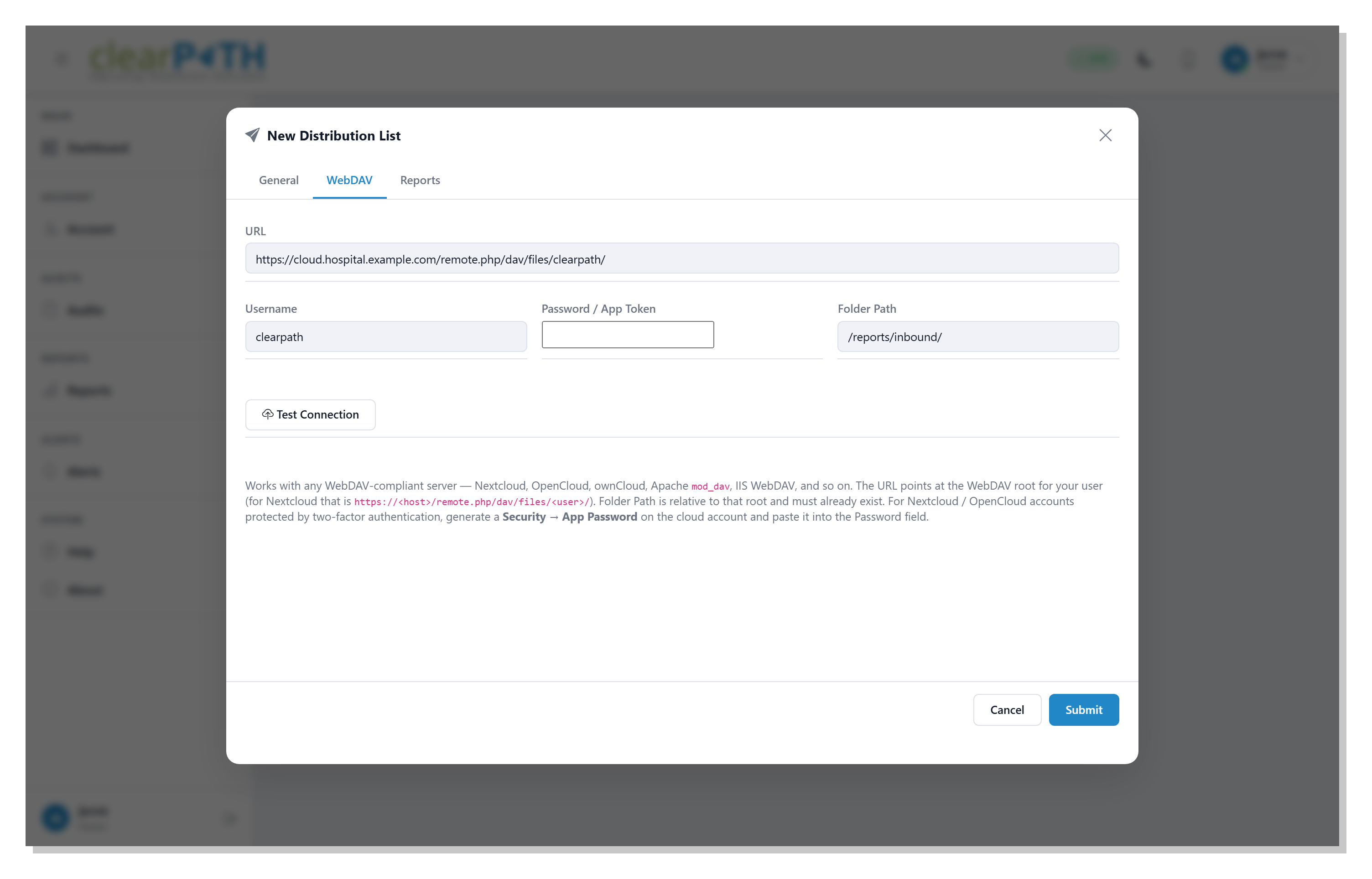
Uploads the bundle to any WebDAV-compatible server — Nextcloud, OpenCloud, ownCloud, Apache mod_dav, IIS WebDAV, and more. Standard HTTP Basic auth with App Password support for two-factor accounts.
🛡️ AS2 (HIPAA EDI)
Sends each file to a trading partner using Applicability Statement 2 (RFC 4130) — the standard EDI transport for healthcare. Every message is S/MIME-signed with your certificate and encrypted with the partner's. The partner returns a Message Disposition Notification (MDN) confirming the message arrived intact.
Test Before You Trust
Every file-share transport has a Test Connection button next to its credentials. clearPath signs in to the destination with the values currently on the form, performs the operation the next scheduled run would attempt, and reports the outcome inline.
- FTPS — connects, negotiates TLS, runs a no-op, disconnects
- SFTP — signs in over SSH (password or key) and exercises the remote directory
- SharePoint — acquires a Graph token and resolves the site
- WebDAV — uploads a small marker file then deletes it (so you also verify write permission, not just reachability)
- AS2 — sends a tiny signed and encrypted probe message and waits for the partner's MDN — the only meaningful AS2 test
- Errors come straight from the destination — no guessing
Credentials Stay Encrypted
Every password, client secret, App Token, SSH private key, key passphrase, and AS2 signing key entered on a distribution list is encrypted before it touches the database. The editor shows a placeholder when one is stored so the operator knows a credential exists, but the cleartext is never returned to the browser. Rotate a destination password — or rotate an AS2 signing certificate — and re-enter it on the matching distribution list. Nothing else needs to change.
Set It Once. Receive It Forever.
Available on Enterprise and Ultimate editions. Scheduled distribution is included at no additional cost.
Request for Information Compare Editions