Audit Progress — A Live Coverage Heatmap
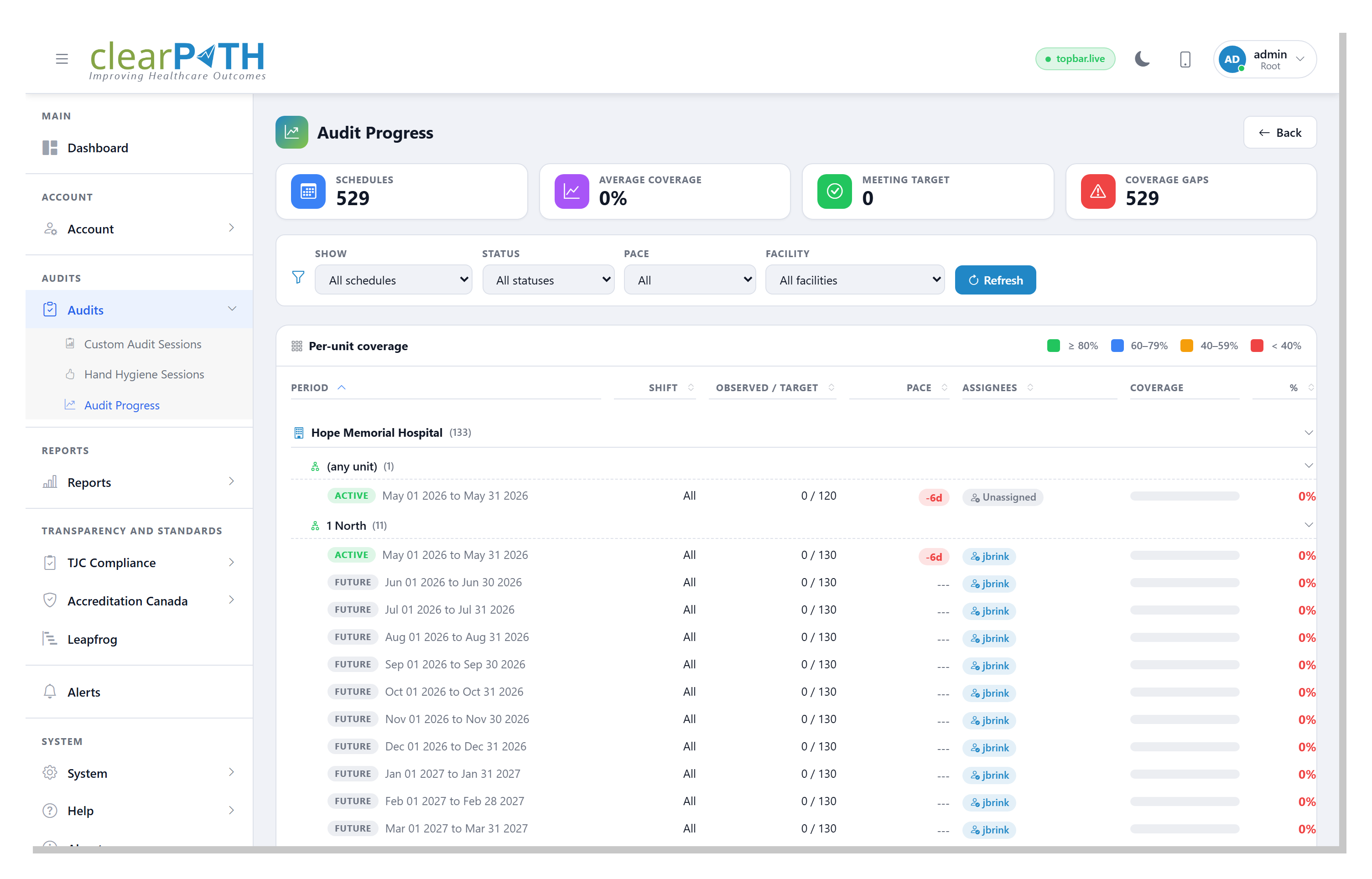
Pair every audit schedule with a live progress view that answers the three questions an IPC lead asks every Monday morning: are we on pace, who has no observer, and which units still have headroom this month? Audit Progress reads each schedule’s own period and reports observed-vs-target, ahead-or-behind days, and the assignee on every row.
Status pills, sortable headers, page-size persistence, and per-user filter memory mean the page comes back the way each auditor left it — including a My assignments shortcut that immediately shows just the schedules the signed-in user is responsible for.
Request for Information Compare EditionsKey Benefits
- Status pill on every schedule (Active / Future / Closed)
- Pace column — days ahead or behind expected
- Assignees column with Unassigned pill
- Status and Pace filters
- My assignments (todo) view
- Collapsible facility-and-unit grouping
- Sortable, paginated, filter-persistent
- Stat cards: Schedules / Avg Coverage / Meeting Target / Coverage Gaps
- Per-schedule observation window — no global-window distortion
The Single Most Useful Indicator: Unassigned
An Unassigned pill in the Assignees column is the one thing an administrator needs to act on — the schedule exists, the period is open, but nobody has been picked to do the observations. When a single observer covers the period, that observer’s name appears; when several do, a count appears with the full list on hover. Building a year of schedules across an account with auto-assignment leaves these gaps visible by design instead of hidden.
- Unassigned: schedule has no observer — red pill
- Single observer: name shown inline
- Several observers: N observers pill with hover list
- One-click filter to surface only Unassigned rows
Built To Pair With Build a Full Schedule
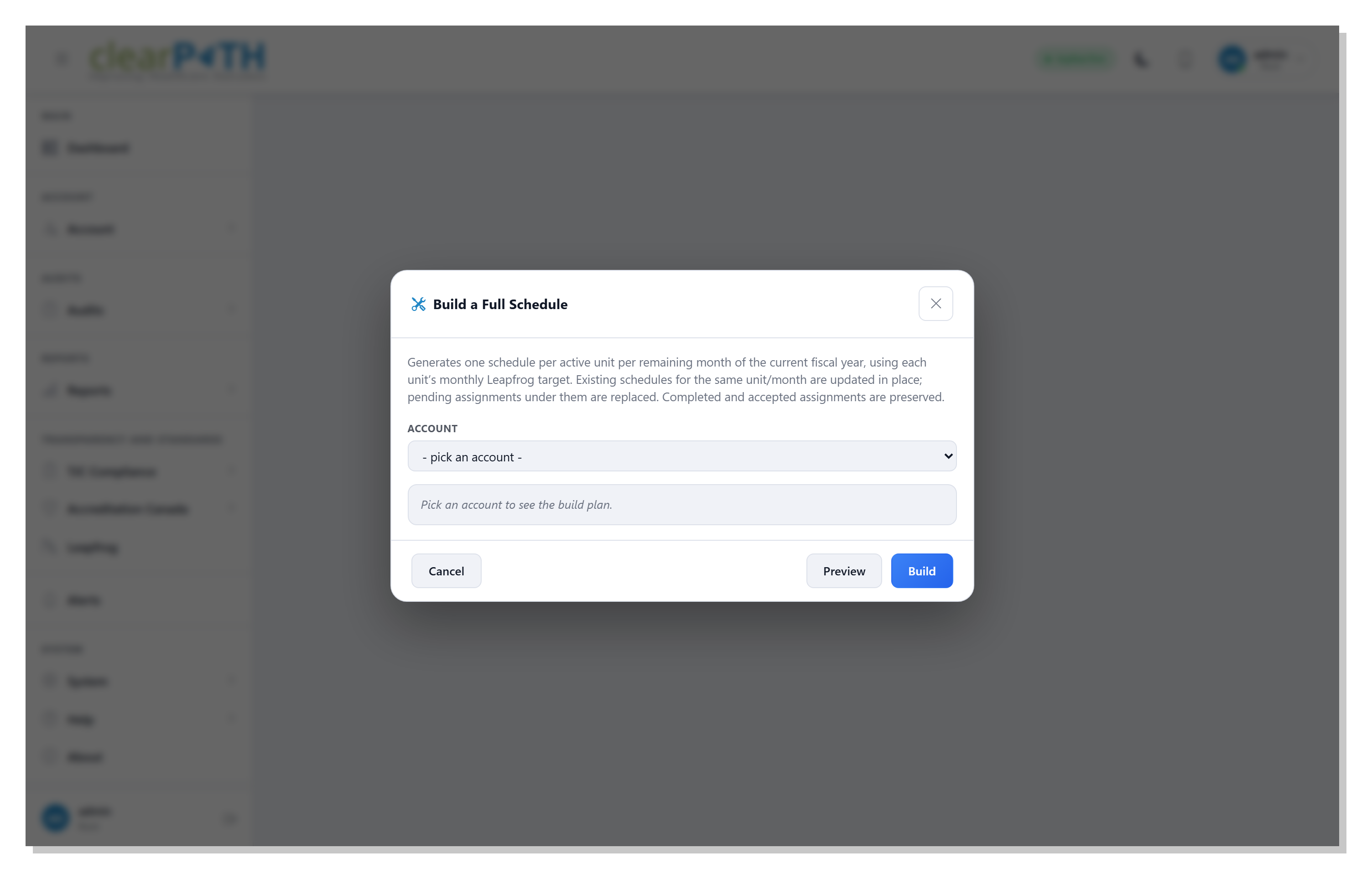
The companion Build a Full Schedule action on the Audit Scheduling page lays out an entire fiscal year of monthly observation schedules — one per active unit, sized to that unit’s own configuration — with auto-assignment from each unit’s eligible observer pool. The Audit Progress page is where you watch how that plan plays out: which units are on pace, which are behind, and which schedules still need a body.
- One-click annual build across every active unit
- Per-unit targets (Bed Count × Observations × period)
- Auto-assignment from each unit’s eligible pool
- Existing accepted assignments preserved on rebuild
- Account-level summary email lists every unassigned unit
Plan it once. Watch it daily.
Build the year in one click. Walk the heatmap each morning. Reassign the schedules that drifted. Walk into accreditation with the receipts your surveyor will ask for.
Request for Information Compare Editions