Custom Color Ranges & Thresholds
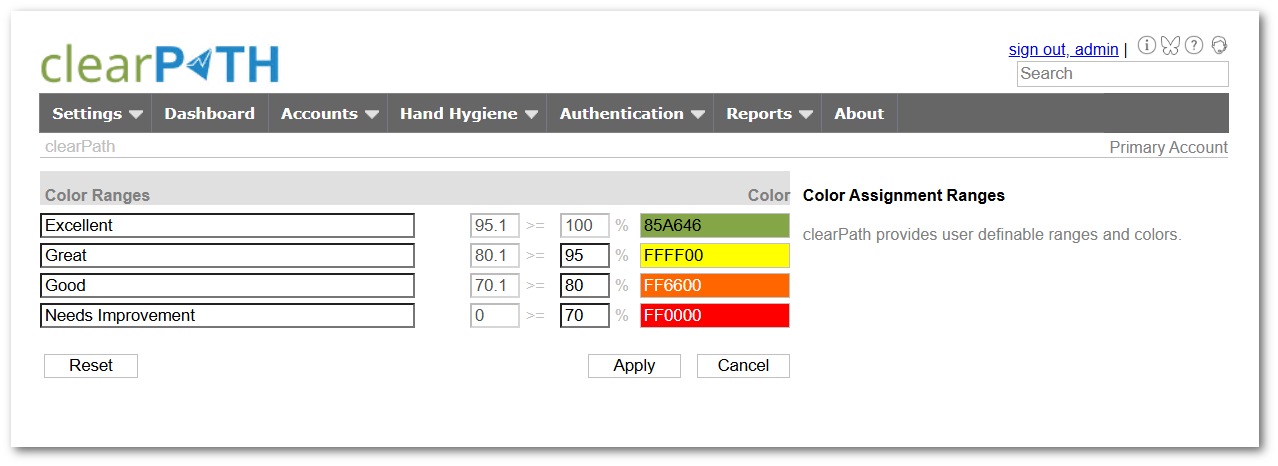
One organization's green is another organization's red. A facility chasing 95% can't use the same color bands as one still climbing toward 70%. clearPath lets each customer define their own threshold bands so the dashboard, the kiosk display, and the printed report all use the colors that mean something to your leadership.
Color ranges are global, then overridable. Set the corporate-default bands once and every dashboard inherits them. Override per facility or per target when a specific unit is on a different improvement track. The visual language stays consistent across every screen and report.
Request for Information Compare EditionsKey Benefits
- Define your own band cutoffs
- Match your facility scorecard exactly
- Drives every gauge, widget, and report
- Override per facility or per target
- Consistent across dashboards and PDFs
- Aligns with stretch goals and pilot bands
- Visible on kiosk and digital signage
- Survey-ready visual language
One List, Every Account
The Color Ranges list shows every account on one page, each with its full set of bands rendered as a colour-swatch legend. Stat chips count the accounts and bands at a glance, and the row-level menu jumps straight into the editor for any account. clearPath validates that the bands don't overlap and that they cover the full 0–100% range, so you can't accidentally leave a gap that produces grey gauges in production.
- Stat chips: Accounts, Color Ranges
- Search-as-you-type by account name
- Legend swatches with band percentages
- Per-account Edit and Delete from the row
- Validation against gaps and overlaps
- Reset to the built-in defaults
Your Colors. Your Standard.
Available on Enterprise and Ultimate editions. Custom color ranges are included at no additional cost.
Request for Information Compare Editions