Compliance Targets
A compliance percentage on its own is just a number. Compared against a target, it becomes a story. clearPath lets you set targets at the corporation, facility, or unit level — and per moment, not just overall — so every gauge on the dashboard knows what it's supposed to hit.
Targets cascade. Set a 95% target at the corporation level and every facility inherits it. Override the target on a single facility, and that override propagates to its units. Override the target on a single unit, and that's the number that gauge is graded against. The same target you negotiated with leadership shows up everywhere it's relevant, automatically.
Request for Information Compare EditionsKey Benefits
- Targets at corporation, facility, and unit
- Per-moment targets, not just overall
- Cascading inheritance with overrides
- Color-coded gauges against your goal
- Targets drive dashboard widget colors
- Targets drive report compliance flags
- Time-bound targets for stretch goals
- Effective-date scheduling for new fiscal years
The Target List
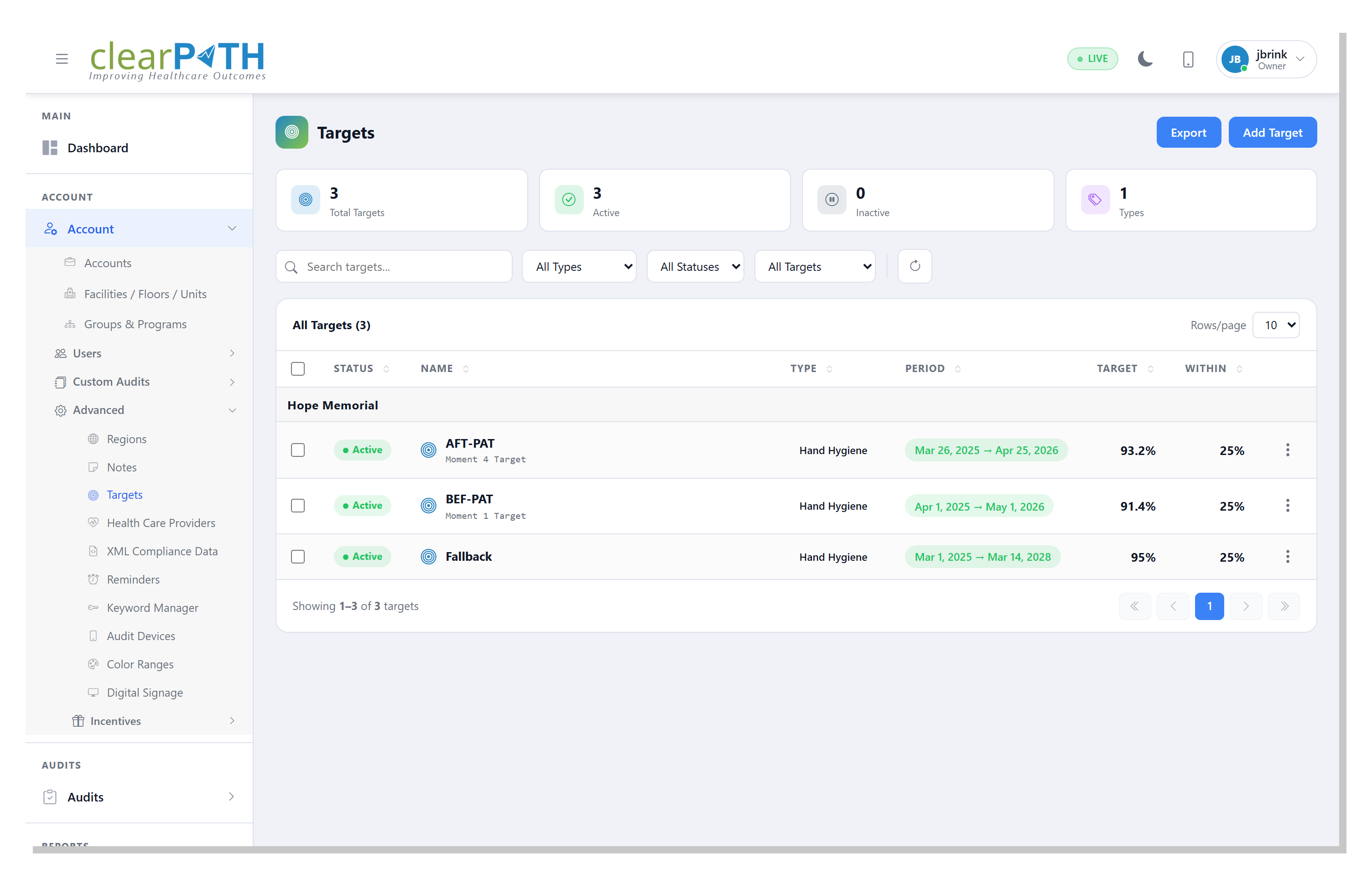
The Targets page shows every target in the system with the moment it applies to, the level it's set at, and the effective period. Targets can be scoped to a single moment (e.g. 95% on before patient contact) or applied across all moments. Filtering by facility or unit makes it easy to see exactly which numbers are in force at any rollup level.
- One row per target with full scoping context
- Filter by facility, unit, or moment
- Effective and expiry dates
- Audit trail of who set what, when
Thresholds Behind the Target
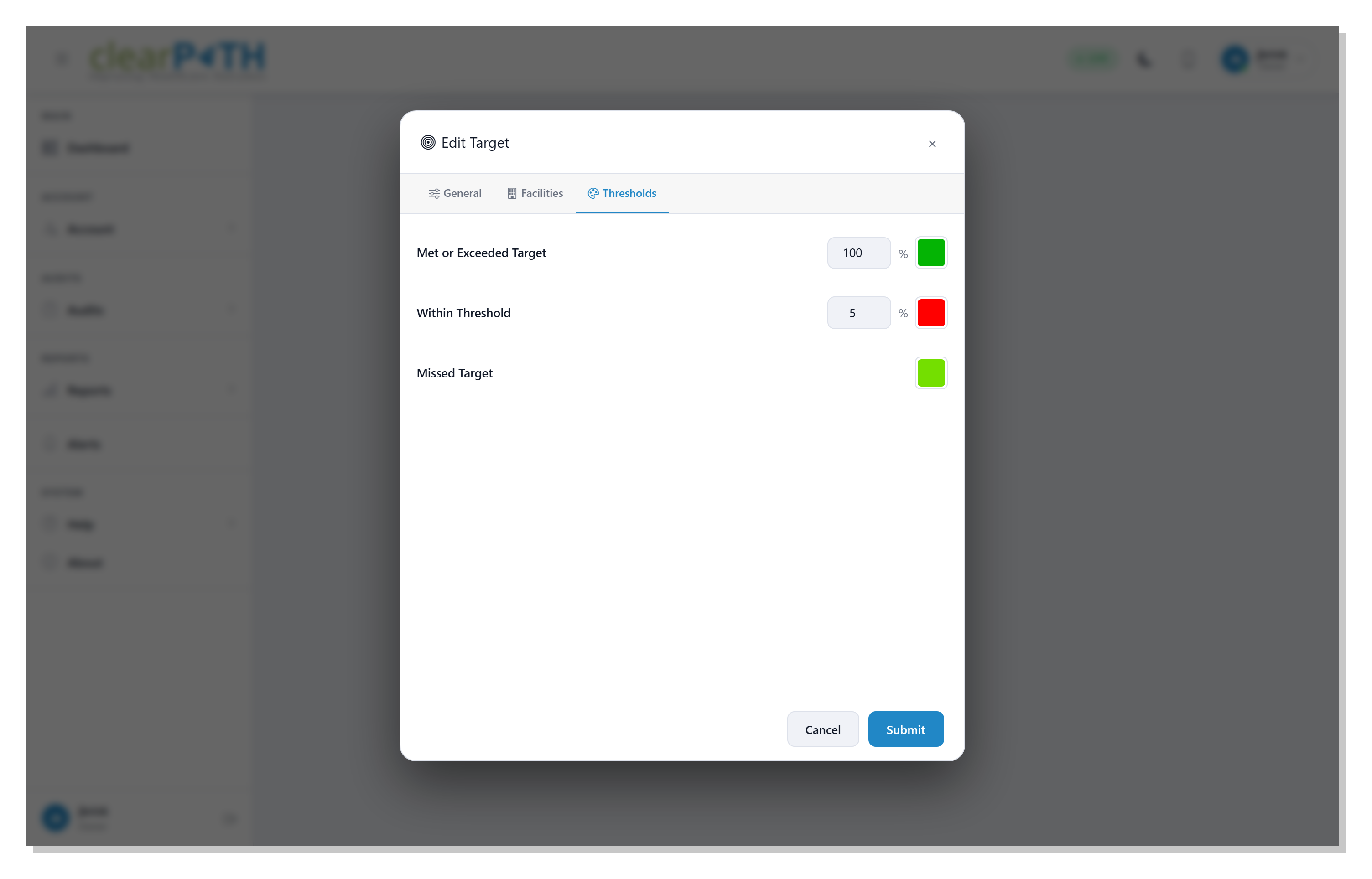
A single target percentage isn't enough on its own — the dashboard also needs to know when to color a gauge yellow vs. orange vs. red. clearPath lets you set the threshold bands behind each target so the gauge colors match your scorecard. Pair targets with custom color ranges to align the visual language across every dashboard, kiosk display, and printed report.
- Configurable threshold bands per target
- Drives gauge colors on every dashboard widget
- Drives compliance flags on PDF and CSV reports
- Aligns with your facility scorecard, not ours
Grade Against Your Goal, Not Ours.
Available on every clearPath edition. Targets drive every gauge, widget, and report — included at no additional cost.
Request for Information Compare Editions