Kiosk Mode
Kiosk Mode turns any spare screen — a lobby display, staff-room monitor, or huddle board — into a live compliance dashboard. The screen refreshes in real time as audits roll in, so the floor sees the same numbers leadership is reading on the day of the survey, not last month's report.
There are two ways to run an unattended display in clearPath: a dedicated Kiosk account that signs in once and is locked to the dashboard, or Digital Signage for a multi-slide rotation that pairs without a user account at all.
Request for Information Compare EditionsKey Benefits
- Live results on shared screens
- Refreshes automatically — no clicks
- Read-only — display cannot change data
- Works on any modern browser
- Per-screen filtering (facility, unit, period)
- Drives huddles and shift handoffs
- Visible accountability for the whole team
- Optional pairing via Digital Signage
The Live Dashboard
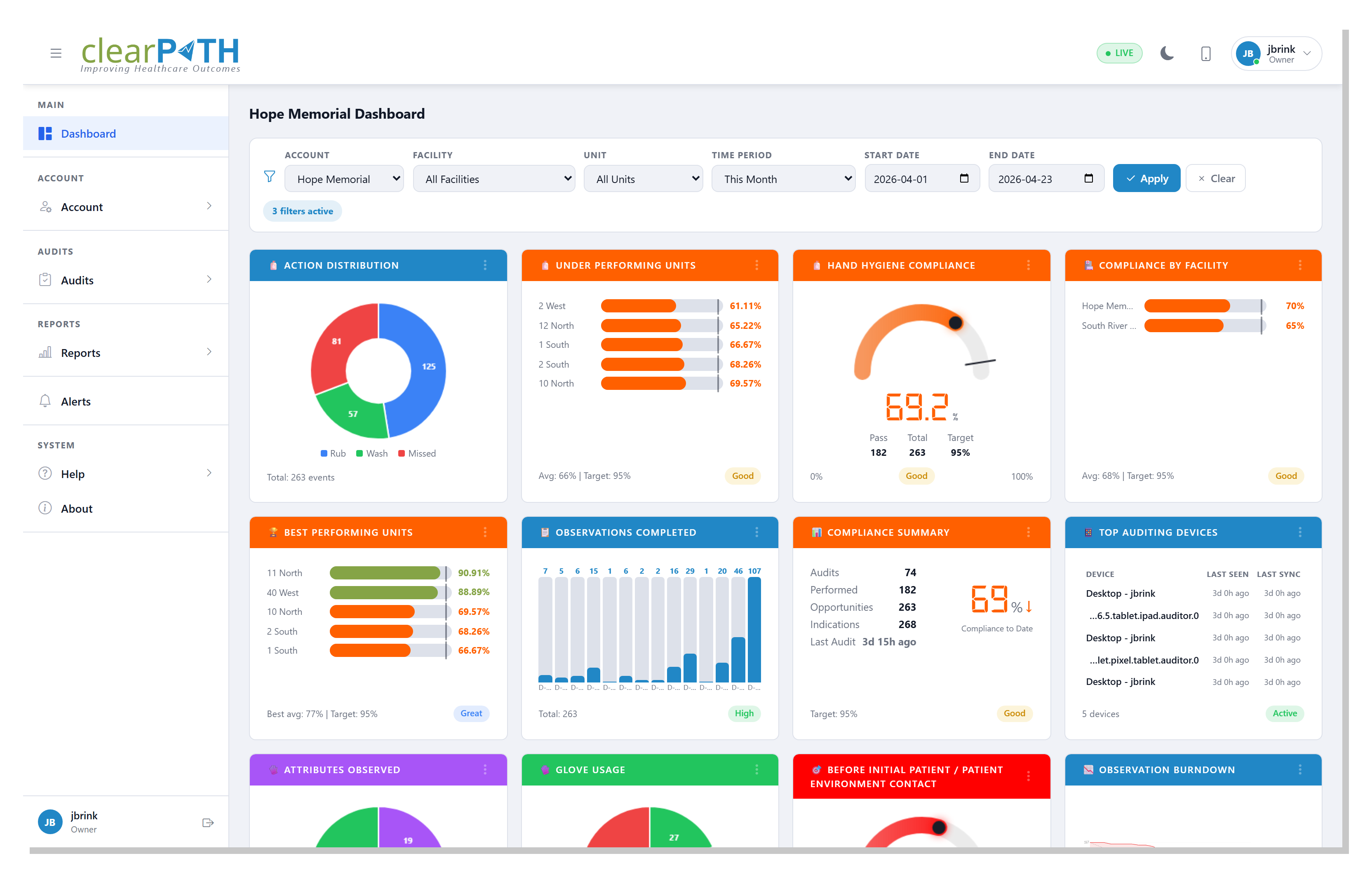
The clearPath dashboard ships with a Live indicator in the header that confirms the screen is connected and refreshing in real time. Drop the dashboard onto a wall-mounted display, set the filter to the unit (or roll up to the whole facility), and the screen takes care of itself for the rest of the shift.
- Live indicator confirms real-time updates
- Filter by facility, unit, group, or period
- Drag-and-drop layout — pin the widgets that matter on this screen
- Compliance, moments, audit volume, and trend at a glance
- Renders on any device with a browser
Kiosk Accounts
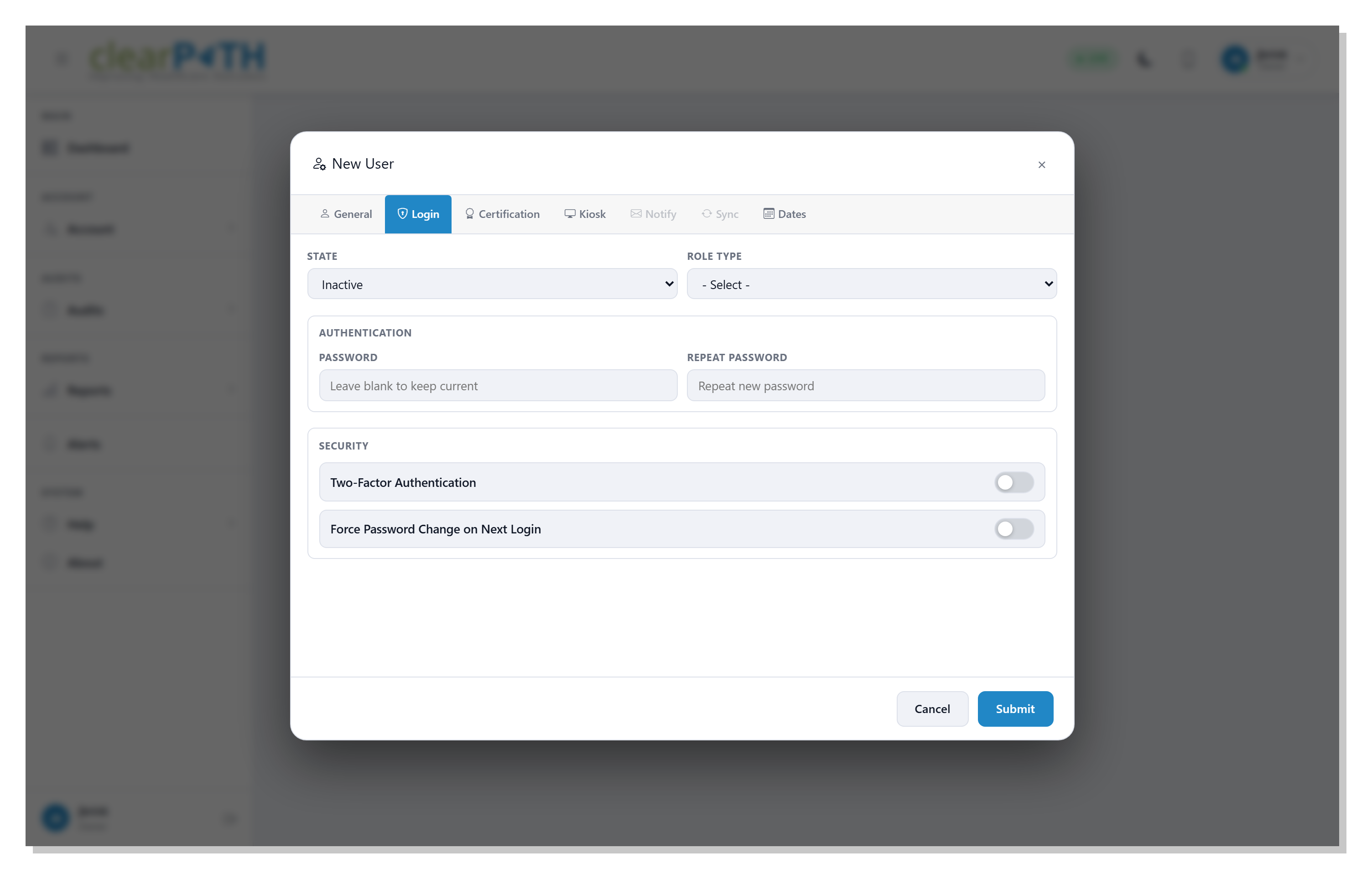
Every user in clearPath has a Kiosk toggle on the Login tab of the user editor. Flipping it on configures the account as kiosk-only — the user can sign in and view the dashboard on a shared screen but cannot otherwise change data. This is the right choice when the screen is in a public area but the rest of the application should be locked down.
- Per-user kiosk toggle on the Login tab
- Read-only — kiosk accounts cannot edit configuration or audits
- Pair with role-based permissions for fine-grained scope
- Auto-expire dates for short-term contractor screens
- Two-factor authentication can be left off for kiosk-only accounts to keep unattended sign-in simple
Make Compliance Visible.
Available on Enterprise and Ultimate editions. Kiosk Mode is included at no additional cost — pair it with Digital Signage for multi-slide rotations.
Request for Information Compare Editions