Microsoft Teams, Slack & Webhook Integration
clearPath can push alerts, audit events, and distribution-list failures straight into the chat tools your team already lives in. Point a subscription at a Microsoft Teams channel, a Slack incoming webhook, or any JSON-receiving endpoint, and clearPath delivers the event the moment it fires — no polling, no extra inbox to check.
Each subscription is scoped to a single account and filtered by severity and module, so the dashboard team sees compliance threshold breaches while the IT team sees server events — without either group seeing the other. Pair this with email notifications for the recipients who still want messages in their inbox.
Request for Information Compare EditionsKey Benefits
- Microsoft Teams via Power Automate
- Slack via incoming webhooks
- Generic JSON endpoint for anything else
- Per-account scope — no cross-tenant leakage
- Severity filter (info / warning / error / critical)
- Module filter (hygiene, audits, distribution, license, …)
- One-click Send Test from the editor
- Enable / disable slider per subscription
- Last-fire time and last-result visible on the list
- Copy-to-clipboard button on the webhook URL
Manage Every Subscription on One Page
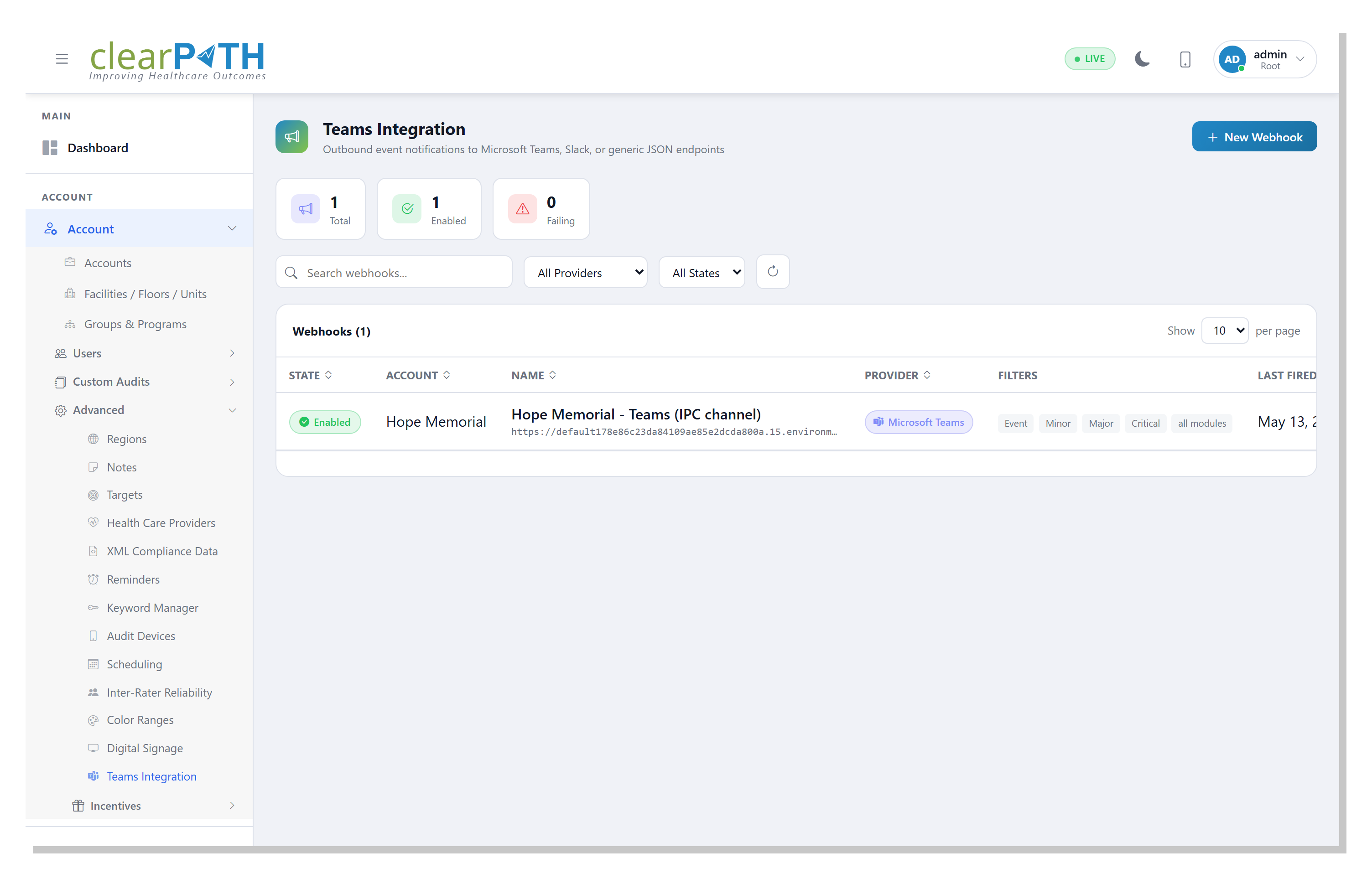
The Accounts → Advanced → Teams Integration list shows every outbound subscription configured for the account, with a state pill, provider, filter summary, last fire time, and last result on every row. Root users see an additional Account column so they can audit and manage subscriptions across every customer from one screen, without switching tenant contexts.
- State pill (Enabled / Disabled) leads every row
- Provider, filters, and result at a glance
- Root-user view spans every account
- Account administrators see only their own subscriptions
- Three-dot menu for edit, test, and delete
Configure in a Minute
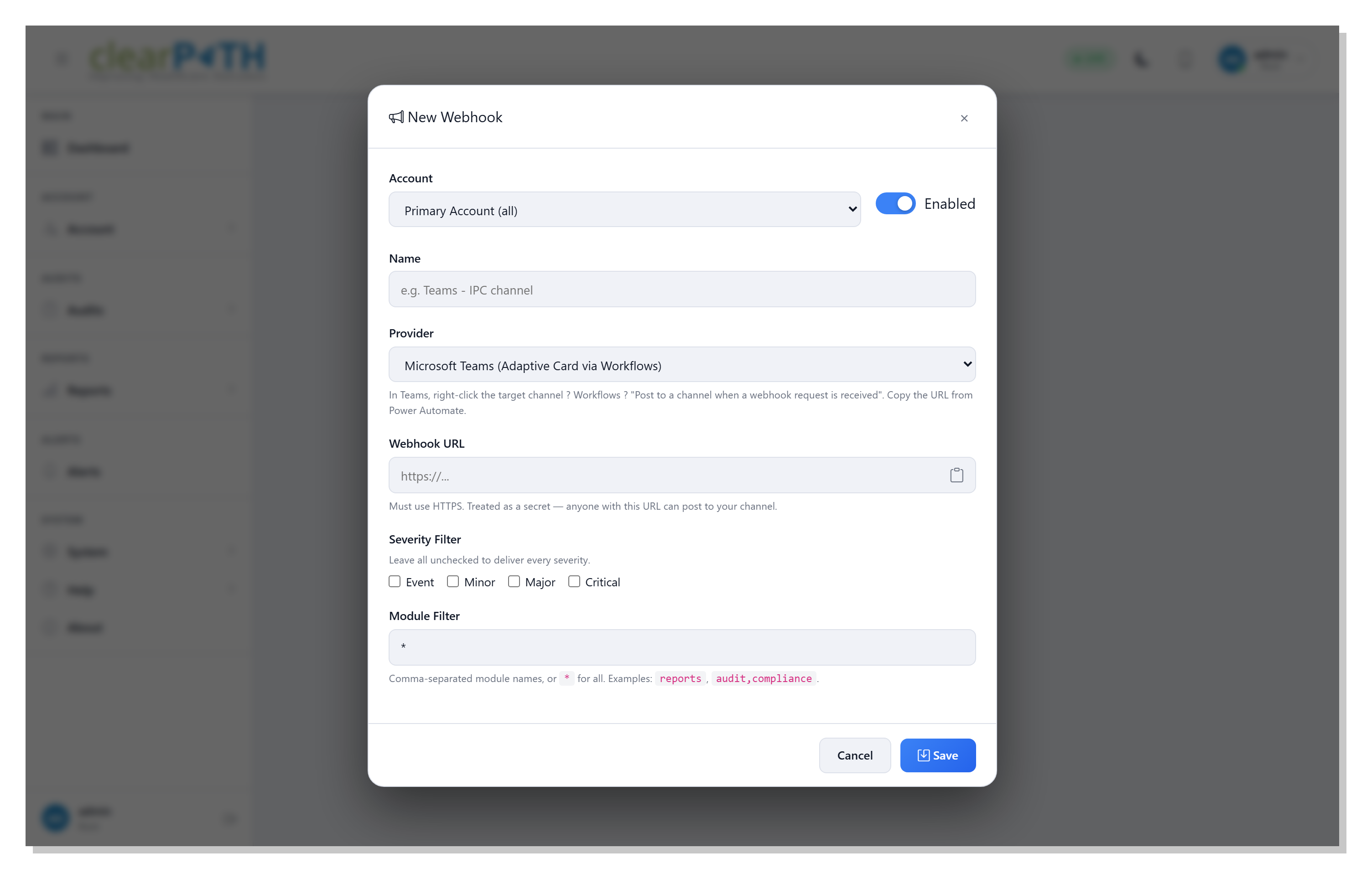
The subscription editor walks you through provider, endpoint URL, and filters in a single dialog. Paste the webhook URL from Teams, Slack, or your own JSON receiver, pick the severity floor and the modules you care about, and press Send Test to confirm delivery before you save. The webhook URL field has a one-click copy button so the secret never has to be dragged across the field by hand.
- Account dropdown (root) or locked to current account
- Provider: Microsoft Teams, Slack, or Generic JSON
- Webhook URL with copy-to-clipboard
- Severity and module multi-select filters
- Send Test button verifies end-to-end delivery
- Enabled slider on the same row as Account
The notifications your team already pays attention to.
Stop asking people to check yet another inbox. Surface clearPath events in the channels your IPC, IT, and quality leaders already watch — and prove delivery with a Send Test before you save.
Request for Information Compare Editions