Email Notifications & Alerts
The whole point of a real-time compliance system is that someone finds out when things go sideways. clearPath turns the most important events into emails to the people who can act on them: a unit slipping below its target, a distribution that failed to deliver, an audit volume that fell off a cliff, or a configuration change someone needs to know about.
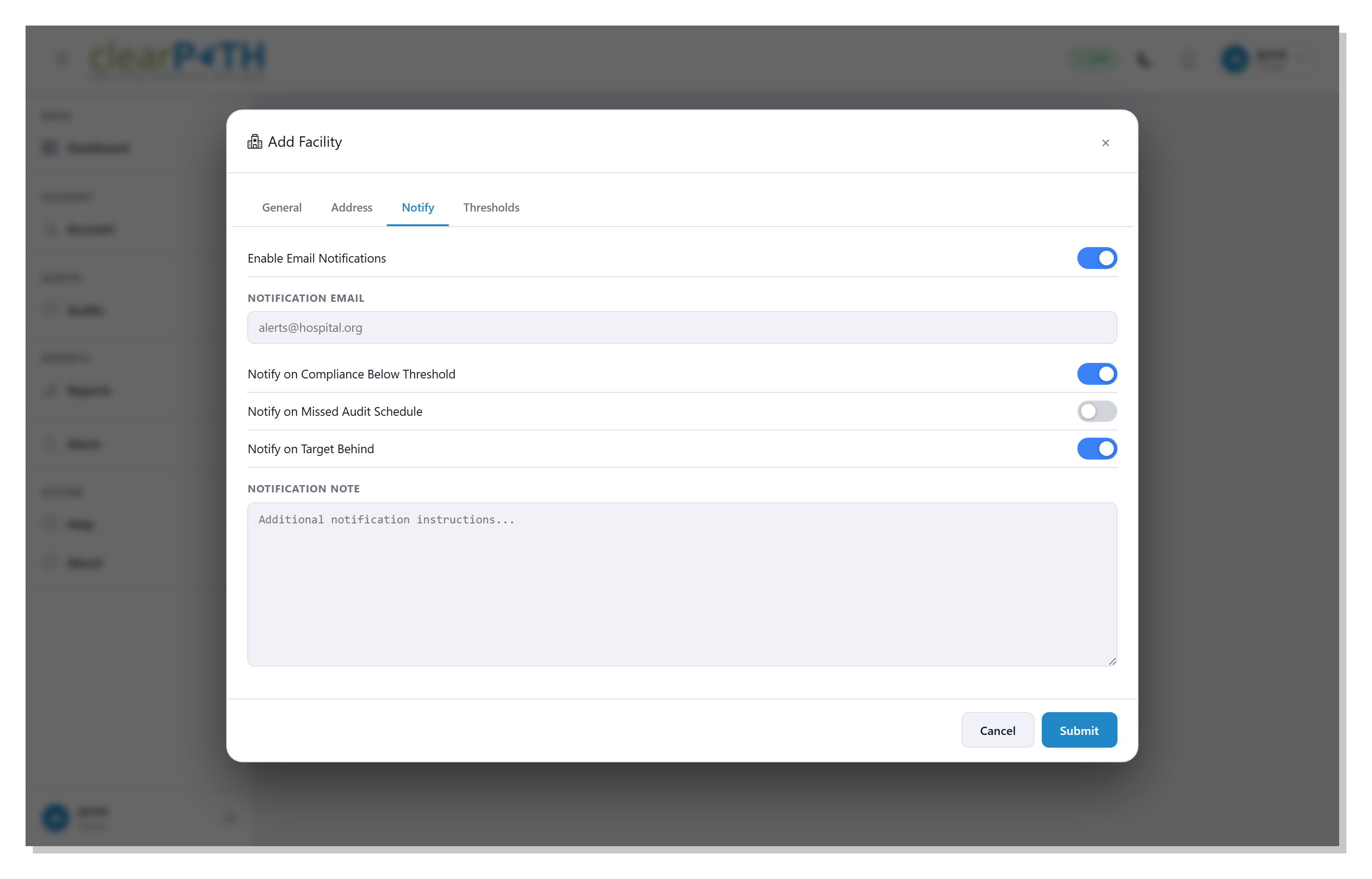
Notification recipients are configured per facility and per event type, so unit managers get unit-specific alerts, IT gets the system events, and infection prevention gets the program-level escalations — without anyone drowning in noise that isn't theirs to handle.
Request for Information Compare EditionsKey Benefits
- Threshold-breach alerts
- Audit-volume drop alerts
- Distribution-failure alerts
- Configuration-change alerts
- Per-facility recipient lists
- Per-event-type recipient lists
- Templated email bodies
- Suppress to avoid alert storms
Per-Facility Notification Routing
Every facility carries its own notification configuration. Pick which events trigger an alert, who receives it, and the message template. clearPath honors role-based scoping in the routing — a recipient who can only see Facility A won't accidentally receive an alert about Facility B even if they're on the corporate list.
- Per-facility event subscriptions
- Distinct lists for compliance, system, and audit events
- Role-aware recipient resolution
- Test-send before activation
- Audit trail of every notification fired
Modern, Mobile-Friendly Templates
Every transactional email clearPath sends — password reset, audit results, scheduled distributions, distribution-error notifications, admin-triggered password reset — now uses a single shared HTML template with a clean gradient header, a white card on a soft-grey background, green call-to-action buttons, and a support footer. The same design renders consistently across Outlook, Gmail, Apple Mail, and the major webmail clients, with a plain-text fallback for recipients who only see text.
- One design across every outbound email
- Mobile-friendly layout
- Plain-text fallback for old mail clients
- Distribution error notifications now delivered (deduped per day)
- Inactive Audit Notification redesigned — sane day counts for never-synced accounts
- Modern TLS 1.2 / 1.3 outbound — resolves Microsoft 365 and Google Workspace rejections
Not Email? Push it to Teams or Slack.
For events that belong in a chat channel, not an inbox, point a Microsoft Teams, Slack, or generic-webhook subscription at the same alerts. Severity and module filters, one-click Send Test, and a multi-tenant view for root users.
Find Out Before the Survey Does.
Available on Enterprise and Ultimate editions. Notifications and alerts are included at no additional cost.
Request for Information Compare Editions