Branded Report Download Portal
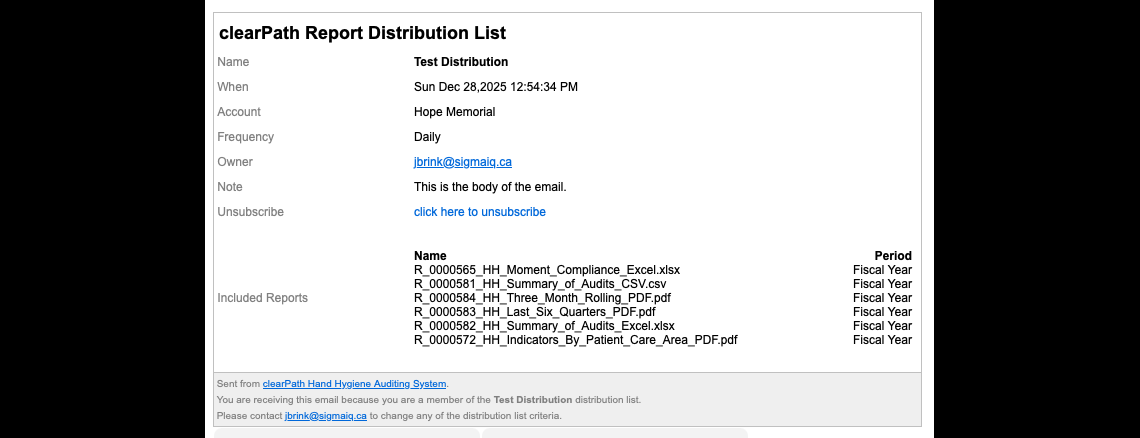
Distribution lists that send a link instead of an attachment now point recipients at a branded download portal hosted on your own domain. The recipient confirms their identity with an email address, then picks and pulls individual PDFs — no ZIP files to extract, no inbox-busting attachments, no waiting for the slowest report in the pack.
The same engine still powers scheduled and emailed reports; SendLink distributions now get a portal experience the C-suite can open on a phone.
Request for Information Compare EditionsKey Benefits
- Hosted on your own configured domain
- Email-validated identity gate
- Individual PDF downloads — no ZIP
- Download Selected or Download All
- Selections persist across pages
- Rows-per-page (10 / 25 / 50 / 100)
- Mobile-friendly distribution emails
- Plain-text fallback for old mail clients
- Manual Send Now bypasses the daily guard
- Lower-frequency lists no longer blocked by missing files
Identity-Gated Landing Page
Recipients arrive at a clearPath-styled landing page on your domain and enter the email address the distribution was sent to. The page validates the address against the distribution’s member list before any reports are exposed — so a forwarded link doesn’t leak a board pack to anyone who happens to receive it.
- Hosted under your account’s configured domain
- Email-only confirm step — no password to remember
- Validated against the actual distribution list
- Branded with your colours and logo
Pick the Ones You Want, or Grab Them All
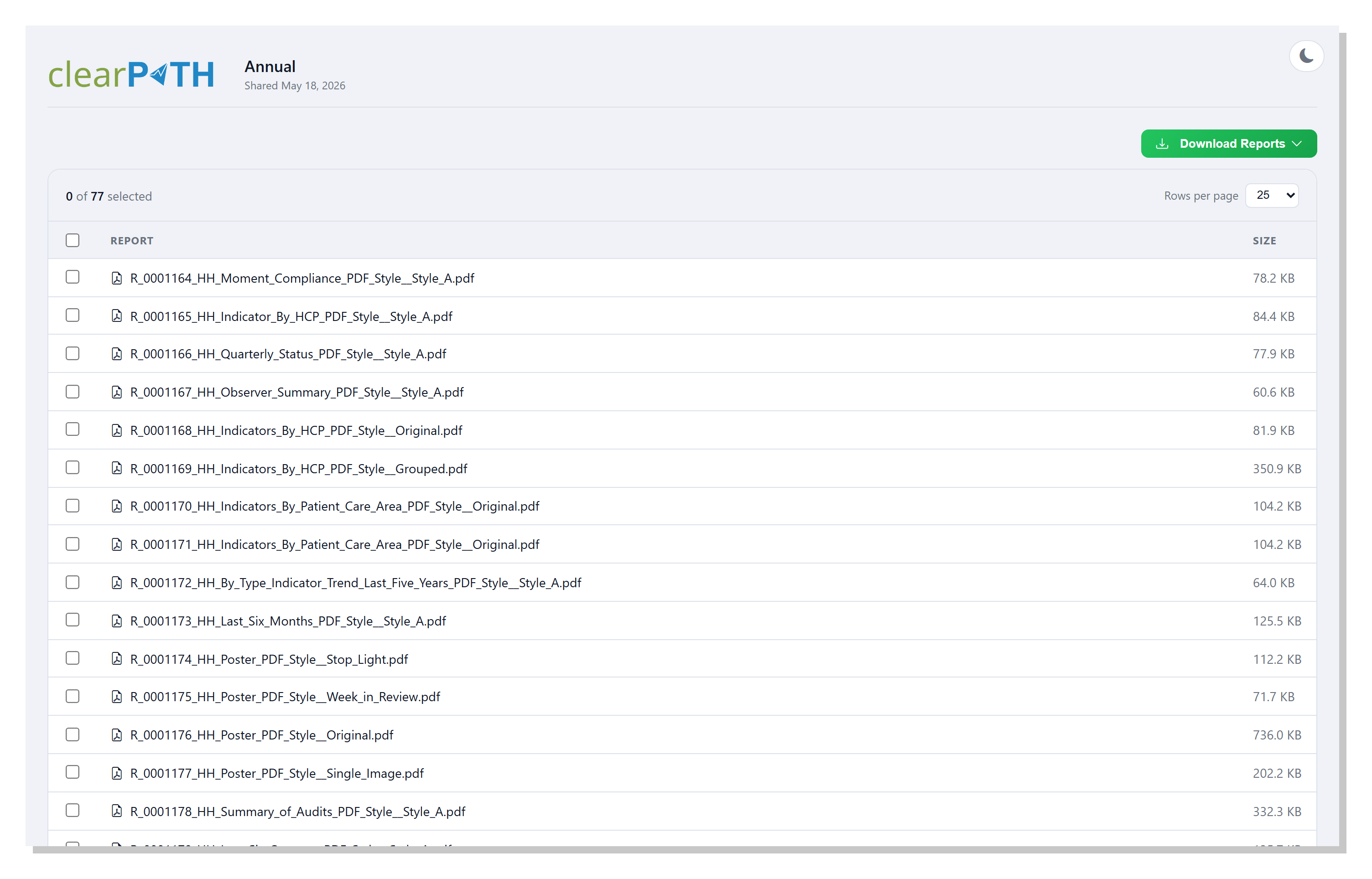
Once past the email gate, the recipient sees every report included in the distribution as a checkbox row with name and file size. A dropdown download button offers two actions — Download Selected pulls only the ticked reports, Download All grabs everything in one click. Selections persist across pages, so a recipient can tick items on page 1 and page 3 of a large distribution and pull them together.
- One-row-per-report checkbox table
- File size visible before download
- Download Selected / Download All split button
- Selections persist while paging through long lists
- Pagination + rows-per-page selector below the table
Distribution Emails, Modernized
Both the HTML and plain-text versions of the distribution email have been rebuilt around the clearPath visual identity — a clean header, a detail card listing the distribution name, send date, organization, frequency, and owner, a prominent green View Reports call-to-action, and an amber Note from sender panel that appears whenever the list owner adds a custom message. The redesigned layout renders consistently across Outlook, Gmail, Apple Mail, and the major webmail clients, with a cleanly formatted plain-text version for recipients who only see text.
- Single modern HTML design across every transactional email
- Mobile-friendly layout
- Plain-text fallback
- Optional note-from-sender panel
- Share-link URLs use your configured Domain (no
127.0.0.1) - Manual Send Now no longer blocked by the once-per-day guard
- Annual / quarterly lists no longer blocked by transient file gaps
Distribution your recipients will actually open.
A polished email, a branded landing page on your own domain, and individual PDFs that open on the first tap. The end of "the attachment was too big for our mail server" and the end of ZIP-extraction friction in the boardroom.
Request for Information Compare Editions