Survey Invitations
Survey Invitations let you send a private link to a specific respondent. Each invitation has its own unique URL, can be marked single-use, and can be set to expire on a date you choose. That means you see exactly who opened the survey — and the link can't be shared, forwarded, or reused once it has done its job.
Invitations pair with any custom audit that has been flagged as a private survey. They turn your custom audit forms into attributable, time-limited surveys you can put in front of people who never sign in to clearPath.
Request for Information Compare EditionsKey Benefits
- Unique link per respondent
- Single-use links that can't be reused
- Optional expiry date and time
- Attribute every response to a person
- Not publicly reachable
- Copy the survey URL in one click
- Optional message with each invite
- Track used vs. unused at a glance
When to Use Invitations
A public survey link is fine for an anonymous pulse check. But when a response has to be tied to a known person, or a survey is only valid for a limited window, an invitation is the right tool.
- Outpatient, staff, or visitor surveys that must be attributed to a known recipient
- Surveys that are only valid for a limited time window
- Any audit or survey that should not be publicly reachable
Invitation Detail
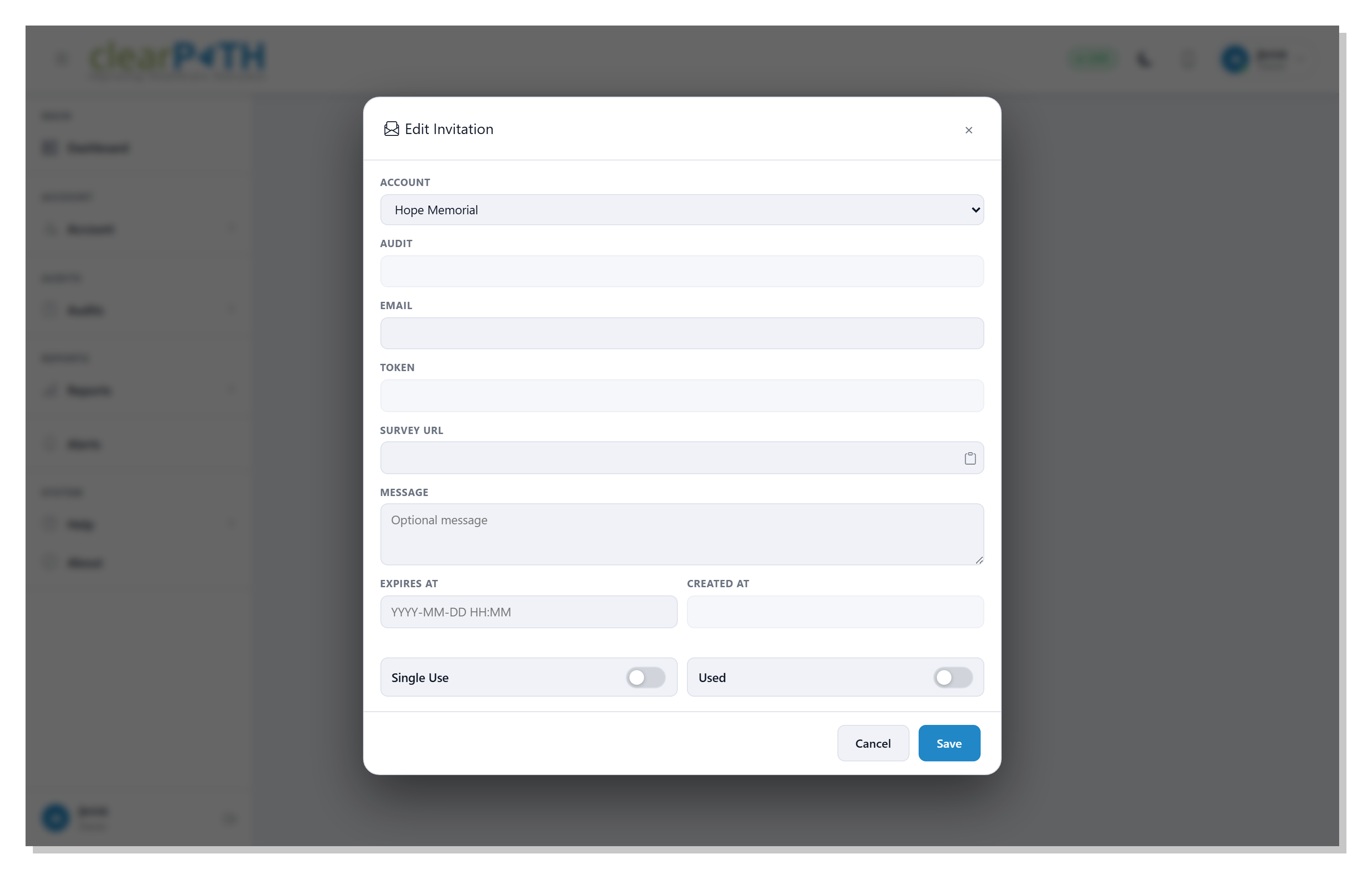
Each invitation pairs a custom audit with one respondent email and a unique token embedded in the survey URL. Copy the full link with the clipboard icon, add an optional message, set an expiry, and flip single-use on so the link opens and submits exactly once. After that the invitation is marked Used and will not open again.
- Read-only token and copyable survey URL
- Respondent email for tracking and delivery
- Optional message and expiry date / time
- Single-use enforcement with a Used status
Stay on Top of Every Invite
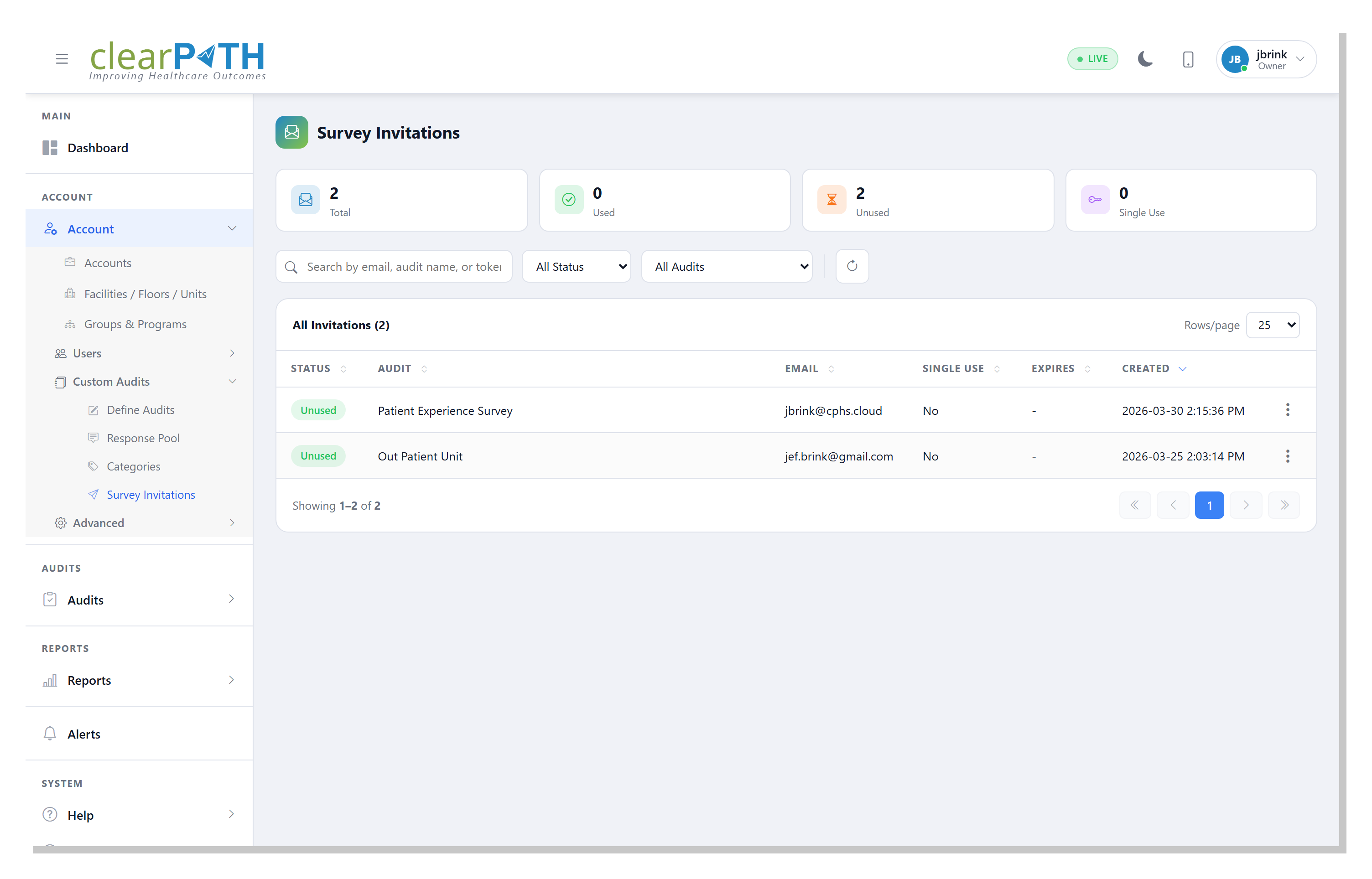
The invitations list keeps the whole campaign in view. Search by respondent email, audit name, or token; filter to used or unused; or narrow to a single custom audit. Every row shows whether the invitation has been used, which audit it belongs to, the respondent, whether it is single-use, its expiry, and when it was created.
- Search by email, audit, or token
- Filter by used / unused status
- Filter by a specific custom audit
- Used, single-use, and expiry at a glance
Private Surveys, Attributed and Time-Limited.
Included with the Enterprise and Ultimate editions as part of Custom Audits.
Request for Information Compare Editions