Two-Factor Authentication
clearPath supports time-based one-time-password (TOTP) two-factor authentication for every user account. When 2FA is enabled, sign-in requires the account password plus a six-digit code generated by an authenticator app on the user's phone — Google Authenticator, Microsoft Authenticator, Authy, 1Password, and any other RFC 6238 compatible app.
2FA is available across every clearPath edition and can be enforced per user. Pair it with the role-based permission matrix and the per-IP threat map for layered access control that satisfies the toughest IT review.
Request for Information Compare EditionsKey Benefits
- Standard TOTP — RFC 6238
- Six-digit code, 30-second rotation
- QR-code pairing on first sign-in
- Works with any TOTP authenticator app
- SMS delivery via Twilio (opt-in per user)
- Per-account monthly SMS budget cap
- Per-user enable / disable toggle
- Available on every edition
- Passwords are never stored in readable form
- Pairs with failed-login auto-blocking
Enabling 2FA for a User
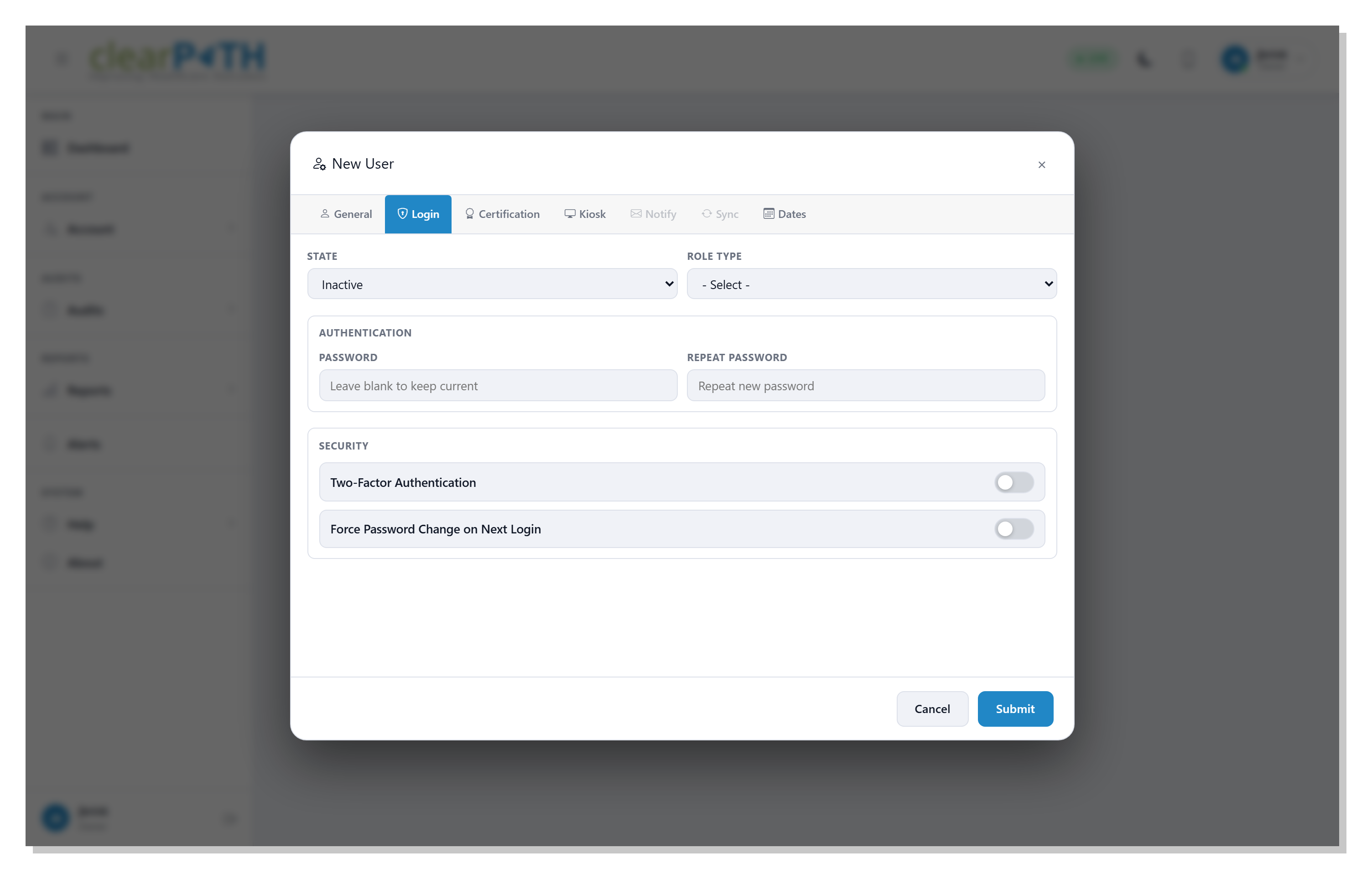
Administrators turn 2FA on or off from the user editor's Login tab. The toggle is per user, so you can require 2FA for the small group of accounts that handle configuration while leaving auditor-only accounts on a single password.
- Per-user toggle on the Login tab of the user editor
- On the user's next sign-in, clearPath shows a setup screen with a QR code
- The user scans the QR code with an authenticator app
- The app generates a fresh six-digit code every 30 seconds
- The user enters the current code to confirm pairing and finish sign-in
- Reset 2FA for a user at any time — the next sign-in re-pairs with a new QR code
Signing In with 2FA
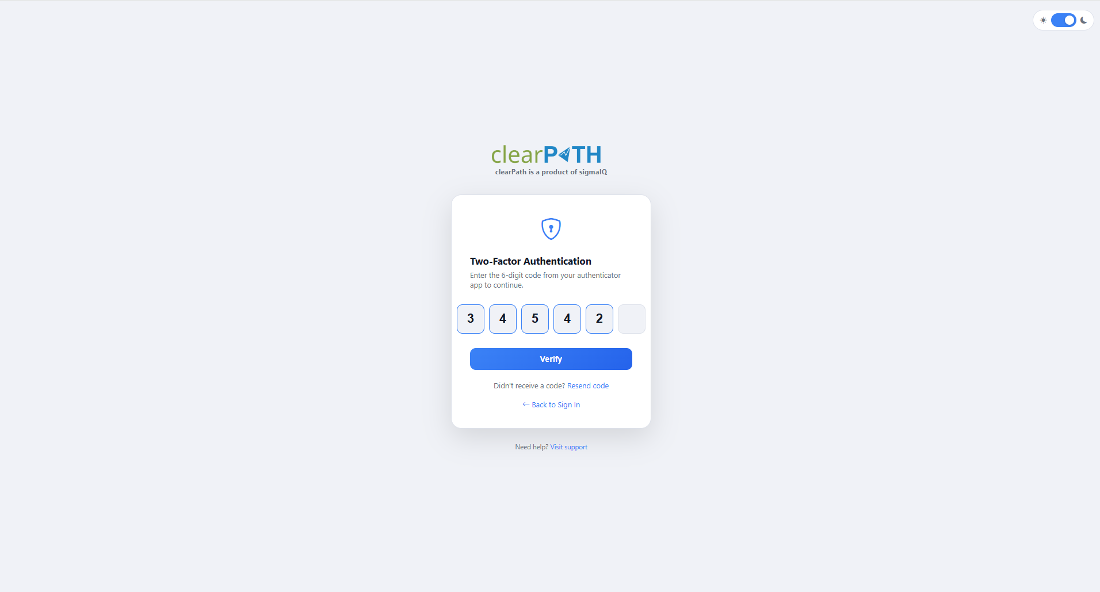
After entering the username and password, the user is taken to the 2FA prompt. They enter the current six-digit code from their authenticator app and are signed in. The code rotates every 30 seconds, so a stolen password alone cannot get an attacker into the account — and a stolen code alone cannot either.
- Username and password as usual
- Six-digit code prompt on the second screen
- Code rotates every 30 seconds
- Tolerant of small clock drift between phone and server
- Failed attempts feed the auto-blocking and threat map systems
Sign In with a Text Message
For users who don’t want to install an authenticator app — or who lose access to it — clearPath now offers a Send code by SMS option on the two-factor verification screen. After entering their password, the user sees the usual six-digit code prompt plus a link to receive the code by text message. Either an authenticator code or the texted code completes verification.
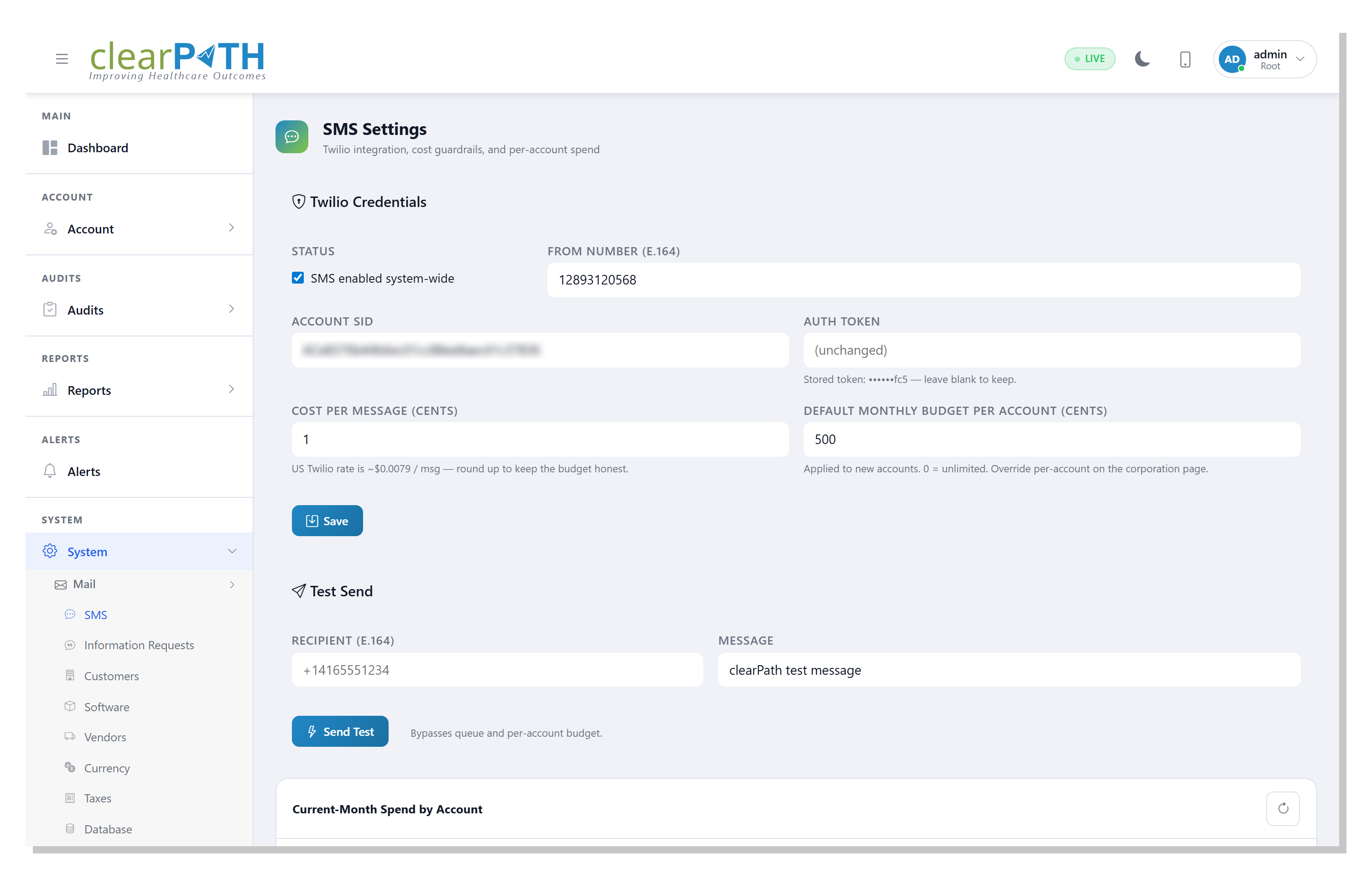
SMS is opt-in per user (mobile number on the Notify tab of the profile, in E.164 format), gated by a Twilio integration the system administrator configures under System → SMS, and capped by a per-account monthly budget — default $5/month, configurable, set to 0 for unlimited. When the budget is hit the link disappears and the user falls back to their authenticator app gracefully — no broken-looking error. Codes are valid for five minutes and are sent immediately on click.
- Send-code-by-SMS link on the 2FA prompt
- Twilio-backed, configured once under System → SMS
- Per-user opt-in with E.164 mobile number
- Per-account monthly $ budget cap (default $5)
- Five-minute code TTL, sent immediately on click
- Graceful authenticator-app fallback when over budget
- Current-month spend dashboard for administrators
- One-shot Send Test button on the admin page
Approved by IT. Loved by IPC.
Two-factor authentication is included on every clearPath edition. Combine it with LDAP / Active Directory, role-based permissions, and the threat map for an access story that survives any IT review.
Request for Information Compare Editions