Custom Audits: Build Any Survey or Checklist Your Team Needs
Hand hygiene is where most infection prevention programs start, but it is rarely where they end. PPE compliance, environmental services, sharps and waste handling, medication safety, patient identification, emergency preparedness — every one of these is something a quality team needs to measure, and every one of them used to live on a different clipboard, spreadsheet, or third-party survey tool.
clearPath Custom Audits bring all of it into one place. You design the audit — the pages, the questions, the answer choices — and the results feed back into the same reports and dashboards as your hand hygiene data. Here is how the pieces fit together.
Beyond Hand Hygiene
A custom audit is simply a set of pages and questions you define, classified by subject area so it can be filtered and reported on alongside everything else. clearPath ships preconfigured with eight categories that cover the ground most healthcare teams need:
- Hand Hygiene — WHO 5 Moments compliance
- PPE Compliance — personal protective equipment usage
- Infection Prevention & Control — isolation, sharps, waste, cleaning, sterile supply
- Medication Safety — five rights, barcode scanning, high-alert drugs, storage
- Patient Safety — ID bands, falls, call bells, pressure injury, VTE
- Environmental Services — cleaning, chemicals, WHMIS, utility rooms, HVAC
- Emergency Preparedness — fire safety, RACE, codes, AED, evacuation
- Documentation & Records — charts, MAR, orders, consent, incident reports
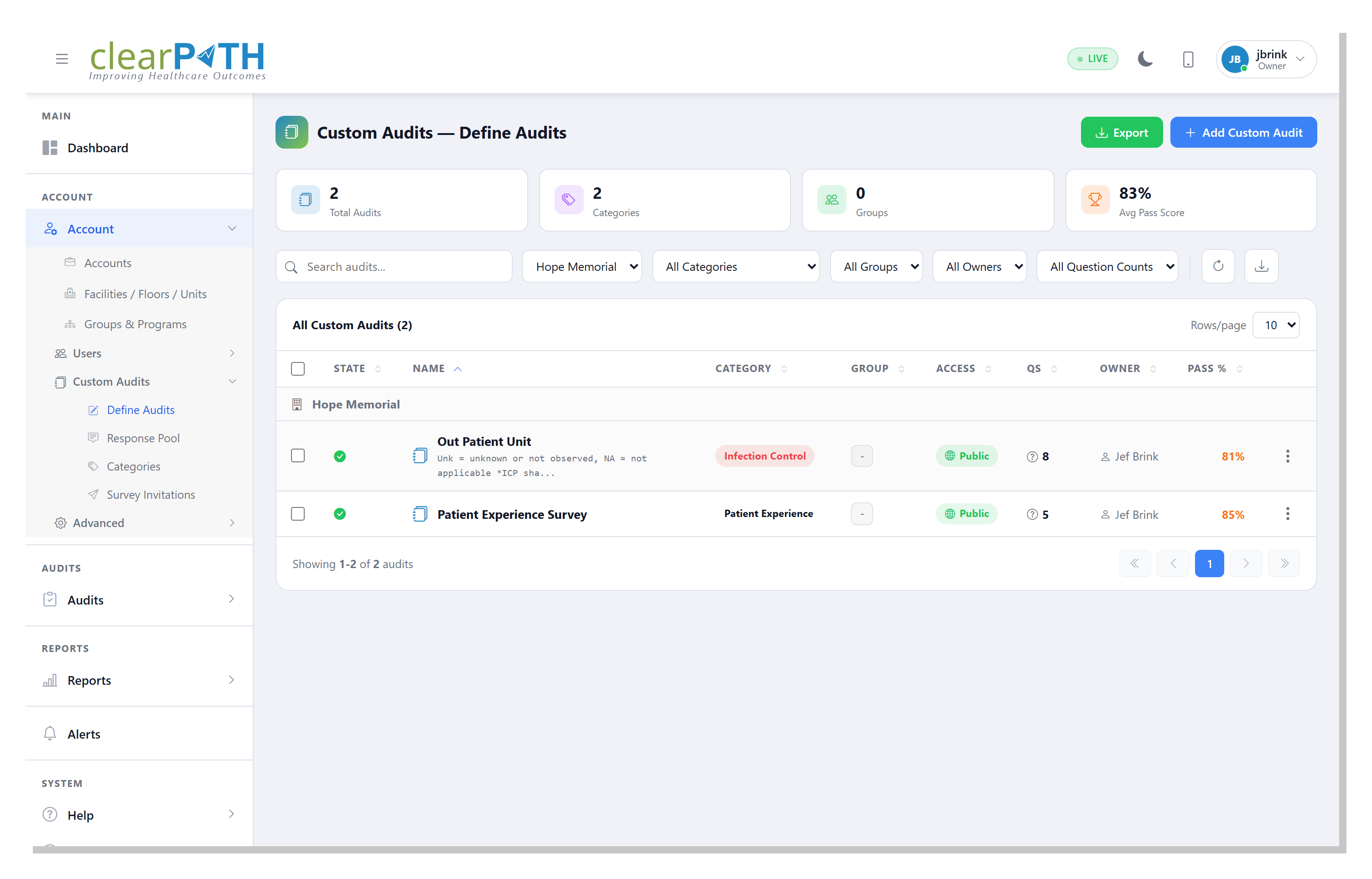
The Define Audits screen is your home base. A searchable, filterable list shows every audit with its category, status, page and question counts, and overall completion percentage, while summary cards across the top track totals for audits, active groups, owners, and questions.
Build an Audit Your Way
Click + Add Audit and you have three ways to start: build from scratch, copy an existing audit as a template, or import a complete definition from a portable .cpcax file. That last option is how you move a finished audit between a sandbox and production, share one between hospital systems, or drop in a prebuilt template — the bundle carries the pages, questions, response sets, and category, but no tenant-specific or response data.
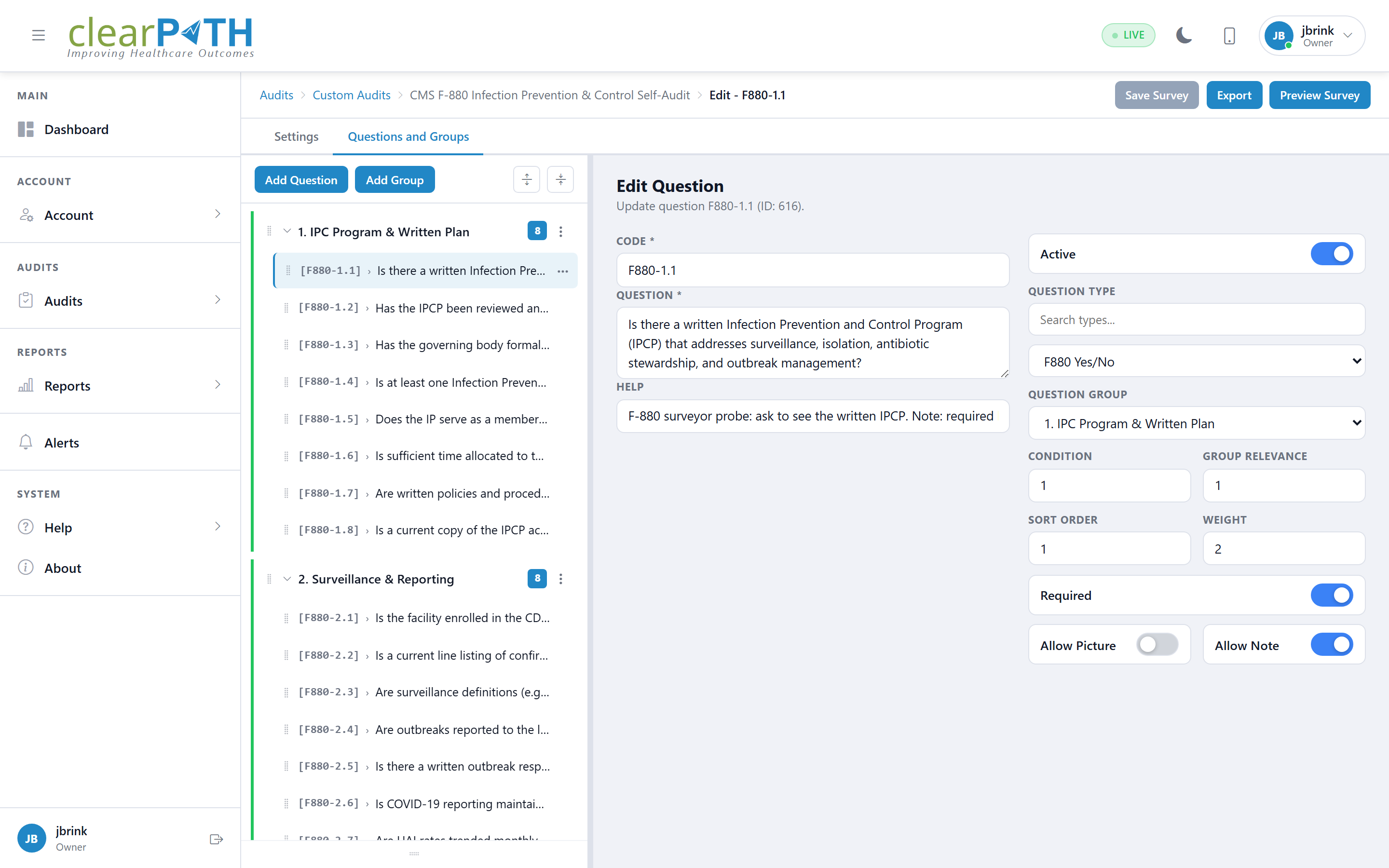
Inside the editor, the Structure tab gives you a question tree on the left and a detail panel on the right. Add individual questions, group them into logical sections, and reorder both with simple sort controls. Page Settings control how the form behaves for the auditor — the visual theme, how many questions appear per page, and internal notes — and the Tools menu lets you preview the survey exactly as an auditor will see it before you publish a single question.
Reusable Building Blocks
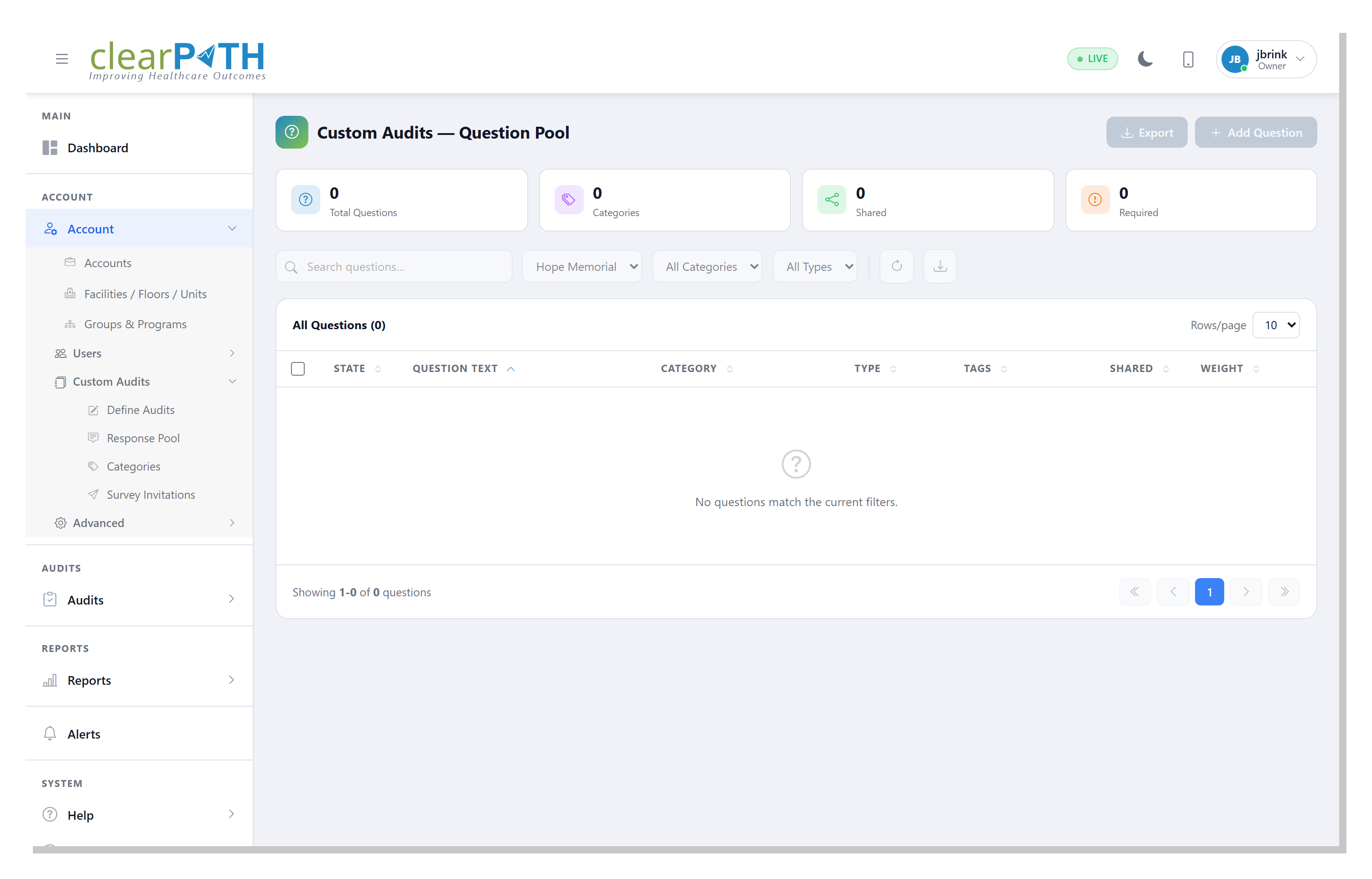
You should never have to write the same question twice. The Question Pool is a shared library of reusable questions — each with a category, a response type (Yes/No, multiple choice, scale, or text), searchable tags, a shared flag, and a scoring weight — that you can drop into any audit.
Paired with it is the Response Pool: reusable answer sets you attach to a question instead of re-keying options every time. clearPath supports the response types healthcare auditing actually uses — Yes / No, Pass / Fail, numeric scales, multiple choice, and compliance-style N/A / Compliant / Non-Compliant sets — and even Net Promoter Score for experience surveys. Each option carries its own score, so compliance is calculated automatically as responses come in.
Organize It, and Control Who Sees It
As a program grows, structure matters. Categories classify audits by subject area for filtering and reporting. Groups bundle audits into logical sets — Inpatient Units, Outpatient Clinics, Surgical Services, the Emergency Department, Long-Term Care, or External Surveys — so the right audits travel together.
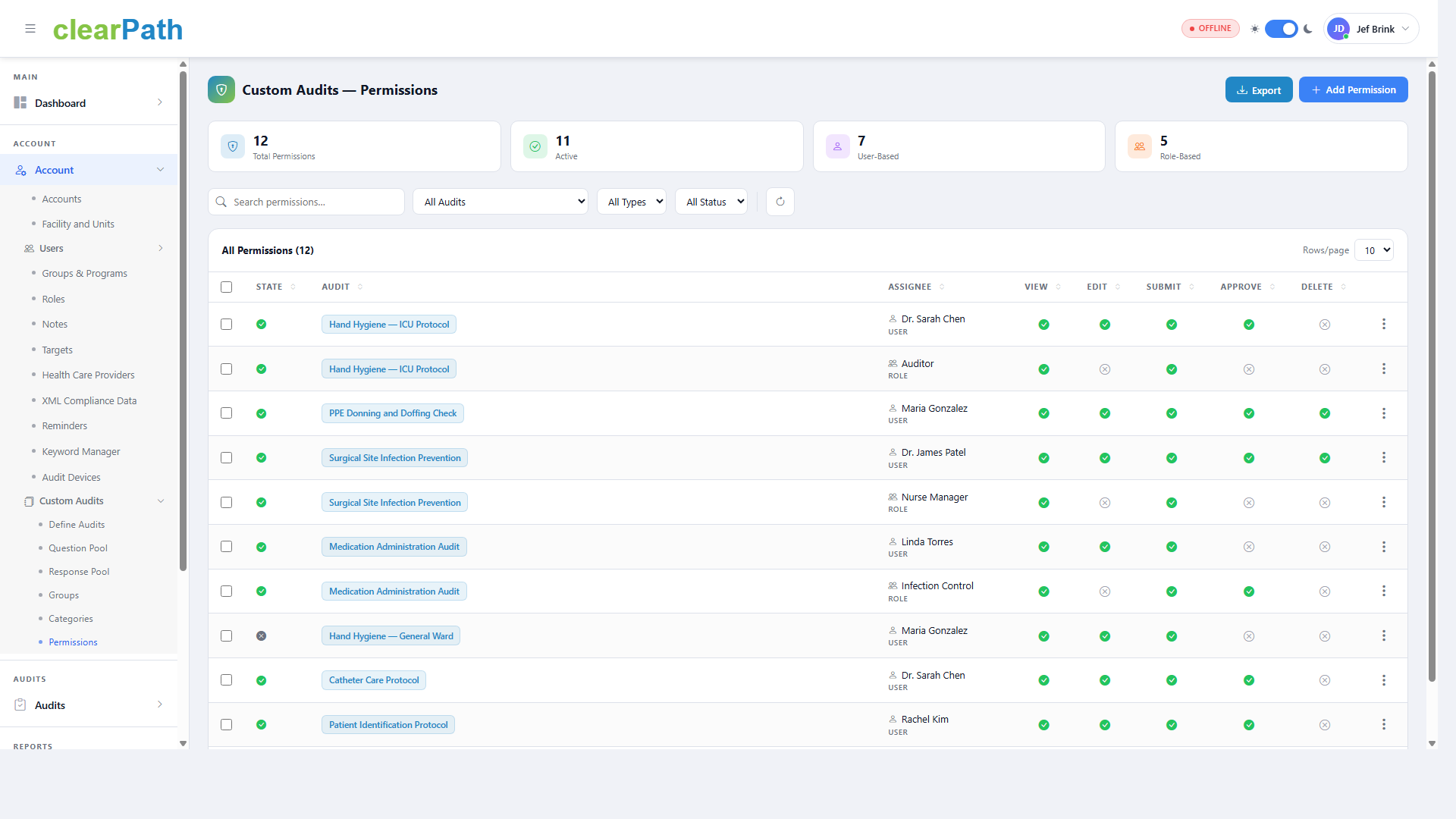
And because not every audit should be visible to every user, Permissions give you a fine-grained access matrix. Grant View, Edit, Submit, Approve, or Delete on any audit, either to an individual user or to an entire role so it applies to everyone in it. An auditor can submit responses without being able to change the form; a reviewer can approve without being able to delete.
From Clipboard to Survey
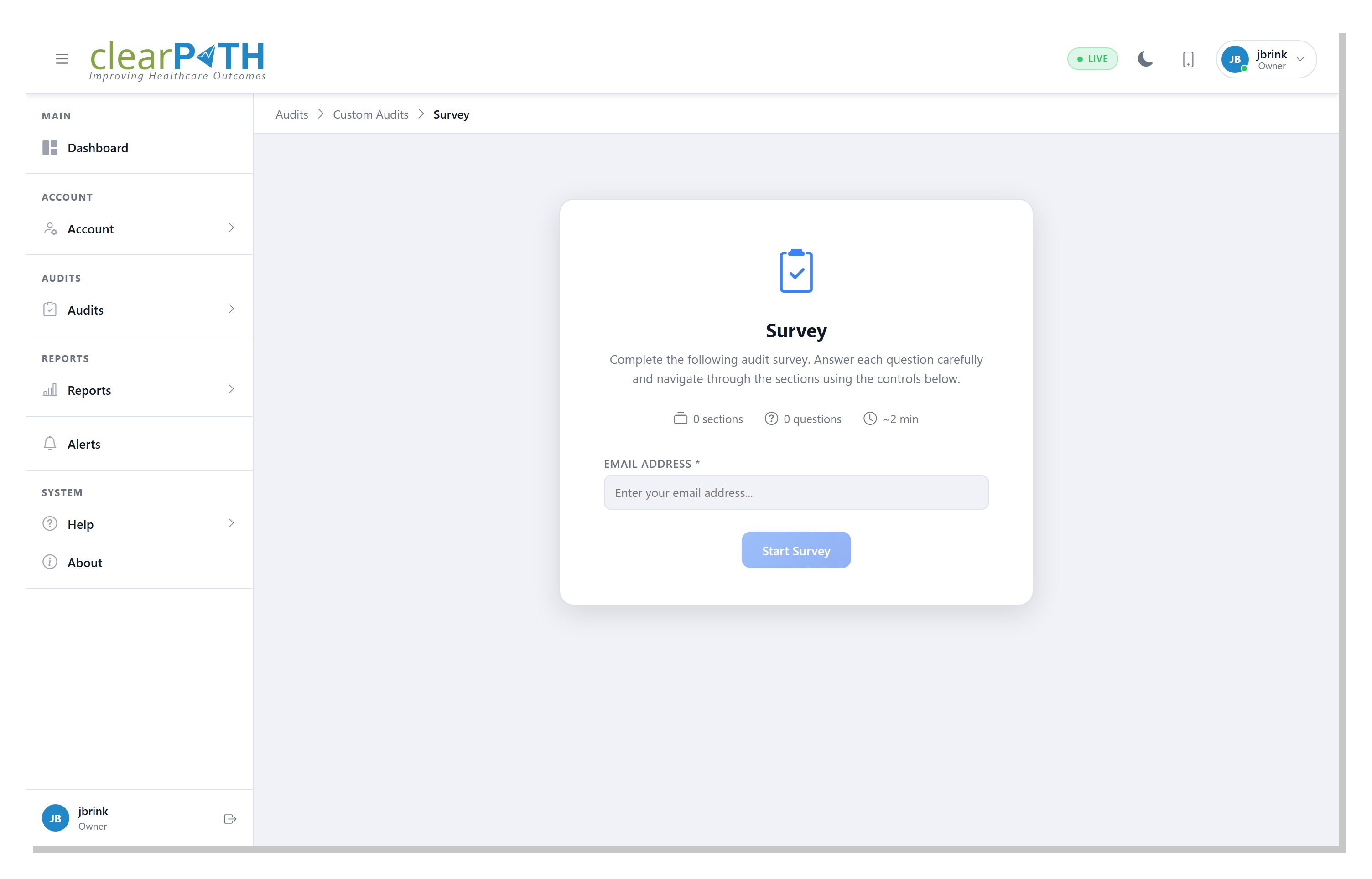
When an auditor launches a custom audit, they see a clean survey start screen with the title, a short description, and a summary of the sections, questions, and estimated completion time. They pick the facility or unit, optionally a room number, and the observer, then tap Start Survey. On a mobile device they can even attach photos to a response — evidence captured in the moment, right where it happened.
Custom audits do not stop at your own staff, either. Any audit can be published as a public or private survey. A one-time survey link gives an external participant a standalone form with no clearPath login required, and per-recipient Survey Invitations generate a tokenized URL for one named respondent — with an optional expiry and single-use enforcement — so an outpatient, staff, or visitor survey is attributable to a specific person and a link can never be shared or reused.
Results That Flow Back In
The real payoff is that custom audits are not a separate silo. Because every question is scored and every audit is categorized, the results land in the same reporting and dashboard engine as your hand hygiene observations — ready to filter, chart, trend, and roll up into the survey-readiness evidence your accreditors expect. One tool, one data set, every kind of audit your organization runs.
Ready to Replace the Clipboard?
Custom Audits are included in the Enterprise and Ultimate editions. Compare what each edition includes, or request a personalized walkthrough using your own audit forms.
Compare Editions Request for Information