LDAP / Active Directory Integration
The directory your IT team already runs is the right place to control who can sign in to clearPath. The wrong place is a second password store that drifts out of sync the moment someone leaves the organization. clearPath integrates with LDAP and Active Directory so every sign-in is validated against the same source of truth your domain already trusts — no parallel credentials to provision, audit, or revoke.
Configuration is straightforward: add a directory binding, point it at your LDAP or AD host, supply the base DN and filter that scopes which users can authenticate, and clearPath takes it from there. Multiple bindings are supported per deployment, so multi-corporation or multi-domain installations can each authenticate against the right directory.
Request for Information Compare EditionsKey Benefits
- Authenticate against existing LDAP or AD
- No parallel password store to manage
- Disable users centrally — access removed everywhere
- Multiple directory bindings per deployment
- Per-binding base DN and search filter
- SSL / TLS (LDAPS) supported
- Bind-DN service account isolation
- Pairs with two-factor and role-based permissions
Open Directory Configuration
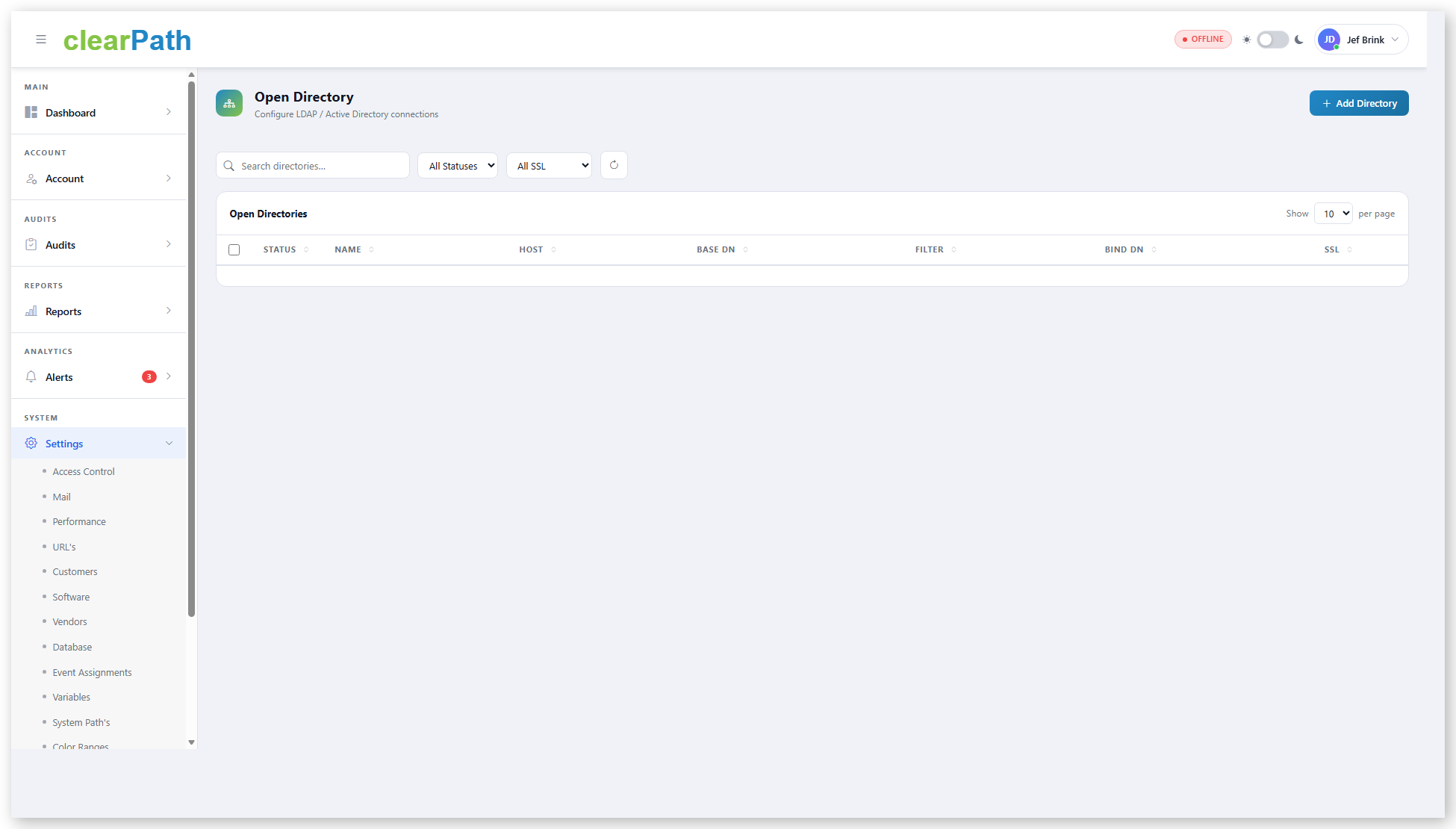
The Open Directory settings page lists every directory binding the system is configured against. Each row carries the host, base DN, filter, bind DN, and SSL state — the values your AD team will ask about when reviewing the integration. Bindings can be activated, deactivated, or removed without restarting the service.
- One row per LDAP / AD binding
- Host, port, and SSL state at a glance
- Base DN and search filter editable per binding
- Service-account bind DN with isolated credential
- Status toggle to activate or deactivate without deletion
- Filter and search across many bindings
What Each Binding Looks Like
A directory binding in clearPath is a small set of fields your AD or LDAP administrator will recognize on sight:
- Name — e.g. Corporate LDAP
- Host — e.g. ldap.example-health.org
- Port — 389 for LDAP, 636 for LDAPS
- Base DN — ou=staff,dc=example-health,dc=org
- Filter — (objectClass=inetOrgPerson)
- Bind DN — service-account distinguished name
- Bind Password — encrypted at rest
- SSL — toggle for LDAPS
The bind password is stored encrypted; updates to a binding leave the existing password in place unless the field is explicitly changed, so a configuration tweak doesn't require a credential rotation.
One Identity. One Source of Truth.
Available on Ultimate edition for on-premise deployments. Pair LDAP / AD with two-factor authentication and role-based permissions for layered access control.
Request for Information Compare Editions